

Multiple recording formats
Supports voice shorthand, meeting recordings, classroom recordings, phone internal recording, as well as images, links, and text, making it suitable for quickly capturing content in different scenarios.

得到大脑 is an AI note-taking and personal knowledge management tool that records voice, audio, text, images, and links, then organizes them into searchable content.
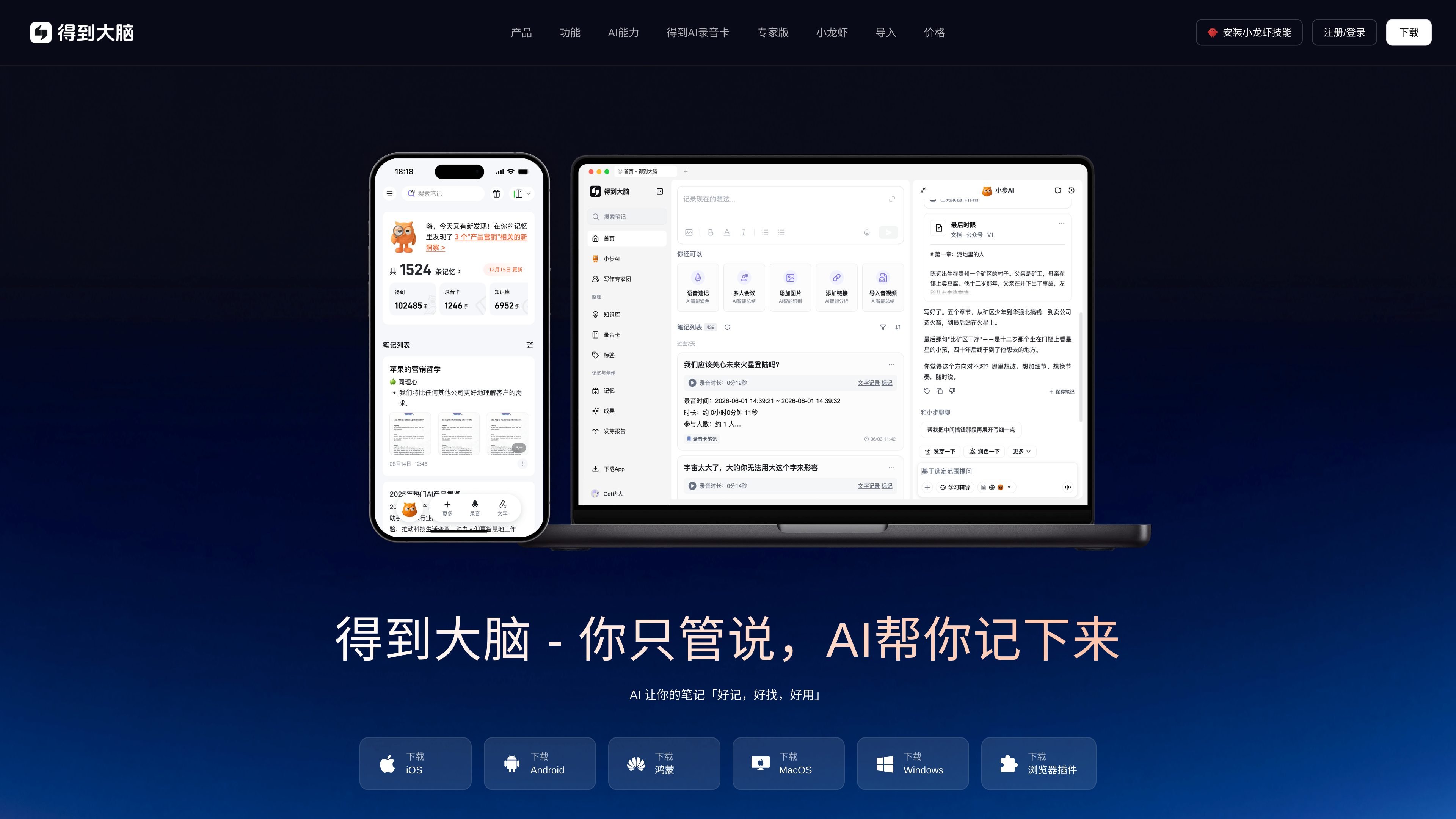
得到大脑 is an AI note-taking product for personal recording and creation. Its homepage positions it as “redefining personal recording and creation with AI.” It supports multiple input methods such as voice, audio recordings, links, images, and text, and organizes fragmented information into searchable, reusable notes.
Its core goal is not just to store content, but to understand the meaning of what is recorded, automatically connect it with existing information, and continue to provide comment, questioning, polishing, and germination capabilities after recording, helping users gradually turn rough ideas into usable content. The official site also shows multi-platform entry points, import capabilities, and use cases for learning, work, and creation.
Supports voice shorthand, meeting recordings, classroom recordings, phone internal recording, as well as images, links, and text, making it suitable for quickly capturing content in different scenarios.
AI turns raw recordings or materials into clean notes, reducing the burden of manual transcription, classification, and organization.
The page emphasizes being “easy to remember, easy to find, easy to use,” and provides natural-language retrieval and automatic categorized archiving for easier later search.
After recording, you can germinate, comment on, question, and polish the content, helping move scattered ideas forward.
Supports importing notes from multiple platforms such as 得到, Evernote, Youdao Cloud Note, and WeChat Reading, and managing them in one place.
The official website provides entry points for iOS, Android, HarmonyOS, Mac, Windows, WeChat Mini Program, browser extension, and the 得到 AI recording card.
While attending class or studying independently, record as you listen, then let AI generate complete notes, highlight key points, and organize knowledge afterward to reduce the time spent reworking content during review.
Record meetings directly, then have the system organize meeting minutes or weekly and monthly reports afterward, which is suitable for workplace scenarios that require quick delivery of meeting results.
Dictate articles, course scripts, or retrospective content, and turn rough expression into more logical text, which is suitable for writers and content creators.
Import notes from sources such as 得到, Evernote, Youdao Cloud Note, and WeChat Reading, then manage them in one place, which is suitable for consolidating knowledge scattered across multiple tools.
In hospitals, during commutes, or in environments where typing is inconvenient, use the recording card or your phone to quickly capture key information, then search and review it later.
得到大脑 supports recording with voice, audio, links, images, and text, and is suitable for people who want to reduce manual organizing. The homepage also shows desktop, web, mini program, browser extension, and recording card entry points, but it does not provide a complete getting-started flow on the public page.
The core flow shown on the page is to record first, then let AI automatically organize the content into notes and provide follow-up capabilities such as comments, questioning, polishing, and germination based on the content. It also supports importing notes from multiple platforms for unified management.
The official website shows coverage for iOS, Android, HarmonyOS, Mac, Windows, WeChat Mini Program, and a browser extension, and it also offers the 得到 AI recording card. Different entry points correspond to different recording methods, such as mobile recording, desktop recording, and hardware recording.
The official page lists a free version, a membership version, and an expert version, but the currently captured pricing page returns 404, so the full purchasing and renewal details cannot be confirmed from that page.
The page mentions that notes from 得到, Evernote, Youdao Cloud Note, and WeChat Reading can be connected and managed in one place. However, beyond these sources, no more detailed third-party integration list was shown.

Obsidian is a private note-taking and knowledge management app with local Markdown notes, links, graph view, Canvas, plugins, themes, sync and publishing.

Minutes is an AI note taking and transcription app for meetings, lectures, and recordings. Turn live audio, files, or YouTube links into notes, transcripts, and summaries.
Answers AI is an AI-powered education platform for students and educators, offering answers, study help, and assignment support across web, mobile, and Chrome tools.

Speakflow online teleprompter for writing and organizing scripts, voice scrolling, team collaboration, and cross-device syncing. Free and paid plans available.

讯飞会议 cloud video conferencing for enterprise collaboration, with video meetings, AI transcription and translation, and automatic meeting notes. Public and private cloud.

Anara is an AI research workspace that searches your library and the web, then helps you write with cited claims and source-backed answers.