

Script-to-video matching
Write a script or narration line by line, then have ClipMatch connect each line to the clip that best fits it from your footage library.

ClipMatch is an AI video editor that turns camera roll footage into short vertical videos, matching script lines to clips for social platforms.
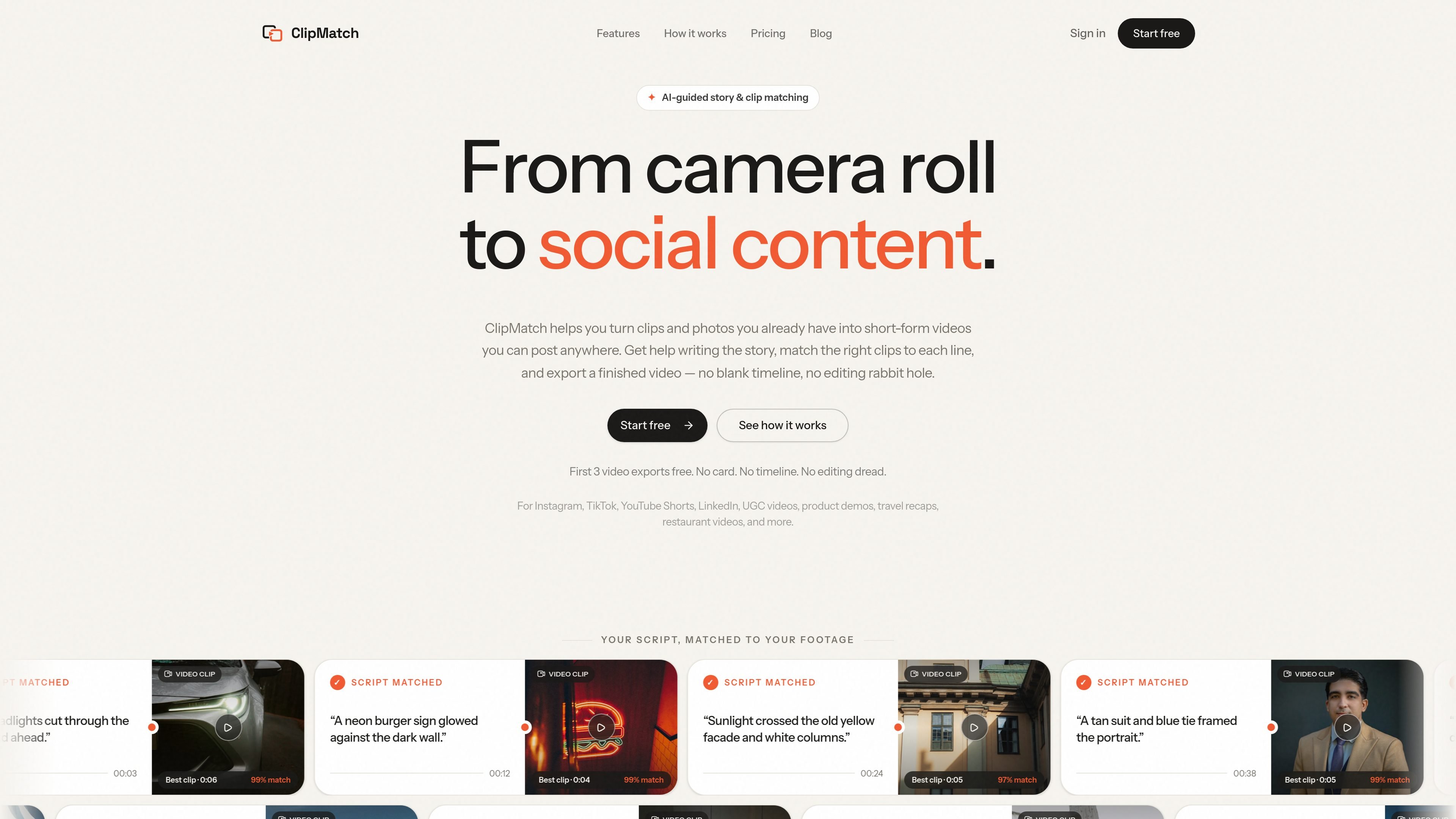
ClipMatch is an AI video editor for turning camera roll footage into short-form vertical videos. The product is built around a story-first workflow: you add clips and photos from a shoot, write the story or narration in short lines, and let the system match those lines to the best available footage.
The site positions ClipMatch for creators, UGC work, small businesses, and everyday footage that needs to become something postable. It supports a no-timeline workflow, previewing and editing before export, and finished vertical MP4 output for social platforms such as Instagram, TikTok, YouTube Shorts, and LinkedIn.
Write a script or narration line by line, then have ClipMatch connect each line to the clip that best fits it from your footage library.
ClipMatch analyzes clips with vision AI so it can read what is happening in the scene, not just rely on filenames or metadata.
For each line, the system surfaces the top three clip options and gives each match a confidence score so you can review and change selections.
The workflow assembles a reviewable rough cut automatically, so you do not need to build the sequence on a timeline by hand.
When you are finished reviewing, export a vertical MP4 in 1080×1920 H.264 format, ready for platforms such as TikTok, Instagram Reels, and YouTube Shorts.
The pricing page says captions and voiceover are included at no extra cost, and each project includes 3 free re-exports.
Turn dinner clips, trip footage, or other camera roll videos into a short recap that can be posted without manual timeline editing.
Assemble product footage into a short demo or UGC-style clip by writing the key points first and letting AI find the best supporting shots.
Use the workflow to convert event footage from launches, weddings, or pop-ups into a finished vertical highlight video.
Create social updates for restaurants, shops, or local businesses using behind-the-scenes footage, new arrivals, or story-based clips already on your phone.
Build a portfolio and post more consistently by turning raw shoots into publishable short-form videos without spending time on manual editing.
ClipMatch is an AI video editor that turns camera roll footage into short-form vertical videos. You upload clips and photos, add a story or script, and the product matches lines to the best footage before export.
The pricing page says the first 3 video exports are free. After that, finished video exports are $2.99 per video during beta, with pricing noted as subject to change.
ClipMatch supports standard video uploads, including MP4 and MOV. The AI video editor page says it can handle any standard video format.
No. The site says you can start from an idea, rough notes, or a finished script, and it will help shape the story into short video lines.
You can preview and edit for free, then pay when you export a finished video. The pricing page also says each project includes 3 free re-exports in case you need to fix small mistakes.

CoCoClip.AI is a web-based AI video editor for short-form content, with text-to-video, image-to-video, and audio-to-video workflows for YouTube Shorts, TikTok, and Instagram Reels.

Podfy.ai is a browser-based AI video tool that turns text, scripts, audio, and music into edited videos with narration, subtitles, effects, and soundtrack for faster short-form social content.

Pika is an AI video generation platform for creating and editing short videos from prompts, images, and existing footage. It also offers plan-based commercial use, watermark-free downloads on higher tiers, and select partner API access.

Magnifi is a cloud-based AI video platform for automating highlights, tagging, resizing, and distribution from live or recorded content for media and sports teams.

Boolvideo is an AI video generator that turns prompts, scripts, product links, blog posts, images and clips into videos for creators, marketers, sellers and agencies.

Rizzle turns articles into editorial-grade video and distributes it across major channels with AI-assisted, human-reviewed workflows for publishers.