

AI video generation
Create videos from text prompts or images, with options to choose different modes and styles for the result. The video generator page also shows support for model switching across providers such as VEO3, Kling 2.1, and Hailuo-02.

ClipZap.AI is a web-based AI video workflow editor for creating and automating video, image, and audio content with templates and tiered plans.
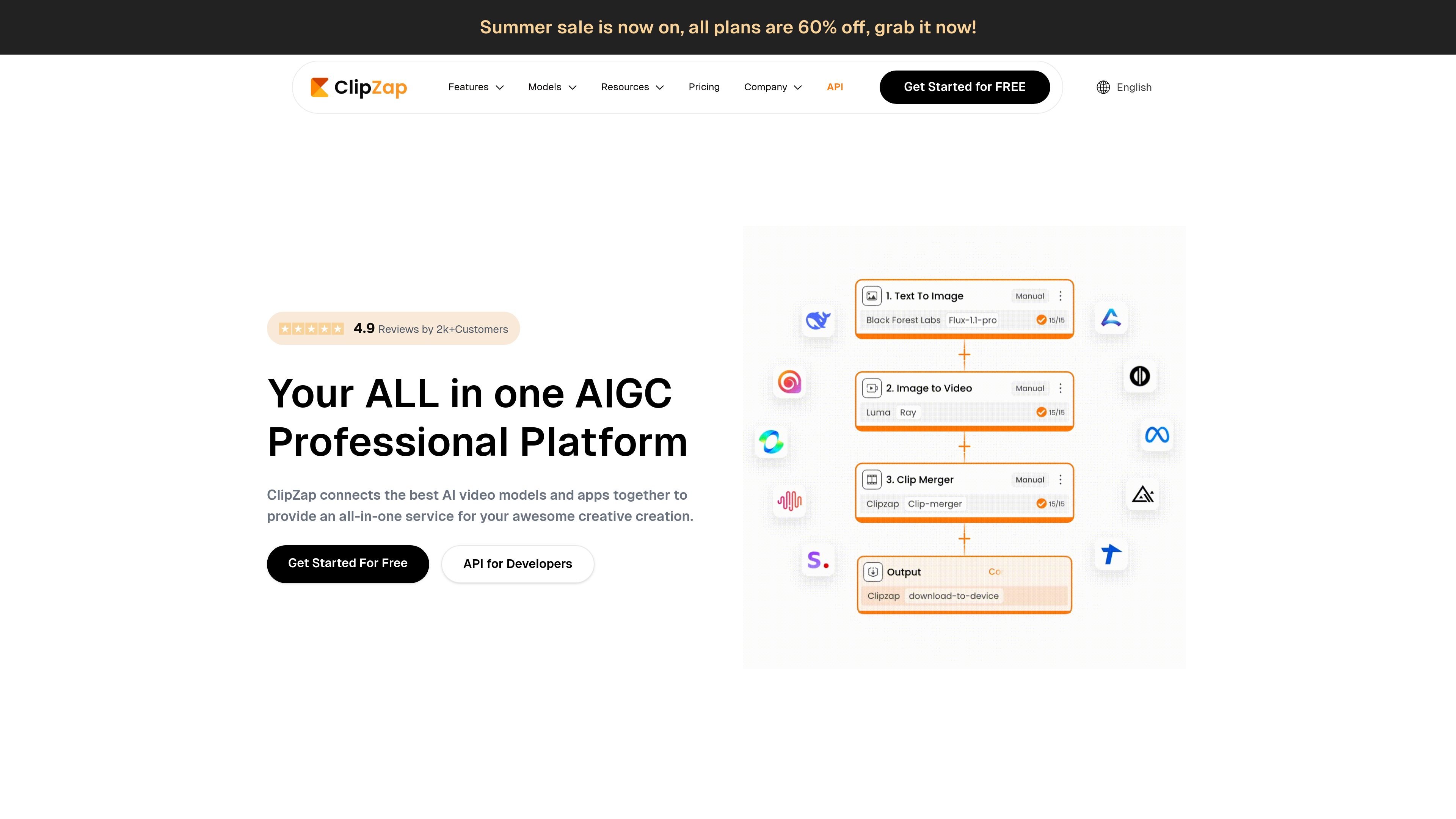
ClipZap.AI is an AI video workflow editor that combines generation, editing, and model orchestration in one platform. Across the site, it is presented as a way to create and automate content workflows for video, image, audio, and related creative tasks without moving between separate products.
The product centers on prompt- or image-based video generation, workflow building, and a broader set of AI tools such as subtitles, translation, face swap, image enhancement, and voice-related features. Its pages also emphasize reusable templates, multi-model access, and plan tiers that change speed, upload duration, and available tools.
Create videos from text prompts or images, with options to choose different modes and styles for the result. The video generator page also shows support for model switching across providers such as VEO3, Kling 2.1, and Hailuo-02.
Use the workflow editor to connect text, image, audio, and video steps into a repeatable production flow. The homepage emphasizes building workflows quickly and improving content production efficiency.
Access 40+ integrations and 60+ workflow templates to avoid starting from a blank canvas. The site positions these templates as practical starting points contributed by ClipZap and its community.
Generate and edit related content types beyond video, including face swap, subtitles, translation, image generation, music generation, image enhancement, background removal, lip sync, dubbing, and voice cover.
Use plan-based tiers that control upload length, model access, and generation speed. The pricing page shows free, Starter, Profession, and Ultra tiers with different tool access and output allowances.
Use the video generator to turn a prompt or an image into a short-form or longer video, then refine the style or model choice when needed.
Build a repeatable workflow for recurring content work, such as batching videos, combining model steps, or moving assets through text, image, audio, and video stages.
Generate platform-ready social content with features like subtitles, translation, face swap, image enhancement, lip sync, and voice cover for different publishing needs.
Start from one of the available templates instead of building every step manually, especially when you need a practical workflow for common production tasks.
Explore paid tiers when you need longer uploads, faster generation, or access to more advanced tools and model coverage.
ClipZap is an AI video workflow editor that combines video generation, subtitles, translation, face swap tools, and other AI models in one editor. It is positioned for creators, marketers, and businesses that want to build content workflows without switching between separate tools.
The site says ClipZap offers basic services for free, while complex models, the workflow editor, and faster generation are paid features. The workbench pricing page also shows a Free plan alongside Starter, Profession, and Ultra plans.
ClipZap says faster generation is available by upgrading a subscription. On the video generator page, free users are shown with slower generation than subscribers, and the pricing page mentions higher-speed delivery modes.
The pricing page shows plan tiers that include upload duration limits, workflow projects, and access to specific tools such as face swap, image enhancer, lip sync, and voice cover. It also lists increasing model access across higher plans.
The site states that ClipZap resources can be used for commercial purposes if users follow the usage guidelines and avoid copyright or misleading use. Users should check the current terms before publishing generated content.

Podfy.ai is a browser-based AI video tool that turns text, scripts, audio, and music into edited videos with narration, subtitles, effects, and soundtrack for faster short-form social content.

Pika is an AI video generation platform for creating and editing short videos from prompts, images, and existing footage. It also offers plan-based commercial use, watermark-free downloads on higher tiers, and select partner API access.

Rizzle turns articles into editorial-grade video and distributes it across major channels with AI-assisted, human-reviewed workflows for publishers.

Altered is an AI voice changer and voice content creation platform for media production and live voice use. It combines voice morphing, text-to-speech, transcription, translation, cloning, and editing in one application.

Subtitle Translate AI is a browser-based subtitle translation tool for SRT and related files. Translate subtitles into 100+ languages while preserving timing, formatting, and context.

Upsampler is an AI platform for creating, editing and upscaling images and videos in one workspace. Pay per credit, full API access, commercial use included.