

Real-time bidirectional sync
Synchronize tickets, issues, custom fields, comments, attachments, and other standard or custom entities between systems in both directions.

Exalate is a bidirectional integration platform for syncing work items in real time across teams, systems and companies with controlled data flow.
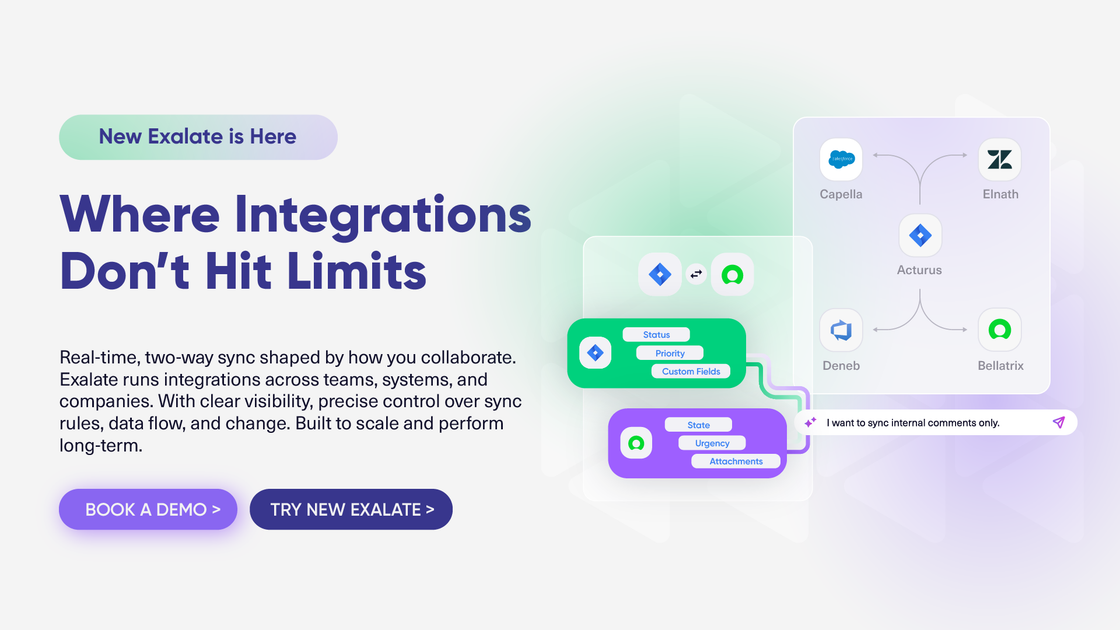
Exalate is a bidirectional integration platform for syncing work items across teams, systems, and companies. The source pages position it for complex collaboration scenarios where teams need real-time updates, controlled data flow, and the ability to keep separate systems aligned without copying information by hand.
It connects work tools such as Jira, ServiceNow, Zendesk, Azure DevOps, Salesforce, and others, and it supports both standard and custom entities. The product combines a scripting engine, AI-assisted setup with Aida, and monitoring tools for rules and errors so teams can build integrations that fit their process instead of forcing process changes.
Synchronize tickets, issues, custom fields, comments, attachments, and other standard or custom entities between systems in both directions.
Define which items sync, how fields map, and how data flows using triggers, scripts, and separate incoming and outgoing rules for each side of a connection.
Connect multiple projects, instances, and platforms, and keep each connection on its own ruleset instead of forcing a one-size-fits-all template.
Use Groovy-based scripting for custom mapping and workflow logic, with test runs and versioning to review or restore changes.
Use Aida, Exalate’s AI-assisted layer, to help configure integrations, understand behavior, and troubleshoot issues faster.
Monitor sync status, failures, and manual pushes from the console or browser extension without needing a single shared proxy account.
Keep tickets, incidents, or issues synchronized between service and engineering tools so both sides see the same status, comments, and relevant fields in real time.
Link records between separate companies or departments that need controlled data sharing, separate rules, and clear visibility into what changed.
Move data between multiple projects, instances, or platforms without relying on a single template, using different rules for each connection.
Bring existing items that already live in two systems into sync and keep them aligned going forward with bulk linking and sync logic.
Set up and maintain more specialized workflows, such as custom field mappings, subtask relationships, or trigger-based sync rules, where standard automation templates are not enough.
Exalate syncs work items in real time between connected systems. The source pages describe two-way sync, support for standard and custom entities, and tools for viewing sync rules, triggers, and errors from the Exalate console or browser extension.
The pricing page shows paid subscription plans for Starter, Scale, Pro, and Enterprise. Pricing is based on active items in sync rather than users or transactions, and some plans include a free 30-day trial or contact-sales flow.
The source pages explicitly list connectors such as Jira Cloud, Azure DevOps Cloud, Zendesk, Freshdesk, Freshservice, Asana, GitHub, ServiceNow, Azure DevOps Server, Salesforce, TOPdesk, Xurrent, ServiceDesk Plus, Ivanti, SolarWinds, ConnectWise, and HaloITSM.
The pricing page says Starter and Scale include best-effort support via the support portal, Pro includes committed SLAs on response times, and Enterprise includes priority support with faster response and direct Slack or Teams access.
The source emphasizes flexible two-way integrations, AI-assisted setup through Aida, scripting, bulk operations, and real-time sync. It also notes that some advanced options such as extra environments, data residency, managed services, and certain connectors are tied to higher plans or add-ons.

TakeCareOS is a web platform for home care, disability, and aged care agencies, with rostering, billing, compliance, and AI admin tools.

CREAO is an AI agent platform for turning recurring business work into reusable workflows, with schedules, approvals, and tool integrations.
Twine AI Launcher is an Android launcher with AI assistant access, bringing ChatGPT-style help to your homescreen for quick answers, notes, tasks, reminders, and people memory.

EZsite AI is an AI website builder that turns a URL into a fullstack React or Vue.js app with hosting, custom domains, code export, and backend features.

AI Magicx is a unified AI workspace for chat, image, video, voice, music, email and developer tasks, helping teams and creators manage multiple models in one place.

阶跃AI is a personal efficiency assistant from 阶跃星辰 for knowledge search, writing, coding, and daily automation. Download on desktop and mobile, and trigger web, files, and reminders by voice.