

Delivery app menu photo generation
Upload just one photo and it converts it into menu photos that match delivery app formats such as Baemin, Coupang Eats, Yogiyo, and Ttangyo. There is no need to manually adjust for each app’s size requirements.

젝터스튜디오 is an AI tool that turns one photo into delivery app menu photos, posters, and promo images for store owners and franchise HQs.
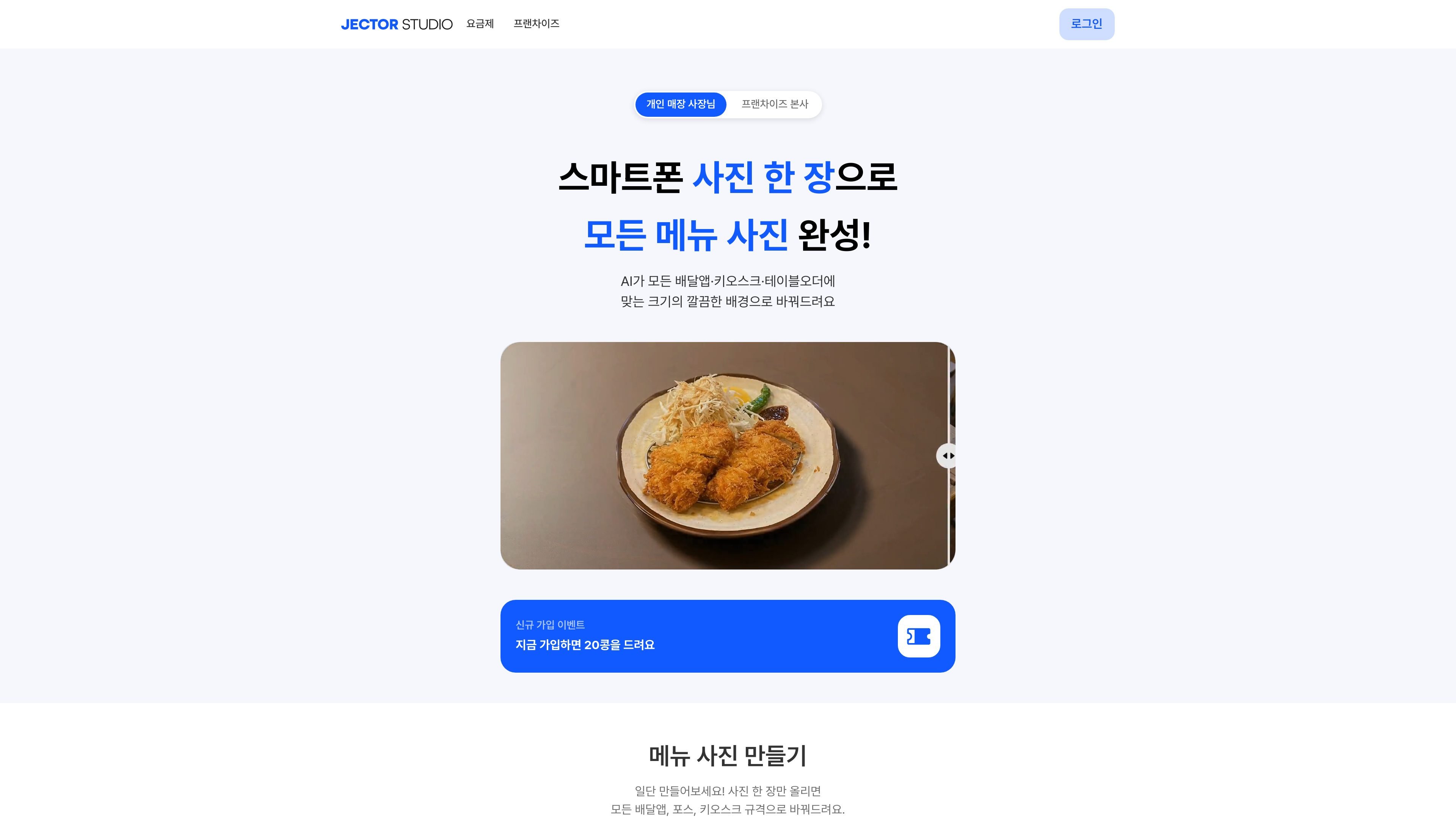
Jector Studio is an AI image generation tool for store owners that turns one uploaded photo into delivery app menu photos, posters, and promo images. It is designed to create format-specific images for different channels such as delivery apps, POS systems, kiosks, table order systems, and map apps.
The website positions it for individual store owners and franchise headquarters, emphasizing that they can quickly create store images themselves instead of relying on expensive studio shoots or outsourced editing. The core workflow combines background cleanup, resizing, quality enhancement, and text addition in one flow.
The pricing page lists Free, Basic, Pro, and Annual Unlimited plans, and says new signups receive 20 Beans. It also explains that the service is subscription-based and that Beans are used for image downloads.
Upload just one photo and it converts it into menu photos that match delivery app formats such as Baemin, Coupang Eats, Yogiyo, and Ttangyo. There is no need to manually adjust for each app’s size requirements.
You can create images in the required formats for multiple store operation channels at once, including POS, kiosks, table order systems, and map apps. It is useful when managing both in-store and online channels.
Background removal, image enhancement, lighting and shadow, and text addition are presented together, supporting a workflow for organizing uploaded photos and improving their presentation.
Poster and moving photo features are introduced separately, allowing you to create promotional images and video-like visuals in addition to static menu images.
Entry options such as try it for free, try it without logging in, and 20 Beans for new signups help first-time users test it right away.
When menu photos for delivery apps are dark or do not match the required format, you can upload one photo and prepare images that fit each platform’s size. It is also described as being suitable for upload review and cleanup.
It is suitable when you want to prepare menu images for in-store POS, kiosks, and table order systems all at once. It reduces the need to create separate versions of the same menu for different screen formats.
When you need to quickly make posters or promotional images, you can create advertising materials based on the uploaded photo. It fits workflows for event announcements or store introduction visuals.
When the background is cluttered or the photo feels weak, you can clean up the image with background removal, lighting, and shadow adjustments. It is suited to polishing the original photo into a more presentable form without changing it drastically.
When a franchise HQ wants to standardize image work across multiple locations, it can manage menu photos with the same format and workflow. It helps reduce the burden of repeatedly producing different outputs for each store.
You can start by uploading just one photo without logging in. From the uploaded photo, you can create images that fit the formats for delivery apps, POS systems, kiosks, table orders, and map apps.
According to the public description, subscribers receive special discounts and unlimited generation benefits. The detailed plans are divided into Basic, Pro, Annual Unlimited, and Free.
Beans are credits used when downloading images. Unused Beans do not expire this month and are carried over to the next month.
It is described for delivery app menu photos, in-store dining room menu photos, posters, moving photos, background removal, image quality enhancement, lighting and shadow adjustments, and text addition.

豆绘AI is an online AI image generation and editing platform for ecommerce and design, supporting white background, scene, interior rendering and post-processing.

Creativio AI turns basic images into polished product visuals for ecommerce, marketing, and social campaigns—fast, with less manual editing.

简单AI is Sohu’s online AI tool for AI image generation, AI writing, and online image editing—ideal for quickly creating images, copy, or basic retouching.

Photoroom is an AI visual editing platform for e-commerce that removes backgrounds, creates product images, and prepares listings from phone, web app, or API workflows.

Upsampler is an AI platform for creating, editing and upscaling images and videos in one workspace. Pay per credit, full API access, commercial use included.

AI HomeDesign is a web-based photo editing toolbox for real estate listings, with AI staging, item removal, day-to-dusk rendering, enhancement, and renovation tools. It is built for agents and other listing workflows that need editable, listing-ready images quickly.