

AI video generation from references
Generate videos from a product link, uploaded visuals, or other reference inputs, then refine the result by choosing a model and prompt. The workflow also supports adjusting aspect ratio, language, and duration.

Pippit AI is an AI content creation platform for videos, product images, ads, avatars, and social posts, with publishing, tracking, free and annual plans.
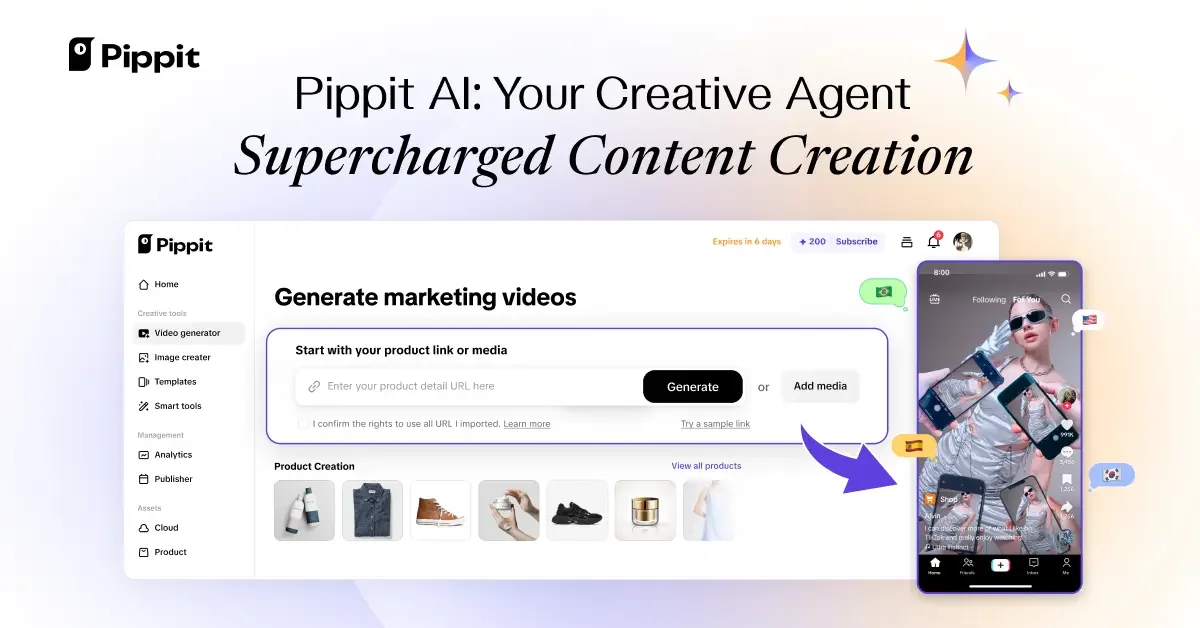
Pippit AI is an AI content creation platform for generating videos, product images, ads, avatars, and related publishing workflows. The site presents it as a creative agent that helps users turn prompts, product links, uploaded visuals, or reference files into content for social and commerce use.
The product combines creation, editing, publishing, and analytics in one workflow. Across the pages provided, Pippit emphasizes one-click video generation, AI product photography, avatar-and-voice tools, and auto-publishing with performance tracking, with free and paid plans available.
Generate videos from a product link, uploaded visuals, or other reference inputs, then refine the result by choosing a model and prompt. The workflow also supports adjusting aspect ratio, language, and duration.
Create product photos in batches for marketplaces such as Shopify, TikTok Shop, and Amazon, with background removal and curated scene templates. The tool is designed for turning existing product visuals into marketplace-ready images.
Add shadows, change backgrounds, and turn product images into ad-style banner designs with branding elements such as a logo, tagline, and CTA. This helps a single image move from catalog asset to promotional creative.
Use AI avatars and voices for social commerce, demos, tutorials, training, and promotional videos. The source also describes text-to-speech, custom avatars, and multilingual voice options.
Schedule posts, connect social accounts, and review performance analytics from one place. The pricing page also mentions multi-platform publishing, TikTok Shop links, and content management features.
Apply edits such as cropping, resizing, resolution optimization, and batch changes across multiple images. The product image page also describes export after generation or after editing.
Create marketing videos from a product link, reference file, or uploaded media, then adjust format details like aspect ratio, language, and duration before exporting the result.
Turn product listings or uploaded product photos into marketplace-ready images with background removal, templates, shadows, and batch editing for repeated use.
Build social commerce videos with realistic avatars and AI voices for product demos, explainers, and promotional clips in multiple languages.
Prepare ad creatives from product images by adding branding elements and converting visuals into display-style banners for campaigns.
Schedule content, publish across multiple platforms, and review performance analytics from a single workflow for ongoing content operations.
Pippit’s homepage says you can start by choosing a video model, uploading a link, media, or file as reference, and entering a prompt. The Image Agent workflow starts from the homepage tools area, where you choose Create image and describe the image you want.
The source describes Pippit as a creative agent for videos, images, ads, avatars, publishing, tracking performance, and content management. It is presented for creators, marketers, business owners, educators, and other users who want to simplify content creation.
Pippit offers a free plan with weekly credits and no credit card required, and its pricing page also shows paid annual plans. The exact plan limits and higher-tier differences are not fully detailed in the source text provided.
Yes. The pricing page says content can be scheduled for auto-publishing across multiple platforms, with analytics for post performance overview. It also mentions linking social media accounts and adding TikTok Shop links to videos.
For product images, the source says you can upload visuals or use product listings, remove backgrounds, choose templates, add shadows, batch edit, and export to a local device. For avatars, the source describes text-to-speech, custom avatars from a photo or short video clip, and multilingual voices.

Rizzle turns articles into editorial-grade video and distributes it across major channels with AI-assisted, human-reviewed workflows for publishers.

Postfity is a social media management tool for scheduling, planning, publishing, and tracking posts across connected accounts. Includes analytics, inbox management, AI tools, team workflows, and Free and paid plans.

Photoroom is an AI visual editing platform for e-commerce that removes backgrounds, creates product images, and prepares listings from phone, web app, or API workflows.

AI Magicx is a unified AI workspace for chat, image, video, voice, music, email and developer tasks, helping teams and creators manage multiple models in one place.

豆绘AI is an online AI image generation and editing platform for ecommerce and design, supporting white background, scene, interior rendering and post-processing.

RankSpot is an AI SEO platform that researches, writes, and publishes blog content automatically to boost organic visibility in Google and AI answers.