

Select a region quickly
Drag out the area of the screen you want to present, or start immediately with a saved region using a customizable global shortcut.
RegionMirror is a macOS screen-sharing utility for sharing a selected screen region in Zoom, Teams, Slack, or Discord while keeping the rest private.
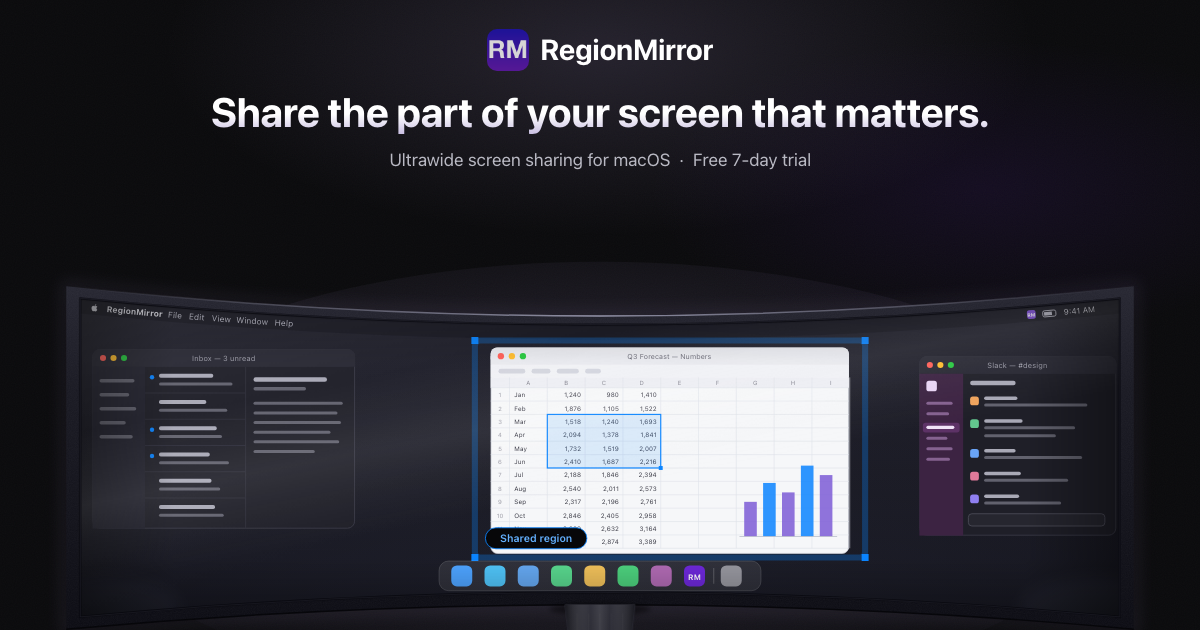
RegionMirror is a macOS app for sharing a selected region of your screen instead of an entire ultrawide display or a single app window. It is aimed at meetings where the audience needs a readable view, but you still want to keep your full desktop available for your own work.
The app shows the chosen region inside a normal macOS window, so you can share it through Zoom, Microsoft Teams, Slack, Discord, or any other meeting tool that supports window sharing. The product is designed to stay local on your Mac, with no drivers or configuration steps beyond screen recording permission.
Drag out the area of the screen you want to present, or start immediately with a saved region using a customizable global shortcut.
Move windows in and out of the chosen area, resize it, or reposition it while the share is live so you do not need to stop and restart.
Choose window sharing in Zoom, Teams, Slack, or Discord and select the RegionMirror window titled “RegionMirror (Share this window!)”.
Add arrows and text on top of the shared region to call out code, figures, or steps during a demo or walkthrough.
Blur the shared view when you need to type sensitive information, then unblur once you are ready to continue.
Switch to the built-in whiteboard to sketch ideas, explain an architecture, or work through a problem, then return to your apps without ending the share.
Present code, terminal output, and documentation in one readable frame while keeping the rest of your IDE, notes, or reference material outside the shared area.
Move between product screens, slides, and a browser during a demo without stopping the share, so the audience always sees the active region.
Annotate a live screen, sketch ideas on the whiteboard, and return to the shared region as you teach or explain a workflow.
Show dashboards or reports clearly on an ultrawide display, then blur the shared view when you need to enter credentials or other sensitive details.
Use the same region-sharing workflow in different meeting tools so each invite does not require a new way of presenting.
Yes. The homepage says RegionMirror works with Zoom, Microsoft Teams, Slack, Discord, and other tools that can share an application window. You share the RegionMirror window rather than a raw screen region directly in the meeting app.
No. RegionMirror is described as most useful on large and ultrawide displays, but it also works on any Mac display running macOS 13.5 or later.
Yes. Everything placed inside the selected region is shared, so you can arrange multiple windows in that area and move apps in and out while presenting without stopping the share.
Yes. Only the selected region is shared, and the homepage says the on-screen outline shows exactly what your audience can see. It also includes a blur control for temporarily hiding sensitive content.
RegionMirror is free to download and every feature is unlocked for 7 days or 10 sharing sessions, whichever comes first. After that, sharing continues with a 1080×720 region, and a one-time in-app purchase of $19.99 unlocks custom region sizes, annotations, blur, and the whiteboard.
Traffic-Daten dienen nur als Referenz.

TakeCareOS is a web platform for home care, disability, and aged care agencies, with rostering, billing, compliance, and AI admin tools.

Speakflow online teleprompter for writing and organizing scripts, voice scrolling, team collaboration, and cross-device syncing. Free and paid plans available.

Spike is an AI-powered email and workspace platform that combines email, chat, calls, notes, tasks, and calendar tools in one inbox-centered workflow.
Twine AI Launcher is an Android launcher with AI assistant access, bringing ChatGPT-style help to your homescreen for quick answers, notes, tasks, reminders, and people memory.

Hurree is an AI-powered reporting and analytics platform that centralizes company data, shared dashboards, and Riva summaries, recommendations, and forecasts.

Firebase Studio is a web-based workspace for full-stack app development with Gemini-assisted coding, app previews, cloud emulators, collaboration, and browser deployment.