

AI voice generation
Generate studio-quality AI voices from uploaded or recorded audio, with a workflow built around one-click conversion.

Revocalize AI is a web-based AI voice generation and voice cloning tool for creators, musicians, producers, and developers. Browser voice conversion and licensed voice models.
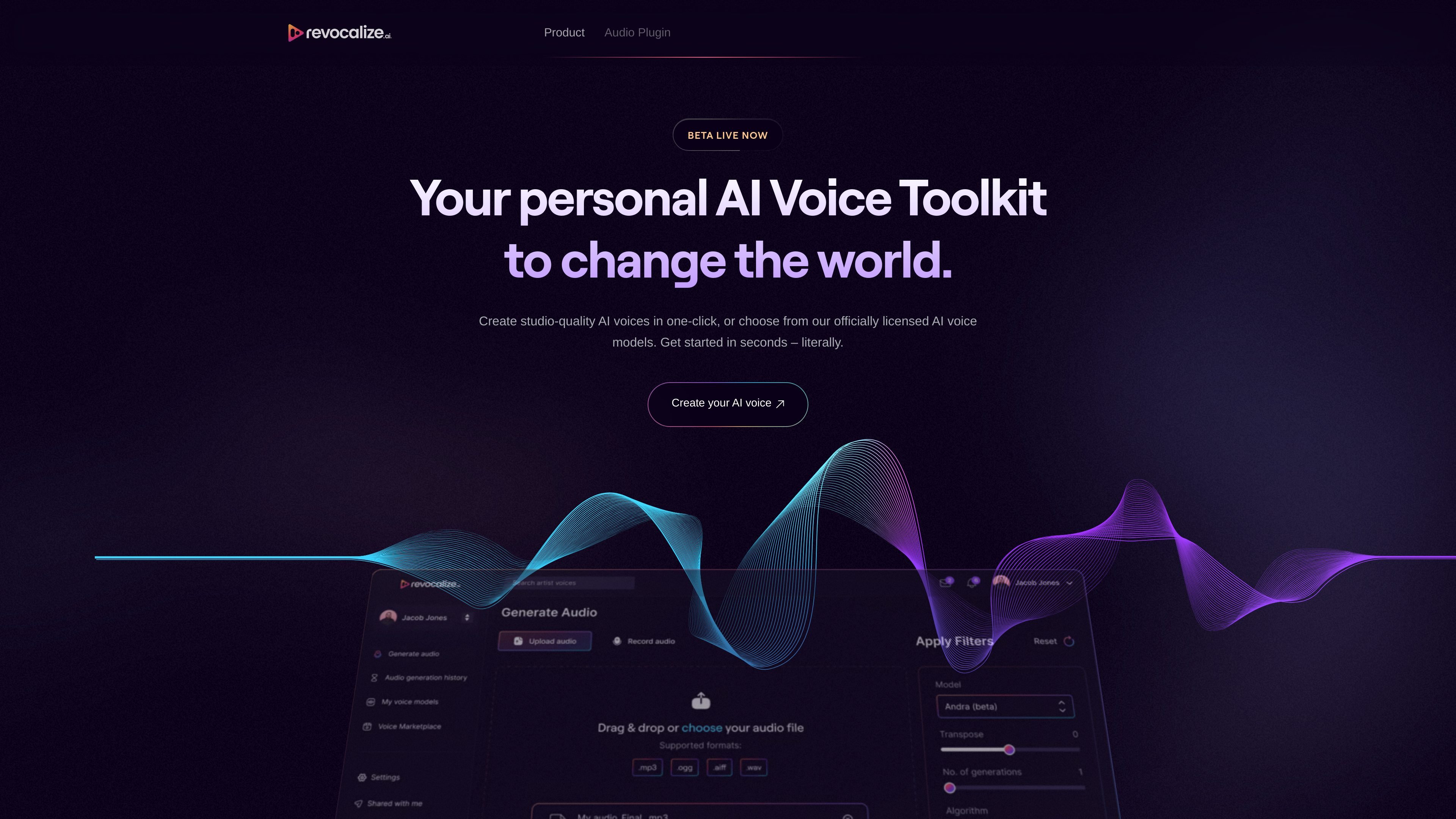
Revocalize AI is an AI voice generation and music tool built around voice cloning, vocal transformation, and music-production workflows. The site presents it as a studio-level toolkit for creating hyper-realistic AI voices, choosing from officially licensed voice models, and converting audio with human-like emotion and tonal detail.
The product is aimed at creators, musicians, producers, and developers who need to generate, modify, or manage voice content. The source pages also point to a browser-based voice generator, a VST plugin for production workflows, a developer API beta, and pricing tiers that range from a free plan to enterprise contact sales.
Generate studio-quality AI voices from uploaded or recorded audio, with a workflow built around one-click conversion.
Browse officially licensed voice models and choose from the library instead of starting from scratch.
Use Auto-Pitch to correct pitch errors during conversion and help vocal takes stay on key.
Apply voice beautification, transformation, and harmonizing through the VST plugin and its three modules.
Create or train AI voices, then manage conversions from the voice generator and audio history views.
Access API and integrations options mentioned across the pricing and generator pages, with plugin and developer API references on the product site.
Producers can use the voice generator and VST plugin to transform vocals, adjust pitch, and build harmonies during music production.
Artists can create or train a voice model, then use it to generate consistent voice output for new vocals or demos.
Creators working in audio can convert uploaded files or browser recordings into different voice outputs without leaving the web app.
Developers and teams that need programmatic workflows can look at the API and integrations references on the site and evaluate the platform for workflow automation.
Labels and publishers can use the platform’s voice model and filtering language to explore demo and production workflows centered on an artist voice.
Revocalize AI is a browser-based AI voice generation and voice cloning tool. The source pages describe it as a studio-level voice toolkit for creating AI voices, converting voice audio, and generating vocals with officially licensed voice models.
The source shows an AI Voice Generator flow where users can upload audio files in WAV, MP3, or FLAC format, or record in the browser, then apply voice conversion with options such as Auto-Pitch.
The generator page states that uploads support .wav, .mp3, and .flac files up to 5 minutes long. It also includes a browser recording option and a YouTube option marked beta in the interface.
The pricing page lists a Free plan with 5 conversion minutes per month, a Starter plan at $9 per month, a Creator plan at $39 per month, and an Enterprise option with contact sales pricing.
The pricing and product pages mention API access and integrations, and the home page promotes a VST plugin and a developer API beta. The source does not provide a full list of supported integrations or export formats.

Voice-Swap is an AI voice transformation tool for musicians, creators, artists, and creative teams with voiceover, singing, custom voice models, and credit-based plans.

Altered is an AI voice changer and voice content creation platform for media production and live voice use. It combines voice morphing, text-to-speech, transcription, translation, cloning, and editing in one application.

VisionStory is an AI video platform for creating talking avatar videos, video podcasts, and presentation videos from photos, scripts, and audio. It supports emotion control, voice cloning, multilingual voices, and green-screen output.

Inpodcast AI is a browser-based AI podcast studio for turning documents, scripts, and text into podcast-style audio with voice cloning and text to speech.
Vocloner is a web-based AI voice cloning tool that lets users create a custom voice from an audio sample and generate speech with it. The site highlights multilingual output, inline emotion tags, and a free tier with usage limits.

MMaudio is an AI voice generation tool for turning videos into audio. Upload a video or paste a URL, use prompt controls, and choose free or paid credit-based plans.