

AI-assisted no-code automation
Build workflows without code and use AI to set them up faster. The platform positions Copilot as a guided builder that can ask questions, map fields, suggest logic, create workflows, and help fix errors.

Albato is an AI-driven no-code integration platform for connecting 1,000+ apps and automating workflows with custom API/webhook support.
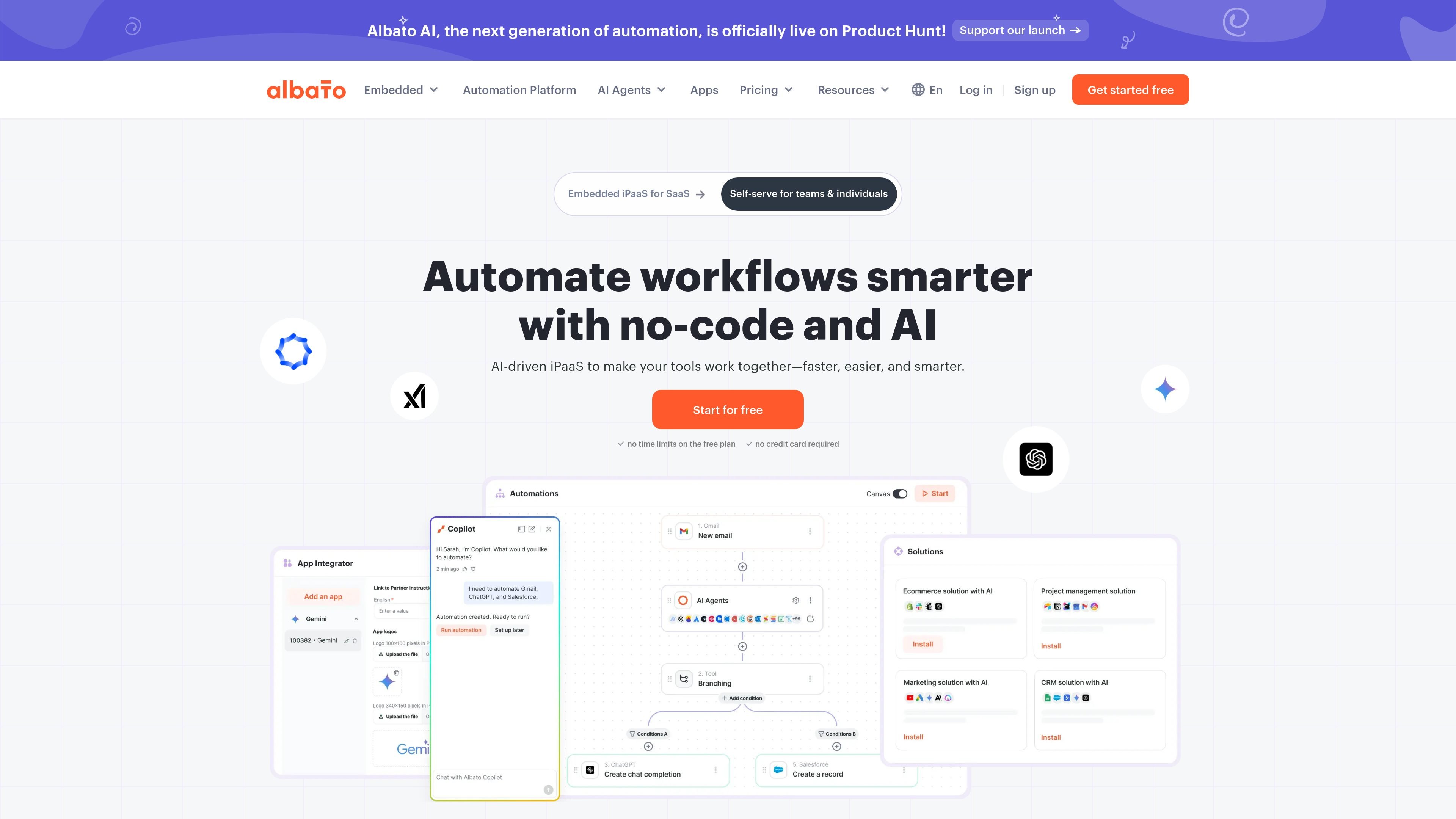
Albato is an AI-driven no-code integration platform (iPaaS) that helps users connect apps and automate workflows across a large app catalog. The product is positioned for both individuals and teams that want to move data, trigger actions, and coordinate processes without writing code.
The platform combines a visual automation builder with AI features such as Albato Copilot, which can ask clarifying questions, map fields automatically, suggest workflow logic, and help launch automations. The site also highlights support for custom webhooks, custom API use, and AI agents for more complex automations.
Albato’s app pages show practical connections such as Gmail integrations, while the pricing page outlines a Free plan, Pro, Teams (coming soon), and Custom enterprise options. That mix suggests a platform meant for everyday automations, cross-tool data sync, and more structured team workflows.
Build workflows without code and use AI to set them up faster. The platform positions Copilot as a guided builder that can ask questions, map fields, suggest logic, create workflows, and help fix errors.
Use a large app library and connection tools to link common business systems. The site highlights 1,000+ apps plus webhooks, custom API requests, and custom app integration support.
Create automations that do more than simple one-step handoffs. Albato lists logic and control tools such as router, find and replace, math operations, filters, JSON parsing, and date/time modifications.
Run automations with data handling features for moving or correcting information. The pricing page includes data migration and auto replay of data, along with error notifications and execution logs.
Manage execution timing, logging, and higher-volume usage through plan-based controls. Paid tiers mention faster update intervals, parallel scenario execution, and longer log storage.
Support team workflows on higher plans with seats, roles, invites, spaces, and shared workspaces. The product is positioned for both individuals and teams, including collaboration-focused accounts.
Connect Gmail to another app and use a trigger such as a new email, a tagged message, or a matching search result to start an automated sequence. The Gmail page shows actions like sending mail, creating drafts, adding labels, and making custom API requests.
Move data between business tools without manual copy-and-paste. The site’s examples and product positioning support syncing records, notifications, and updates across CRMs, marketing tools, task managers, and other connected apps.
Use AI logic inside a workflow to rewrite text, summarize feedback, analyze sentiment, or draft replies. The homepage states that Albato AI can be used directly within automations for content and analysis tasks.
Build workflows that require branching or data cleanup rather than a single straight-line action. Built-in tools such as router, filter, parse JSON, and date/time modifications are presented as part of the automation toolkit.
Migrate from another automation platform or update an existing setup with help from data migration and auto replay features. The homepage also mentions a migration form for users switching to Albato.
Albato is a no-code integration platform (iPaaS) for connecting apps and building automated workflows. Its Copilot can help build workflows by asking questions, mapping fields, suggesting logic, and handling setup inside the builder.
The pricing page shows a Free plan, Pro, Teams (coming soon), and Custom enterprise options. Free includes 100 transactions, while paid plans add higher transaction packages and features such as unlimited automations on Pro and collaboration tools on Teams.
According to the Gmail integration page, you can set up automations by connecting Gmail, choosing a trigger, picking a second app, defining actions, and mapping data between the tools. The page presents this as a step-by-step, no-code workflow.
Albato supports multiple collaboration modes depending on the plan. The pricing page mentions team seats, roles, invites, spaces, shared workspaces, and projects on higher tiers, while Pro is positioned for individuals and small teams.
Yes. The homepage says Albato works with any API, and the pricing page lists custom webhook/API and custom apps integration tools among the supported connection types.

Exalate is a bidirectional integration platform for syncing work items in real time across teams, systems and companies with controlled data flow.
Twine AI Launcher is an Android launcher with AI assistant access, bringing ChatGPT-style help to your homescreen for quick answers, notes, tasks, reminders, and people memory.

EZsite AI is an AI website builder that turns a URL into a fullstack React or Vue.js app with hosting, custom domains, code export, and backend features.

AI Magicx is a unified AI workspace for chat, image, video, voice, music, email and developer tasks, helping teams and creators manage multiple models in one place.

阶跃AI is a personal efficiency assistant from 阶跃星辰 for knowledge search, writing, coding, and daily automation. Download on desktop and mobile, and trigger web, files, and reminders by voice.

TakeCareOS is a web platform for home care, disability, and aged care agencies, with rostering, billing, compliance, and AI admin tools.