

Two enhancement modes
Choose between Precise and Creative enhancement types. Precise mode is described as better for realistic and archival footage, while Creative mode allows more deviation from the original for AI art and CGI work.

Astra is a web-based AI video upscaler from Topaz Labs that helps users improve resolution, clarity, and detail online. It includes enhancement modes, scene detection, and output controls for supported video workflows.
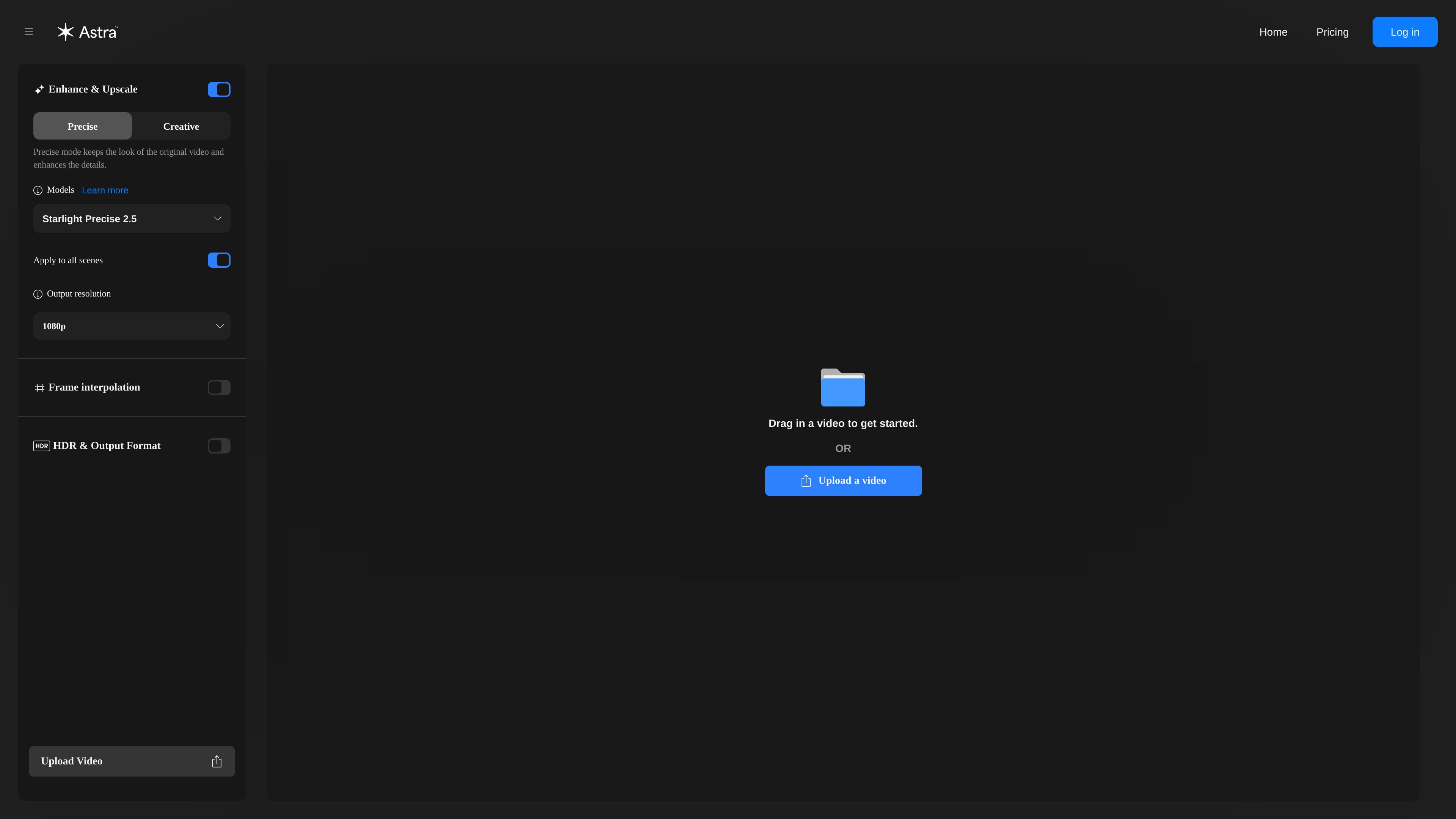
Astra is a web-based AI video upscaler from Topaz Labs. It is designed to enhance videos by improving resolution, clarity, and detail online.
The interface focuses on a guided upload-and-render workflow with model selection, enhancement modes, scene detection, and output controls. The page also distinguishes between Precise and Creative modes so users can choose between closer fidelity to the source footage and more generative detail changes.
Choose between Precise and Creative enhancement types. Precise mode is described as better for realistic and archival footage, while Creative mode allows more deviation from the original for AI art and CGI work.
Use scene detection to unlock scene-level controls for individual parts of a video. The interface warns that scene detection must finish before those controls are available.
Adjust output resolution, frame interpolation, and HDR/output format from the same workflow. The page notes that HDR and output format work with Starlight and Astra series models.
Upload a video directly in the web app and render from the browser. The page also mentions MP4 support in the web application and points unsupported file types to the desktop app.
The interface references model compatibility and includes Starlight Precise 2.5 among the available model labels shown on the page.
Upload footage that needs a cleaner, higher-resolution result while staying in the browser. The guided workflow fits users who want a straightforward enhancement pass without assembling a manual post-production pipeline.
Choose Precise mode when the goal is to preserve the look of realistic or archival footage while improving detail. This mode is presented as the better fit when fidelity to the original matters more than adding new visual changes.
Use Creative mode for AI art or CGI content where some deviation from the source is acceptable in exchange for new details. The product positions this mode for footage that can benefit from more interpretive enhancement.
Run scene detection to unlock scene-level controls and edit individual scenes separately. This is useful when different sections of a video need different treatment instead of a single global pass.
Apply HDR and output format settings when working with compatible Starlight or Astra series models. The page indicates these controls are model-dependent, so they fit workflows that need a specific output configuration.
Astra is a web-based AI video upscaler from Topaz Labs. You upload a video, choose an enhancement model and mode, and render the result online.
The rendered page shows upload support in the web app for MP4 files. It also notes that unsupported file types may be handled in the Topaz Video Desktop application instead.
Astra offers enhancement types including Precise mode and Creative mode, and it supports scene detection with scene-level controls once detection is complete.
The pricing flow says the free trial includes 50 credits, enough to render up to 100 seconds of video, lasts 7 days, requires a payment method, and auto-renews into the selected subscription unless canceled before the trial ends.
The source shows a pricing flow with monthly and yearly options, but the actual pricing page itself returned a 404 in the collected evidence, so exact plan prices are not available here.

Aiarty is a desktop AI suite for enhancing images and video and removing backgrounds with precision, built for local photography, e-commerce, design and content workflows.

Anvsoft offers AI software for video enhancement, video blur, photo enhancement, plus PDF, mobile, and data security tools for downloadable desktop use.

HitPaw offers AI multimedia tools to enhance video, photo, and audio, restore quality, convert formats, and support desktop and online workflows.

Artguru AI tool for photo, video, and PDF enhancement with one-click upscaling, sharpening, restoration, and document cleanup for creators and teams.

Perfectly Clear by EyeQ delivers automatic photo correction and AI video enhancement for consistent visuals and faster workflows, with tools, Web API, Docker, and SDKs.

AVCLabs AI offers AI software and online tools for video and photo enhancement, including upscaling, restoration, blurring, object removal, and generation.