

Prompt or PowerPoint input
Start from a sentence or import a .pptx file, and CubeOne generates designed slides from that input. The system is meant to work both for brand-new decks and for existing presentations that need improvement.

CubeOne is an AI slide editor that turns prompts or PowerPoint files into designed, fully editable slides for easier PowerPoint and Canva workflows.
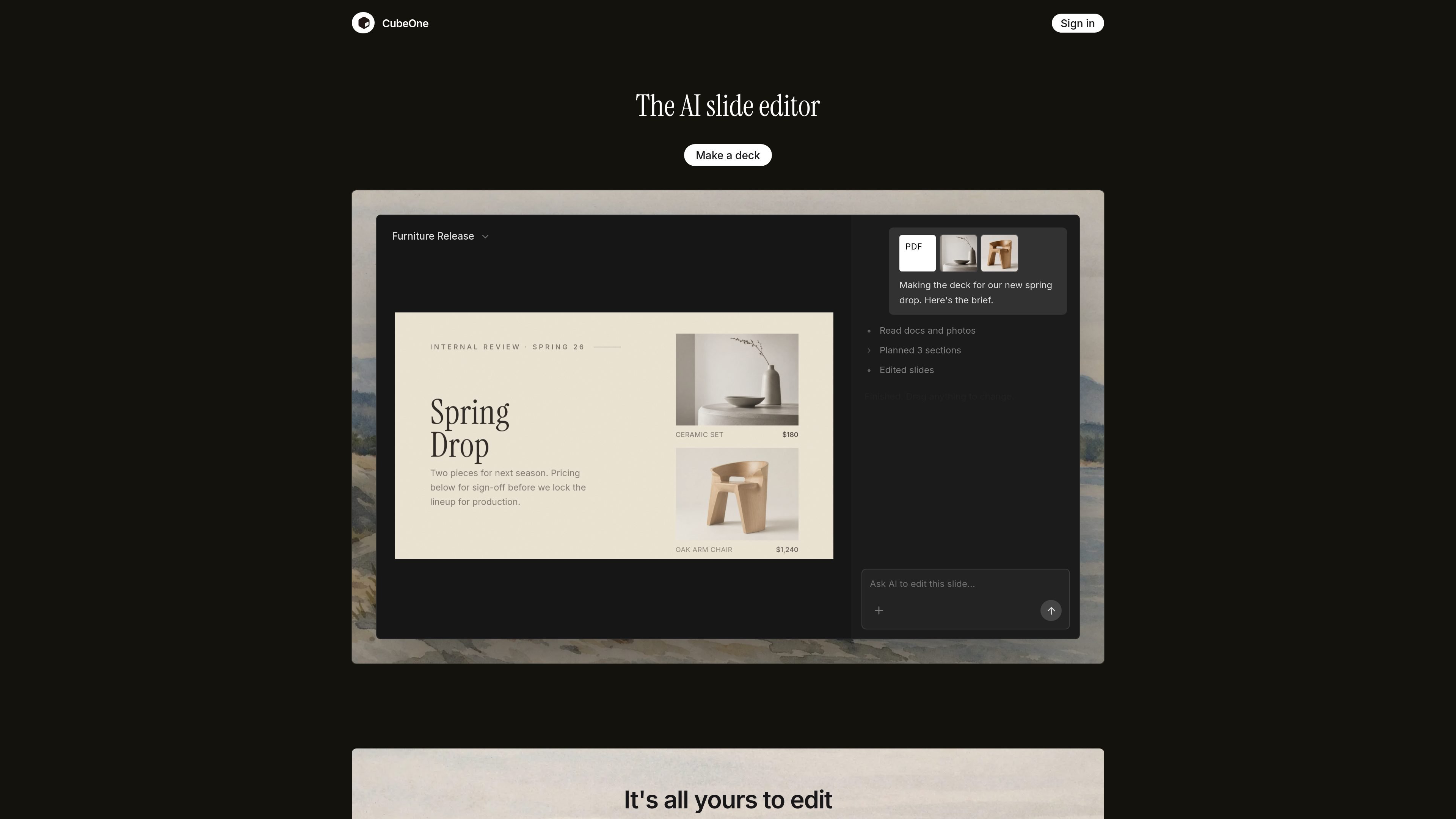
CubeOne is an AI slide editor that generates designed, fully editable presentations from a prompt or an imported PowerPoint file. Its core job is to combine slide generation with freeform editing, so the output stays usable after the AI draft is created.
The product is built around a presentation workflow rather than a locked export. Users can drag elements freely, edit text and images directly, use a one-click Beautify step to restyle rough content, and move decks back into PowerPoint or into Canva without losing the editable slide structure. The site positions it as useful for anyone who needs to turn ideas, updates, or template-based content into finished slides quickly.
Start from a sentence or import a .pptx file, and CubeOne generates designed slides from that input. The system is meant to work both for brand-new decks and for existing presentations that need improvement.
Every generated text box, image, and shape stays editable as a native slide object. You can move, restyle, and rework elements instead of being stuck with flattened images or code.
The Beautify action takes rough content and redesigns it into a more polished slide in one step. It is positioned for users who already have content but need layout and visual structure.
CubeOne supports freeform editing, including dragging elements anywhere on the slide. It also allows direct text edits, image replacement, and slide reordering after generation.
Users can point to a region on a slide, describe what they want, and have CubeOne generate content inside that area. The site shows examples such as titles, charts, images, bullets, and custom objects.
The product can follow a style reference image and extract a style guide from it, including colors and a written prompt for typography, grid, mood, and contrast. That helps align slides with an existing look and feel.
Turn a short prompt into a structured deck when you need slides quickly and do not want to build layouts from scratch.
Import a PowerPoint, keep every slide editable, and continue working in CubeOne instead of starting over from a flattened export.
Apply a company or brand template by using template screenshots as a reference and generating slides that follow the template’s structure and visual style.
Take a rough slide draft with text and assets, then let Beautify handle spacing, layout, and presentation polish in one step.
Select a region on a slide and generate specific content such as a title, chart, image, or bullet block inside that space.
CubeOne is an AI slide maker that turns a prompt or an existing PowerPoint file into designed, fully editable slides. It keeps text boxes, images, and shapes as native slide objects so you can continue editing instead of working from locked output.
Yes. CubeOne is built to keep slides fully editable. It can also import existing .pptx files, and you can export the finished deck back to PowerPoint at any time.
Yes. CubeOne supports a free start, with paid plans available for more usage and advanced features. The pricing page requires sign-in, so the site does not expose full plan details publicly.
Yes. The site says you can move slides between PowerPoint and Canva and export back to PowerPoint whenever you want, so the deck is not locked into CubeOne.
CubeOne is built for people who need to produce presentations quickly, including sales teams, founders, investment and finance teams, students, and teachers.

GraphicInfo is a web-based AI infographic maker that turns text or ideas into visuals in one click for faster, shareable infographics.

Paper is a design tool that connects canvas, code, and AI agents so teams can create, share, and ship work in one workflow. Includes desktop app and MCP access.

Superside is an AI-powered creative service for enterprise and in-house teams, with global talent, AI-first workflows, and subscription-based support.

SlideSpeak is an AI presentation maker that turns prompts and source files into editable PowerPoint decks. It also redesigns slides, translates, summarizes, and supports branding and video presentations.

简单AI is Sohu’s online AI tool for AI image generation, AI writing, and online image editing—ideal for quickly creating images, copy, or basic retouching.

Recraft is an AI image generation and design platform for designers, creatives, sellers, and teams. It supports raster and vector generation, custom styles, mockups, editing, and API-based workflows.