

Plain-text task capture
Type tasks in natural language or plain text, including from the ⌘K quick-create flow. The product says every line becomes a task and AI fills in duration, priority, and deadline where it can.

Nudge Task is an AI task scheduler that turns plain-text tasks into a weekly plan around deadlines and priorities, with Slack and Discord workflows.
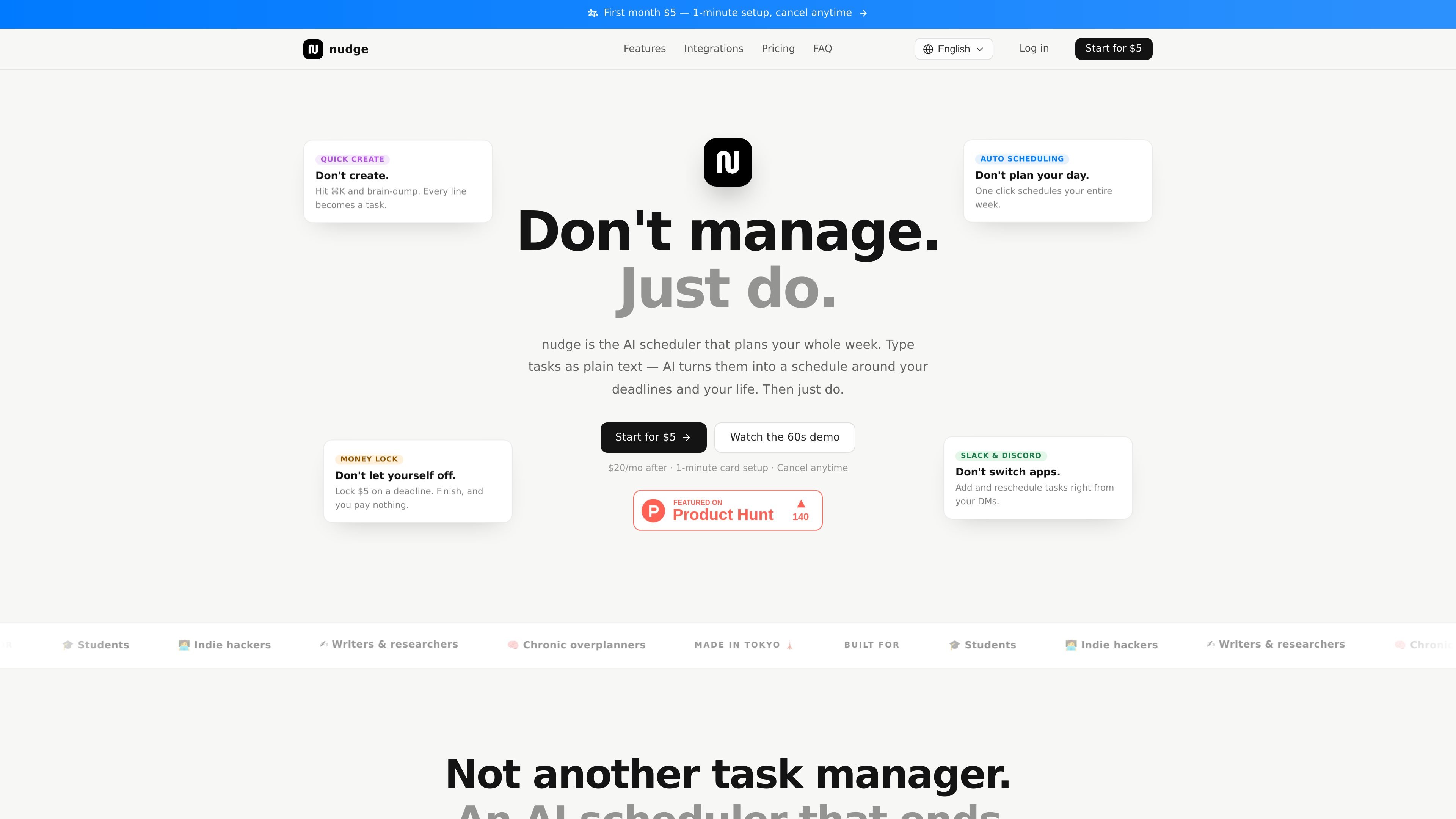
Nudge Task is an AI task scheduler that turns plain-text tasks into a week plan. Instead of manually building a schedule, you type or paste tasks and the product places them around deadlines, priorities, and the rest of your day.
The site positions nudge as a personal scheduling layer rather than a conventional task manager. It is designed for people who want planning to happen automatically, with features that help them create tasks quickly, recover from missed work, and interact with tasks from Slack or Discord.
Type tasks in natural language or plain text, including from the ⌘K quick-create flow. The product says every line becomes a task and AI fills in duration, priority, and deadline where it can.
Place tasks across the week in 30-minute slots with one click. Scheduling uses deadline and priority, and it accounts for sleep, meals, fixed events, and a buffer before bed.
When tasks slip, the morning sweep at 4:00 a.m. moves unfinished work into open slots for the new day. That gives you a replanned schedule instead of a manual reset.
For tasks you do not want to miss, you can set a $5–$50 deadline penalty. If you finish and prove completion with a photo, you pay nothing; if you miss, the charge applies.
Use Slack DMs to add and reschedule tasks in natural language, and use Discord with /nudge and DM notifications. Task notifications arrive at the scheduled start time, with one-button completion in the chat flow.
The sidebar is kept small and tasks can switch between List and Kanban with one tap. The page also shows notices, analytics, and calendar access in the navigation.
Brain-dump a list of tasks in plain text, then let nudge convert each line into scheduled work without filling out forms or manually assigning times.
Use the auto-scheduling flow to place an entire week of work around deadlines, sleep, meals, and fixed events, then re-run scheduling when the day changes.
Set a money lock on a task that you do not want to miss, such as a submission or client deliverable, so the deadline carries a real penalty if you skip it.
Manage tasks from Slack DMs or Discord commands when you want to stay in chat, receive notifications at the start time, and mark work complete without opening the main app.
Let the morning sweep rebuild your schedule after an off day by moving unfinished tasks into open slots and surfacing completed items for one-tap reclaiming.
nudge is a task tool where AI schedules your week from plain-text input. You brain-dump tasks, and the app places them on a calendar around deadlines, priorities, sleep, meals, and fixed events.
The pricing page shows one plan: $20/month or $120/year ($10/mo equivalent). Your first month is $5, and there is no free plan. Cancel anytime from settings.
Yes, but with limits shown on the site: Slack supports creating and rescheduling tasks in DMs and marking tasks done from notification buttons. Discord supports the /nudge command and DM notifications.
Google Calendar support is read-only for now. The site says write sync is planned after Google verification clears, and until then nudge schedules around the events and routines you define in the app.
nudge automatically moves unfinished tasks from yesterday into open slots in today’s schedule at 4:00 a.m. Tasks that were actually finished can be reclaimed from the morning report with one tap.

TakeCareOS is a web platform for home care, disability, and aged care agencies, with rostering, billing, compliance, and AI admin tools.

SkyPlanner APS is AI-based production planning and scheduling software for manufacturing teams. It helps planners organize factory work, adjust schedules, and connect planning data with ERP or MES systems.
Twine AI Launcher is an Android launcher with AI assistant access, bringing ChatGPT-style help to your homescreen for quick answers, notes, tasks, reminders, and people memory.

AI Magicx is a unified AI workspace for chat, image, video, voice, music, email and developer tasks, helping teams and creators manage multiple models in one place.

Superside is an AI-powered creative service for enterprise and in-house teams, with global talent, AI-first workflows, and subscription-based support.

阶跃AI is a personal efficiency assistant from 阶跃星辰 for knowledge search, writing, coding, and daily automation. Download on desktop and mobile, and trigger web, files, and reminders by voice.