

Real-time analytics
Pelagic shows pageviews, sessions, sources, devices, and conversions as they happen, with no sampling or delay according to the homepage copy.

Pelagic is a Google Analytics alternative with a built-in AI SEO agent for real-time traffic tracking, revenue attribution, and SEO content creation.
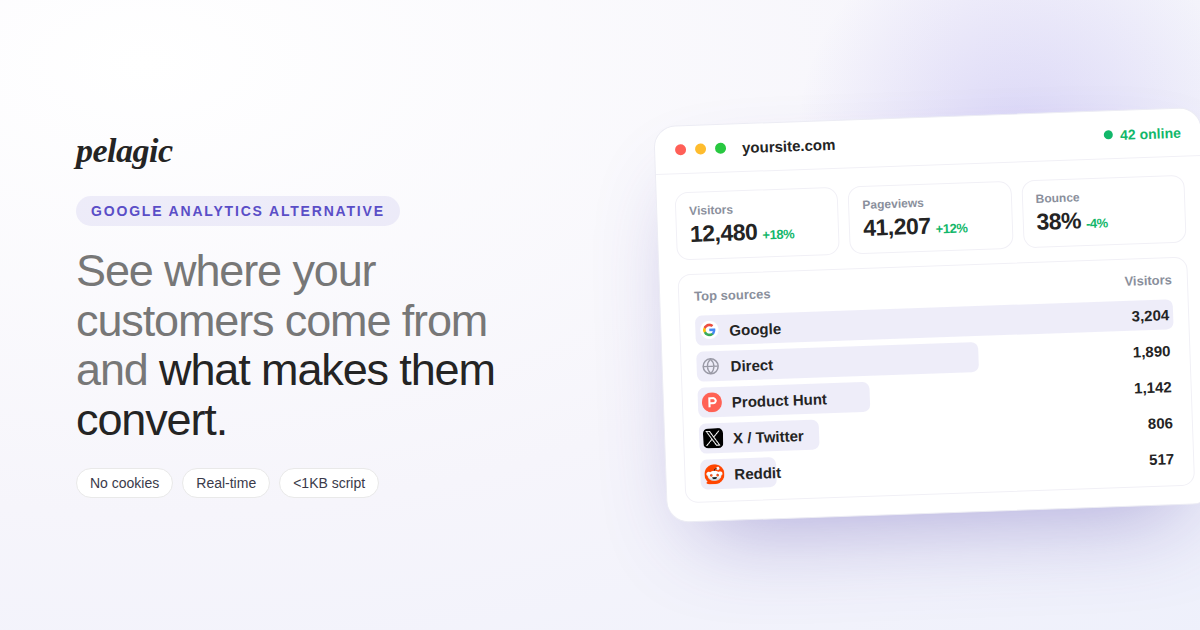
Pelagic is a Google Analytics alternative that combines website analytics with an AI SEO agent. The homepage positions it as a simple way to see where visitors come from, which pages matter, and which actions turn visits into customers.
It is presented as a cookieless, real-time, GDPR-friendly analytics tool that can be installed with a single script tag. Beyond reporting, Pelagic adds workflow features such as keyword research, article drafting, and one-click publishing or autopilot for its SEO agent.
Pelagic shows pageviews, sessions, sources, devices, and conversions as they happen, with no sampling or delay according to the homepage copy.
The product attributes revenue to sources and connects with Stripe, Paddle, Polar, and Lemon Squeezy so teams can see which channels drive paying customers.
Pelagic includes an AI chat interface that lets you ask questions about traffic, spikes, and page performance and receive answers with numbers behind them.
The built-in SEO agent researches keywords daily, scores them by volume and difficulty, writes publication-ready articles, and can either queue drafts for review or publish them automatically.
The homepage says the product tracks Core Web Vitals, including LCP, CLS, and INP, on real traffic so teams can watch speed-related experience metrics alongside traffic data.
Pelagic is described as cookieless and privacy-first, with no consent banner required in the product’s own framing.
Use Pelagic when you want a lightweight analytics setup that shows live traffic and sources without a heavy implementation process. The product is framed as easy to install and immediately usable.
Use the dashboard to see which channels and pages lead to revenue, especially if you need attribution across payment providers such as Stripe or Paddle. This helps connect acquisition activity to actual customer outcomes.
Use the AI SEO agent when you want the product to research keywords, draft an article, and prepare it for publishing. The homepage indicates you can review drafts first or let the agent publish automatically.
Use the AI chat when you need fast answers about traffic spikes, best-performing pages, or source performance without manually digging through reports. The product presents this as asking the data a question and getting a numeric answer back.
Use Pelagic if you care about cookieless measurement and want to avoid adding a consent banner for the analytics layer. The homepage repeatedly frames the product around privacy-first tracking.
Pelagic can be installed by pasting one script tag into your site’s HTML head or using a CLI. The homepage says setup is designed to be simple, with no code changes beyond adding the script.
The product is aimed at people who want a simple Google Analytics alternative that shows traffic sources, page performance, and which pages help convert visitors into customers. The homepage positions it for founders and teams that want analytics plus an SEO agent in one product.
Pelagic combines real-time analytics, revenue attribution, visitor views, AI chat over analytics, and an AI SEO agent that researches keywords, drafts articles, and can publish them with review or autopilot.
The homepage says Pelagic is cookieless and does not require a consent banner. It also describes the product as GDPR-friendly.
The homepage includes a 3-day free trial call to action and says no credit card is required, but the pricing page itself was not accessible in the source provided, so detailed plan structure is not confirmed here.

Pineapple Builder is an AI website builder for businesses to create, host, and publish sites with pages, forms, analytics, SEO tools, custom domains, and SSL.

Hurree is an AI-powered reporting and analytics platform that centralizes company data, shared dashboards, and Riva summaries, recommendations, and forecasts.

北极九章 is an enterprise AI data insight engine for natural-language data analysis. Ask by typing or voice and get charted results in workflows.

Postfity is a social media management tool for scheduling, planning, publishing, and tracking posts across connected accounts. Includes analytics, inbox management, AI tools, team workflows, and Free and paid plans.

Framer is an AI website builder for professional sites. It helps teams design, manage CMS content, optimize SEO, collaborate, and publish from a single no-code workflow.

AnyClip is a visual intelligence platform for video that automates enrichment, improves discovery, and supports engagement and monetization.