

Branded testimonial collection
Collect text and video testimonials through a branded, shareable page that can use your logo, colors, and custom domain on supported plans.

Testimonial is a no-code web platform for collecting, organizing, and displaying customer testimonials, case studies, NPS responses, and brand mentions.
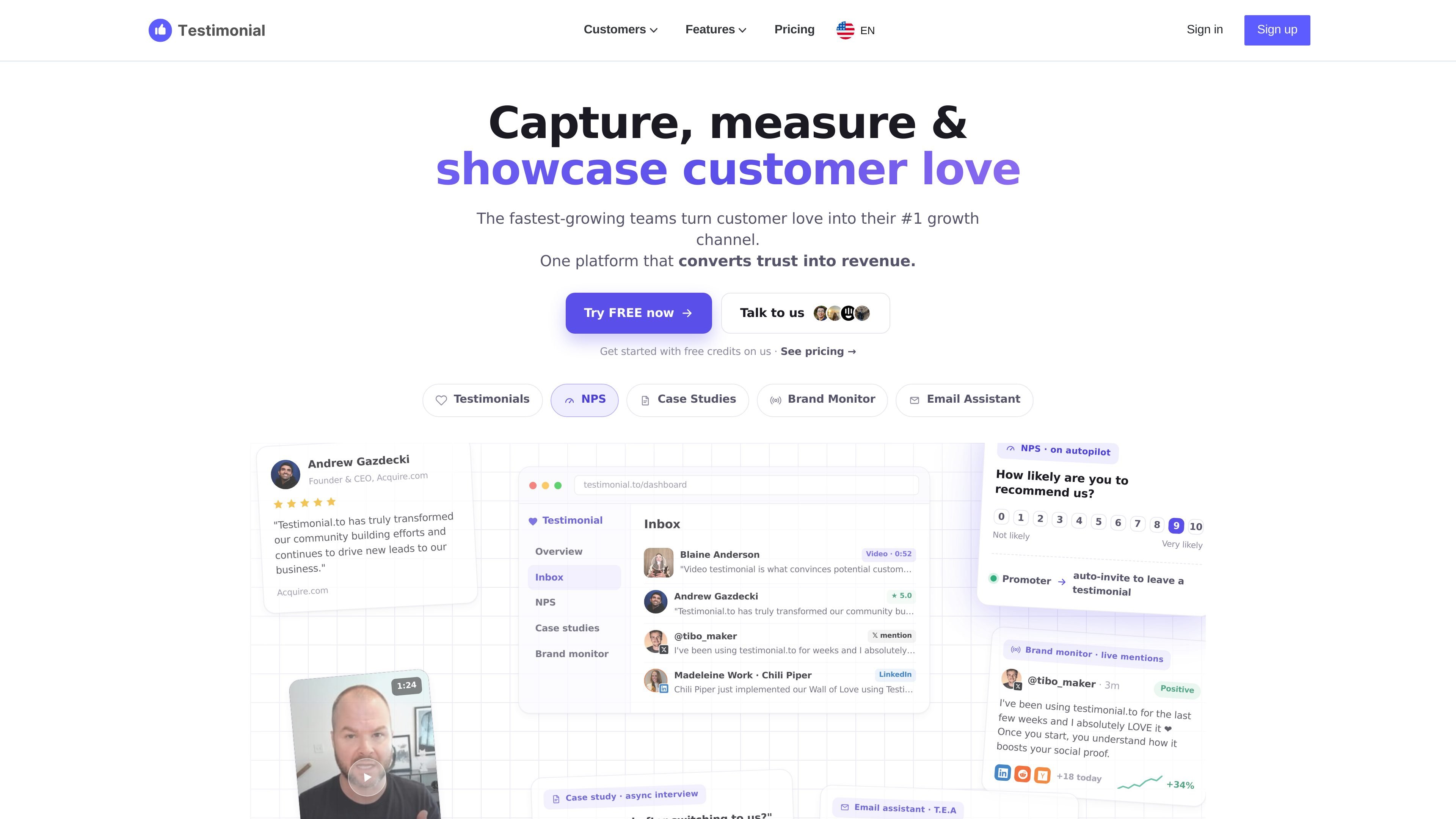
Testimonial is a platform for collecting, organizing, and publishing customer proof in one place. Its core workflow centers on testimonials, but the product also includes NPS surveys, case study collection, brand monitoring, and an email assistant for automating requests.
The site positions the product as a no-code way to turn customer feedback into public social proof and follow-up workflows. Users can embed a Wall of Love on their site, monitor brand mentions, route positive responses into testimonials or case studies, and manage everything from a central inbox.
Collect text and video testimonials through a branded, shareable page that can use your logo, colors, and custom domain on supported plans.
Manage incoming praise in one inbox where you can read, tag, approve, and reply before publishing it.
Embed a Wall of Love on a website with a short HTML snippet, including widgets and white-label display options on supported plans.
Import social proof from X, LinkedIn, Reddit, G2, Yelp, Google, TikTok, and other supported sources.
Run NPS surveys with 0–10 scoring, score thresholds, and auto-routing for promoters, passives, and detractors.
Collect case studies with guided question sets, personal invite links, voice answers, and inbox-based review.
Share a branded collection page to gather text or video testimonials from customers, then publish selected responses on a Wall of Love.
Use the async case study flow to send customers a question set, let them answer on their own time, and review the finished story in your inbox.
Run a 0–10 NPS survey and route promoters into a testimonial or case study request while sending detractors to support.
Monitor X, LinkedIn, Reddit, and Hacker News for brand mentions and surface positive mentions for social proof workflows.
Automate testimonial requests from order confirmations and welcome emails by BCCing Testimonial’s email assistant.
Testimonial is set up as a no-code product. The source says you can add the Wall of Love with a short HTML embed, and it also supports custom domains on paid plans.
The pricing page says Free, Starter, Ultimate, Ultimate +, and Enterprise options are available. It also shows a 7-day free trial on paid plans and a contact-us flow for Enterprise.
The source says testimonials can be text, video, or imported from social and review platforms. The Wall of Love can display selected testimonials on a website.
The case study feature uses a question set that customers can answer by typing or talking, and the answers land in your inbox. The NPS feature asks a 0–10 question and can route promoters, passives, and detractors to different next steps.
The pricing page says submissions are not blocked after free credits are used up, but accessing testimonials beyond the free limit requires upgrading. Higher tiers add more automation, branding, and team features.

Pineapple Builder is an AI website builder for businesses to create, host, and publish sites with pages, forms, analytics, SEO tools, custom domains, and SSL.

MailerLite is an email marketing platform for sending campaigns, building automations, and creating landing pages, forms, and websites. It also supports digital products, paid newsletters, and recurring subscriptions.

EZsite AI is an AI website builder that turns a URL into a fullstack React or Vue.js app with hosting, custom domains, code export, and backend features.

AI Magicx is a unified AI workspace for chat, image, video, voice, music, email and developer tasks, helping teams and creators manage multiple models in one place.

Framer is an AI website builder for professional sites. It helps teams design, manage CMS content, optimize SEO, collaborate, and publish from a single no-code workflow.

clickworker provides human-generated and human-validated data services for surveys, store checks, tagging, list building, crowdtesting, and AI training data.