

Infinite visual canvas
Work in an infinite canvas that brings text, images, sticky notes, weblinks, PDFs, mind maps, videos, sketches, and other content types into one space.

Noteey is a visual note-taking app for mapping ideas, media, and research on an infinite canvas. Offline-first local storage, PDF and video annotation, linked cards.
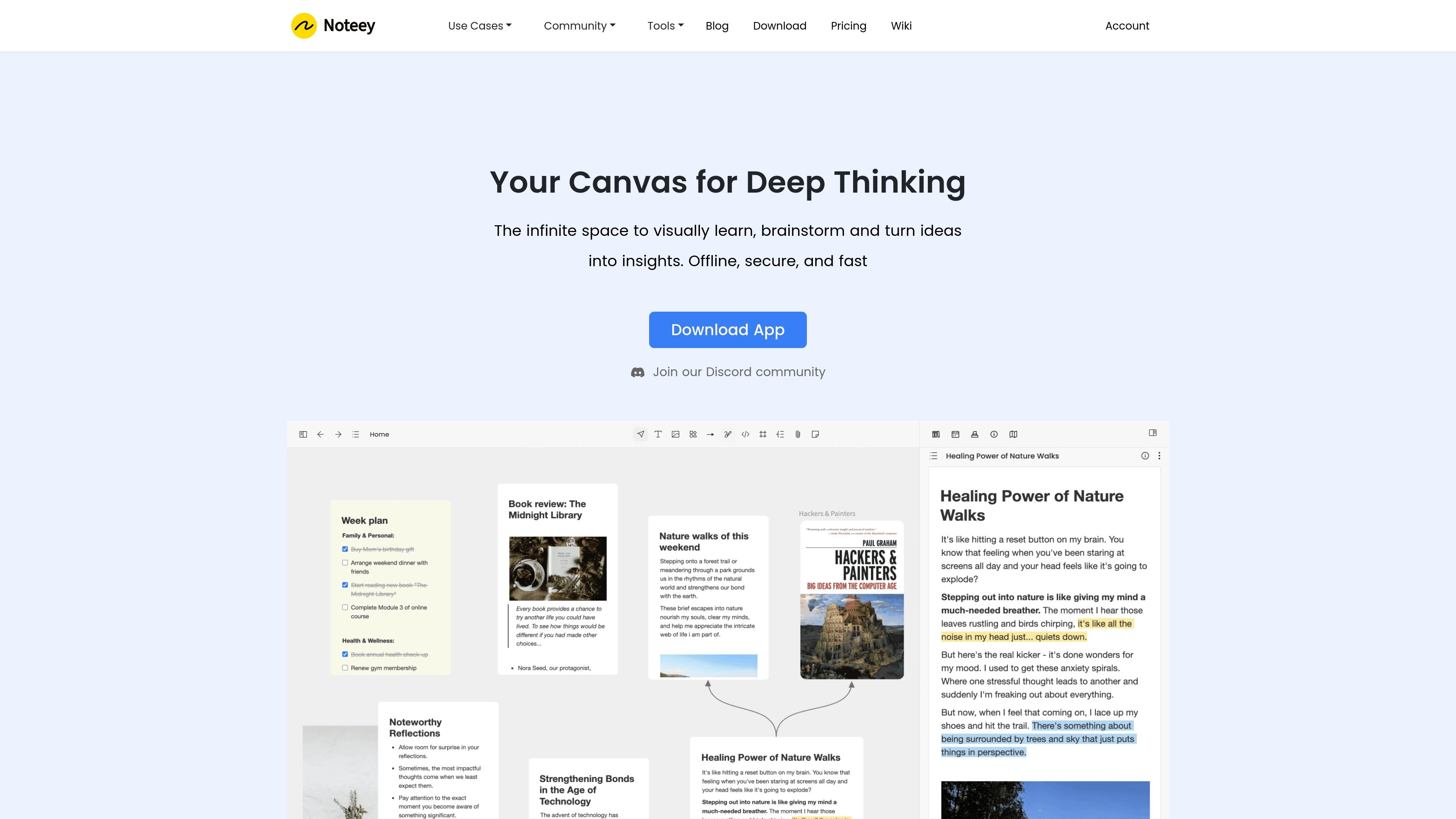
Noteey is a visual note-taking app for organizing ideas, sources, and media on an infinite canvas. It is positioned as a visual knowledge system for people who want to connect information across documents, videos, audio, sketches, and notes.
The app is offline-first and stores data on the user’s device. The product site also describes local backup and sharing, deep linking between cards and blocks, and support for working with multiple documents at once.
Work in an infinite canvas that brings text, images, sticky notes, weblinks, PDFs, mind maps, videos, sketches, and other content types into one space.
Annotate PDFs with search, highlights, and notes, then break down long documents into cards and place them on whiteboards for synthesis.
Take time-stamped notes on video and audio content and review them later alongside related notes and assets.
Use floating windows to review and annotate multiple documents, cards, videos, and audio files at the same time.
Add properties to cards and switch between multiple views to organize research or personal knowledge visually.
Create sketches, diagrams, and flowcharts with drawing tools, and use presentation mode to show connected ideas.
Collect sources, highlights, and linked cards while researching a complex topic, then reorganize them on a whiteboard to see relationships more clearly.
Build a personal knowledge base with cards, properties, and multiple views so ideas can be revisited and reshaped over time.
Draft articles, scripts, or other long-form writing by grouping references, notes, sketches, and outlines in one visual workspace.
Annotate long PDFs, videos, and audio files with timestamps and highlights, then pull the important parts into connected cards.
Create diagrams, flowcharts, mood boards, and presentation-style boards for planning or sharing ideas visually.
Noteey is designed for visual note-taking, knowledge mapping, and working across text, images, PDFs, mind maps, videos, audio, and drawings in one canvas.
Yes. The pricing page says a free plan is available, and paid desktop licenses add higher device limits and local project storage.
Noteey stores data locally on your devices. The pricing FAQ says users can currently sync data with third-party cloud services such as Google Drive or iCloud, while native cloud sync is still planned.
The pricing FAQ says Noteey can be used for both personal and commercial purposes.
The pricing page says Desktop Pro/Plus licenses and the Premium Plan include a 30-day money-back guarantee.

Obsidian is a private note-taking and knowledge management app with local Markdown notes, links, graph view, Canvas, plugins, themes, sync and publishing.
Answers AI is an AI-powered education platform for students and educators, offering answers, study help, and assignment support across web, mobile, and Chrome tools.

讯飞会议 cloud video conferencing for enterprise collaboration, with video meetings, AI transcription and translation, and automatic meeting notes. Public and private cloud.

Anara is an AI research workspace that searches your library and the web, then helps you write with cited claims and source-backed answers.

Quenti is an online learning platform for flashcards, practice tests, matching games, and AI-assisted grading for students, teachers, schools, and organizations.

Prompt Genie is a prompt management and optimization tool for AI workflows, plus Claude Code memory to reduce repeat reads and token spend.