

Multi-provider model workspace
Run cloud, self-hosted, or fully local models in one desktop workspace and switch providers by task. The app keeps provider credentials in your local OpenCode configuration.

OpenCode Superapp is a native Mac workspace for local, self-hosted, or cloud AI models, with coding, browser automation, voice, extensions, widgets, and secure remote access.
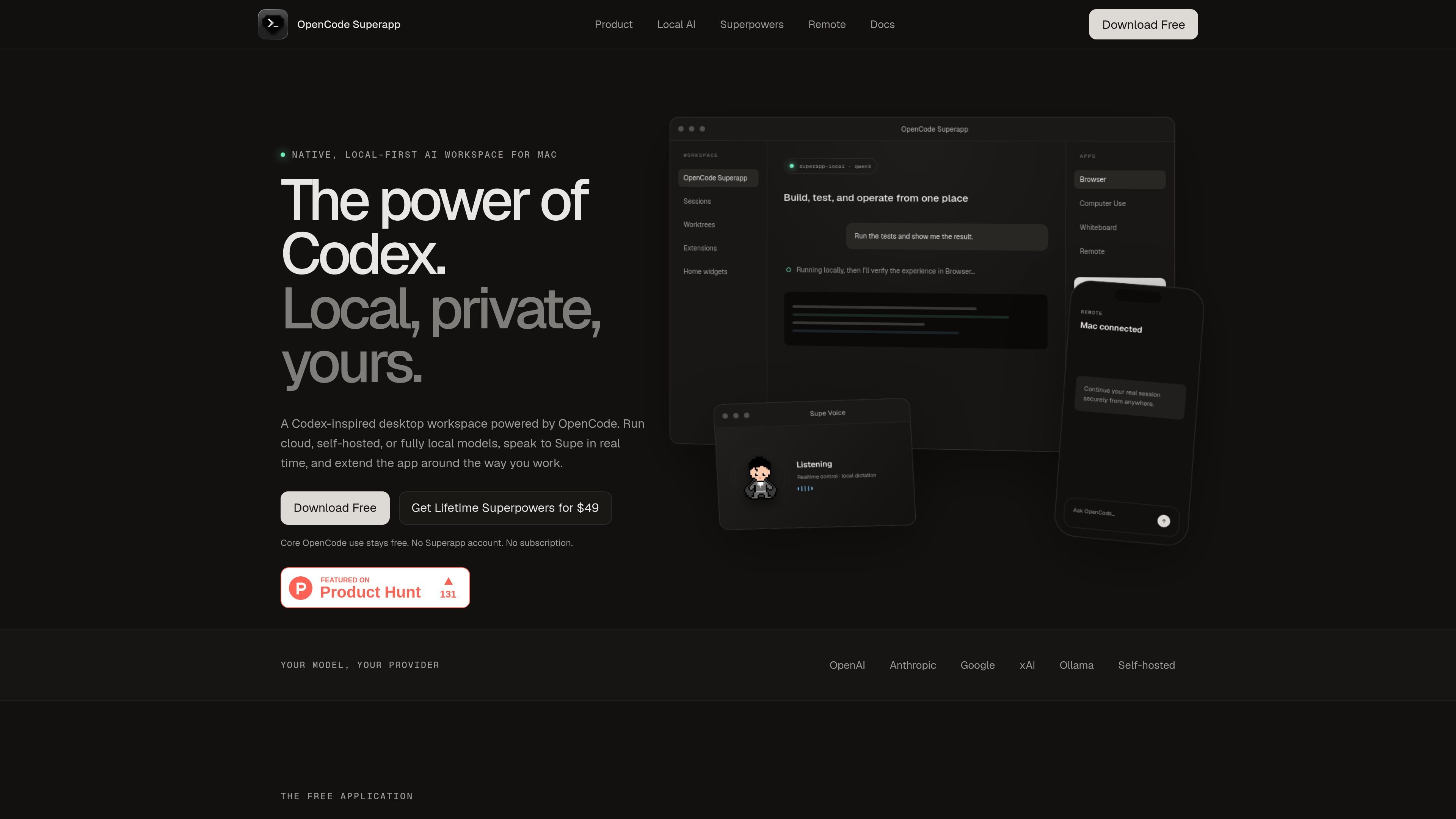
OpenCode Superapp is a native OpenCode workspace for Mac that combines local, self-hosted, and cloud model access in one app. It is presented as a Codex-inspired desktop environment for working with AI while keeping the runtime, projects, and local model traffic on the user's Mac.
The product centers on a local-first workflow: you can run OpenCode-compatible providers with your own credentials, install an integrated Ollama engine for local models, and use the workspace for projects, sessions, worktrees, terminals, search, and configuration. Optional Superpowers add browser automation, native Computer Use, dictation, remote access, and realtime voice.
Run cloud, self-hosted, or fully local models in one desktop workspace and switch providers by task. The app keeps provider credentials in your local OpenCode configuration.
Install the app-managed Ollama engine to use local models already stored in your library, with a private loopback endpoint for local AI traffic.
Work with projects, parallel sessions, files, Git, worktrees, terminals, search, and configuration in a single native workspace.
Add commands, right-panel apps, Skills, MCP services, resources, and local extension packages through the extension system.
Create Home widgets with the agent, test them in live preview, and publish when ready, with isolated storage and bounded file permissions.
Use Browser Automation, Native Computer Use, Local Dictation, Remote + Mobile, and Realtime Voice as guarded Superpowers when purchased.
Use the workspace to build, test, and verify software from the same app, keeping sessions, files, Git, terminals, and worktrees together while switching between local and cloud models as needed.
Run browser automation and native Computer Use with guarded actions when you need the agent to inspect a webpage or interact with a macOS app.
Use private, multilingual dictation to turn spoken prompts into text when you want to work without typing, including offline local dictation for supported Superpowers.
Pair a phone or browser companion to continue a running task remotely while the Mac remains the trusted host and owns the project.
Extend the workspace with commands, MCP services, and local packages when you want custom tools or project-specific workflows.
No. The site says OpenCode Superapp is an independent, Codex-inspired product built on the open-source OpenCode runtime and is not affiliated with or endorsed by OpenAI.
No account is required. The app has no profiles or passwords, and your purchase email is used to deliver and recover the license.
Yes. You can use app-managed Ollama models through the integrated Local AI extension, or configure compatible providers supported by OpenCode. The site also says you can switch providers by task.
The initial release supports Apple-silicon Macs on macOS 13 or newer. Native Computer Use requires macOS 15 or newer.
Five desktop installations are supported. Reinstalling on the same Keychain-backed installation does not consume another slot, and phone or browser companions do not count as desktop activations.

Orca is an Agent Development Environment for shipping with coding agents, running multiple CLI agents in parallel across isolated worktrees, with desktop and mobile workflows.

Firebase Studio is a web-based workspace for full-stack app development with Gemini-assisted coding, app previews, cloud emulators, collaboration, and browser deployment.
OpenAI offers ChatGPT, API, Platform tools, and Codex for conversational AI, model building, and research and product updates.

AakarDev AI helps teams manage AI provider access, project setups, logs, and analytics in one dashboard with BYOK support.

JetBrains makes developer tools for individuals and teams, including IntelliJ IDEA, PyCharm, DataGrip, WebStorm, Rider, and CLion, with built-in run/debug/test workflows.

书生 is a general-purpose large model suite for language, multimodal, weather, ocean, industrial design, 3D, finance, and scientific discovery tasks.