

Grammar checker
Check academic text for grammar, style, tone, and phrasing using suggestions trained for scholarly writing.

Paperpal is an AI academic writing tool and research assistant for students and researchers, with drafting, paraphrasing, citation support, PDF research, and submission checks.
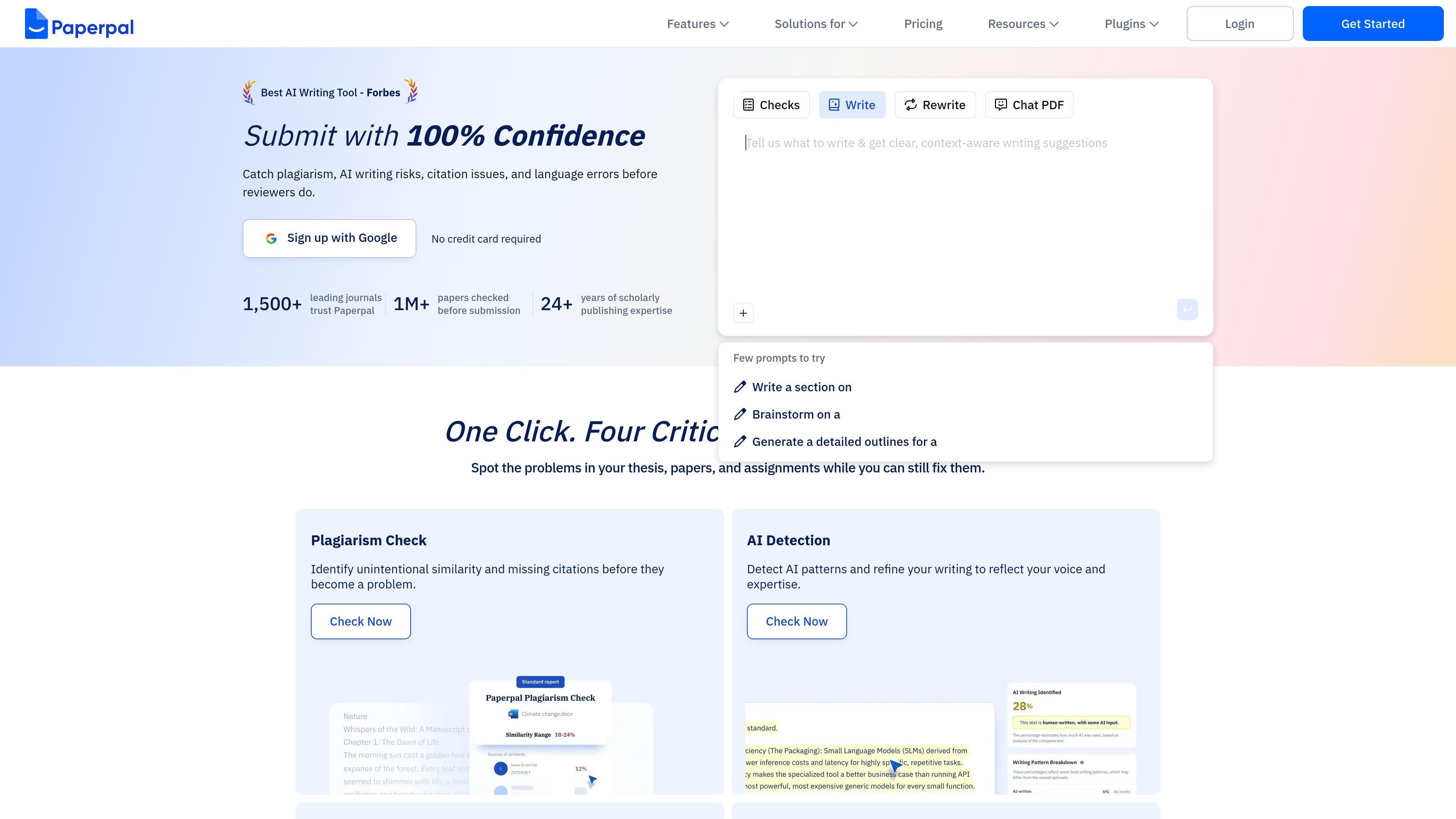
Paperpal is an AI academic writing tool and research assistant for students, researchers, universities, and publishers. It focuses on the tasks involved in drafting, revising, checking, and submitting academic text rather than general-purpose writing.
The product combines grammar and style correction, paraphrasing, AI writing, PDF-based research assistance, citation support, plagiarism and AI detection, and submission-readiness checks. It is available on the web and through integrations for MS Word, Google Docs, Chrome, and Overleaf.
Check academic text for grammar, style, tone, and phrasing using suggestions trained for scholarly writing.
Rewrite text to improve academic tone, simplify complex phrasing, and reduce word count while keeping the meaning intact.
Generate drafts from notes, reviewer comments, or guidelines with context-aware AI writing support.
Upload sources, ask questions, and get answers with citations to support literature review and cross-document analysis.
Find relevant research, explore related insights, and cite sources in multiple styles from a large research index.
Run pre-submission checks for plagiarism, AI patterns, reference issues, and other technical or language problems.
Draft essays, theses, and manuscripts from notes or requirements, then refine the output with academic-style suggestions before submission.
Check grammar, tone, phrasing, citations, and reference quality in Word, Google Docs, or the web without moving between tools.
Upload papers and source PDFs to ask questions, surface key findings, and compare documents when building a literature review.
Run plagiarism, AI detection, reference, and submission checks before sending work to a journal or instructor.
Use the integrations to keep work inside the document editor or browser while adding citations, paraphrasing, and research support.
Paperpal is an AI academic writing tool and research assistant for researchers and students. It combines grammar checking, paraphrasing, plagiarism detection, AI writing support, citation tools, translation, PDF chat, and submission checks in one workflow.
Paperpal is built around academic writing rather than general-purpose chat. The site highlights scholarly-language grammar checks, citation and reference checks, submission-readiness checks, and research-oriented tools such as Chat with PDFs and Research & Cite.
The site says Paperpal is available for researchers, students, universities, and publishers, with use cases centered on drafting, editing, literature review, and journal submission preparation.
Yes. The pricing page says you can start writing for free, and Paperpal also presents free access points through its web app and integrations.
Paperpal can be used for academic drafting, grammar and style correction, paraphrasing, plagiarism checking, AI detection, citation generation, research discovery, PDF summarization, and journal submission checks.

小艺 is Huawei’s AI smart assistant for Q&A, writing, document reading, code help, image recognition, and file drag-and-drop.

Anara is an AI research workspace that searches your library and the web, then helps you write with cited claims and source-backed answers.

迅捷AI写作 is an online AI writing tool for papers, novels, office docs and content creation, with scenario templates, online document writing and multi-format export.

Nily AI is a browser-based AI assistant platform with 20+ models and tools for chat, writing, PDFs, email, images, and web page analysis. 7-day free trial.
Answers AI is an AI-powered education platform for students and educators, offering answers, study help, and assignment support across web, mobile, and Chrome tools.

Predictice is a legal research and analysis platform for legal professionals, with jurisprudence search, litigation analysis, assistant tools and document audit workflows.