

Chat with webpages
Ask questions directly against webpage content so you can work from the page itself instead of copying text into another tool.

Tabbit Browser is an AI-native browser for chatting with webpages, automating tasks with Agent, creating Skills, and organizing tabs.
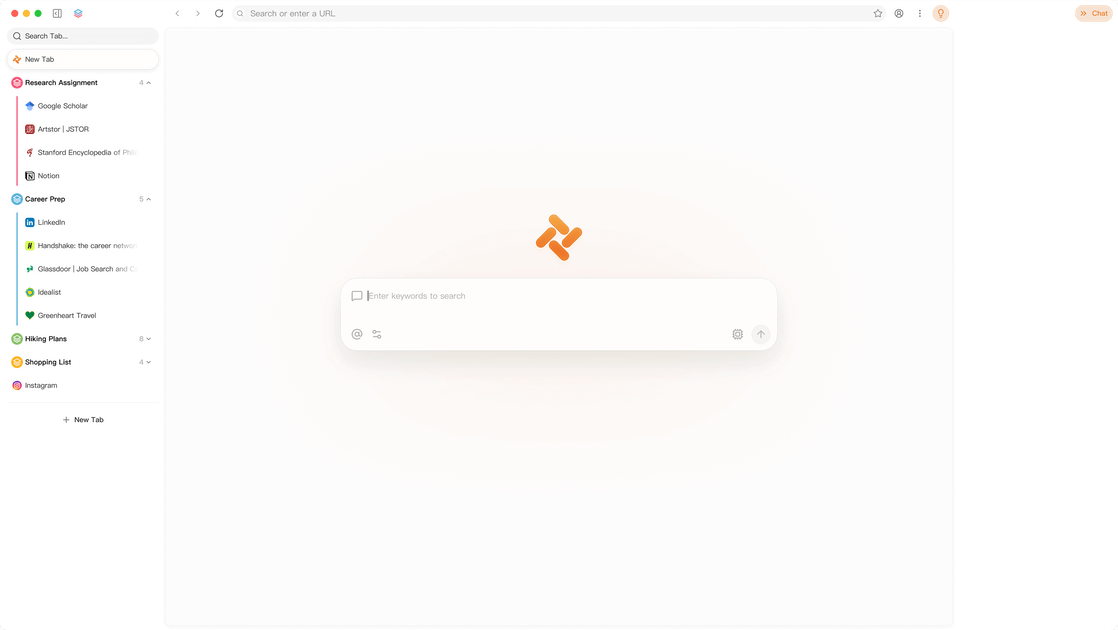
Tabbit Browser is an AI-native browser designed to understand page context while you browse. Its homepage positions the product around working directly with webpages through chat, automation, and reusable Skills.
The site emphasizes practical browser workflows: chatting with content, using an Agent to automate tasks, organizing tabs, and turning recurring prompts into Skills. The product appears aimed at people who want browser interactions to become more context-aware and less manual.
Ask questions directly against webpage content so you can work from the page itself instead of copying text into another tool.
Use the built-in Agent workflow to automate tasks described on the page, based on the product’s positioning as an AI-native browser.
Turn recurring power prompts into a reusable Skill so you can invoke it with `/` instead of pasting the same instructions repeatedly.
Keep browsing work organized with tab-focused workflows designed to reduce clutter and make context easier to manage.
Apply the browser to repeated reading and synthesis tasks such as summaries, extraction, and cross-page workflow support shown in the examples.
Use Tabbit when you want to ask questions about a webpage and stay inside the browsing flow instead of switching to a separate assistant.
Use the Agent workflow for repetitive browser tasks that can be described once and then executed as a browser action.
Convert a prompt you reuse often into a Skill so the same instruction can be triggered quickly from the browser.
Use the browser’s tab organization focus when you are juggling many pages and need a cleaner working set.
Apply it to reading-heavy workflows where context matters, such as comparing pages, pulling together information, or keeping a task grounded in the current page.
Tabbit is presented as an AI-native browser that understands your context and lets you chat with webpages, automate tasks with Agent, and create custom Skills.
The source highlights workflows such as chatting with webpages, organizing tabs, automating tasks with Agent, and turning recurring prompts into Skills.
The page does not describe platform support, installation steps, or browser compatibility beyond the product website itself.
The source does not include pricing details, plan names, or trial information.

BrowserOS is an open-source AI browser that automates web tasks from plain-language prompts on macOS, Windows, and Linux, with Chrome extensions and MCP integrations.

Termo is an AI agent platform with dedicated VMs for browsing, code execution, memory, and scheduled automation for research and build tasks.
Twine AI Launcher is an Android launcher with AI assistant access, bringing ChatGPT-style help to your homescreen for quick answers, notes, tasks, reminders, and people memory.

AI Magicx is a unified AI workspace for chat, image, video, voice, music, email and developer tasks, helping teams and creators manage multiple models in one place.

Hypertype is an AI agent for industrial support teams, reducing repetitive work, integrating with existing tools, and using selected company data through consultative enterprise onboarding.

阶跃AI is a personal efficiency assistant from 阶跃星辰 for knowledge search, writing, coding, and daily automation. Download on desktop and mobile, and trigger web, files, and reminders by voice.