

Anonymous Twitter viewing
Browse public accounts, tweets, threads, replies, and media without logging in. The viewer is positioned as a distraction-free way to inspect Twitter content and save it to a Twillot vault.

Twillot helps you browse public X content anonymously, back up bookmarks and tweet history, and organize saved posts with local search and AI classification.
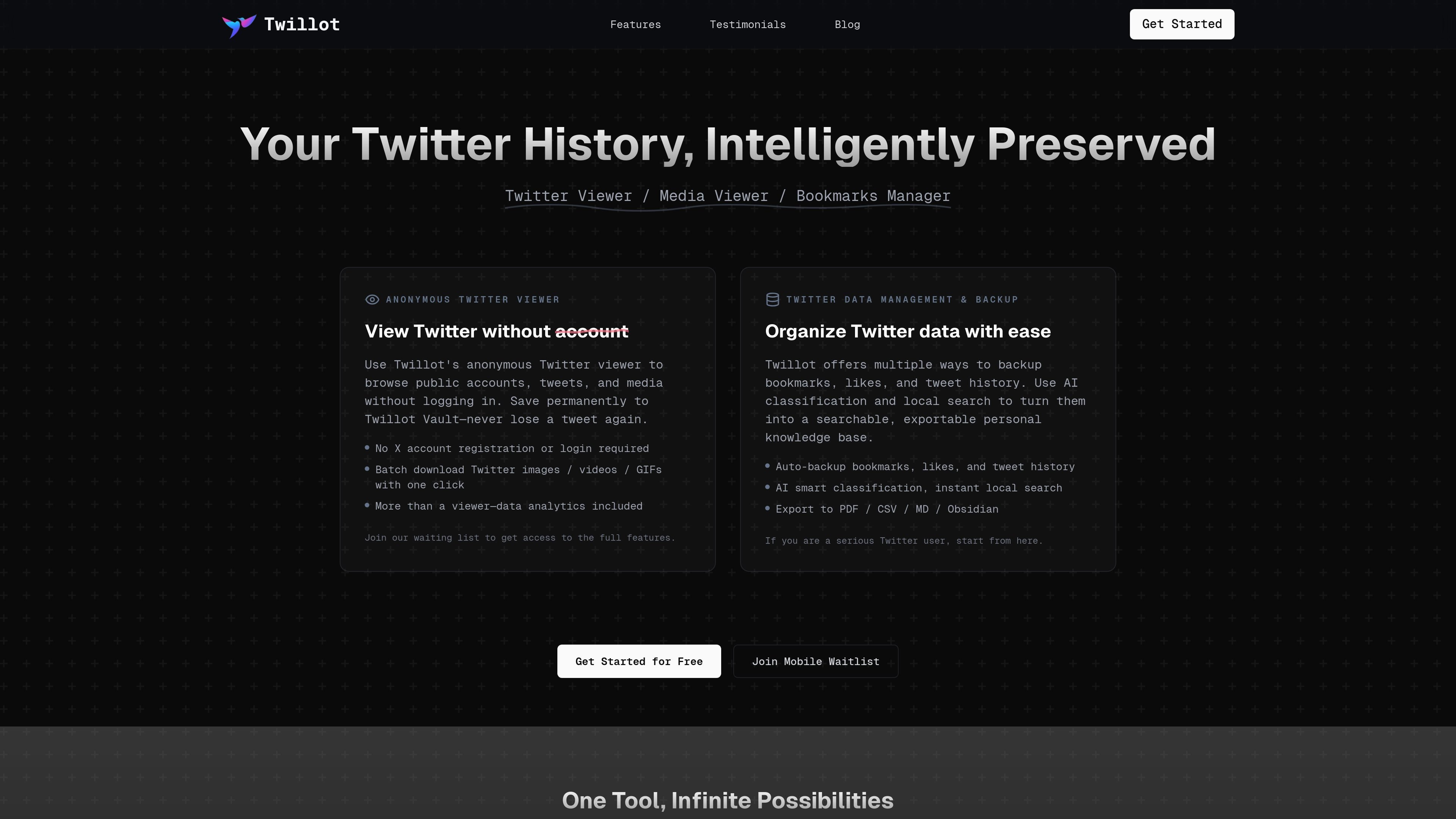
Twillot is a Twitter data management tool for saving, organizing, searching, and exporting content from X. It combines an anonymous public viewer with local backup and analytics features so users can work with tweets, bookmarks, likes, replies, and media in one place.
The home page positions the product as a way to preserve Twitter history without losing track of important posts. It emphasizes local indexing, AI-assisted classification, and export options for people who want a searchable personal archive rather than a simple bookmarking tool.
Browse public accounts, tweets, threads, replies, and media without logging in. The viewer is positioned as a distraction-free way to inspect Twitter content and save it to a Twillot vault.
Automatically back up bookmarks, likes, tweet history, replies, and other Twitter data into local storage. The home page emphasizes local indexing and millisecond search for saved content.
Use AI classification, topic grouping, sentiment, and context-based organization to sort tweets into folders and tags. The pricing page also references advanced filters and AI organization for saved content.
Search saved tweets and media with full-text, language-aware search and keyword highlighting. The product pages present search as a core way to find items quickly after backup or import.
Export saved data to formats such as PDF, CSV, Markdown, JSON, Google Drive, and Obsidian. The pricing page also mentions exporting as Markdown and PDF for paid plans.
Manage media and account data with batch actions, gallery views, list management, and block management. The pricing page includes batch download media, Twitter list management, import from Twitter archive, and follower cleanup features.
Use the anonymous viewer to browse public timelines, threads, replies, and media without signing in. This suits readers who want to inspect content without connecting an X account.
Back up bookmarks, likes, and tweet history into local storage, then use folders, tags, and search to turn saved posts into a personal reference library. The site frames this as a way to avoid losing important tweets over time.
Use AI classification and filters to sort a large collection of bookmarks or tweets by topic, sentiment, author, or context. This is aimed at people with messy saved content who need a better retrieval workflow.
Export tweets, bookmarks, and media into shareable formats such as PDF, CSV, Markdown, JSON, or Google Drive. The home page positions these outputs as useful for creators, researchers, and analysts who need deliverables or datasets.
Manage lists, followers, following, and blocked users from one interface, including archive import and batch actions on supported plans. This fits users who want to clean up or reorganize Twitter network data.
Twillot is a Twitter data management tool built around anonymous viewing, local search, and backup workflows. The home page also describes features for bookmarks, likes, tweet history, exports, media downloads, and analytics.
The home page says you can use Twillot's anonymous viewer without logging in or registering an X account. It is designed to browse public accounts, tweets, threads, replies, and media without account access.
Yes. The pricing page shows a free plan and paid Mini, Basic, and Pro plans. It also marks some capabilities as paid-member features, such as cloud backup, export options, batch download, list management, and custom folder colors.
The source shows export to PDF, CSV, Markdown, JSON, Google Drive, and also mentions Obsidian on the home page. The pricing page additionally mentions exporting data as Markdown and PDF on the Mini plan.
The source does not provide detailed onboarding steps. Available pages suggest the workflow is to install the extension, connect it to Twitter data such as bookmarks or archives, and then organize, search, export, or download content locally.
Les données de trafic sont fournies à titre indicatif uniquement.

北极九章 is an enterprise AI data insight engine for natural-language data analysis. Ask by typing or voice and get charted results in workflows.

GetESP analyzes CSV email lists to identify recipient ESPs and spam protection tools, helping segment lists and choose the right provider for better deliverability.

clickworker provides human-generated and human-validated data services for surveys, store checks, tagging, list building, crowdtesting, and AI training data.

Anara is an AI research workspace that searches your library and the web, then helps you write with cited claims and source-backed answers.

Quenti is an online learning platform for flashcards, practice tests, matching games, and AI-assisted grading for students, teachers, schools, and organizations.

Prompt Genie is a prompt management and optimization tool for AI workflows, plus Claude Code memory to reduce repeat reads and token spend.