

AI video and image generation
The homepage describes A1.art as an online AI video and image generator, while the collection and app pages focus on image-filter generation.

a1.art is an AI image and video generator for browsing and running reusable filters to create stylized results from existing images or prompts.
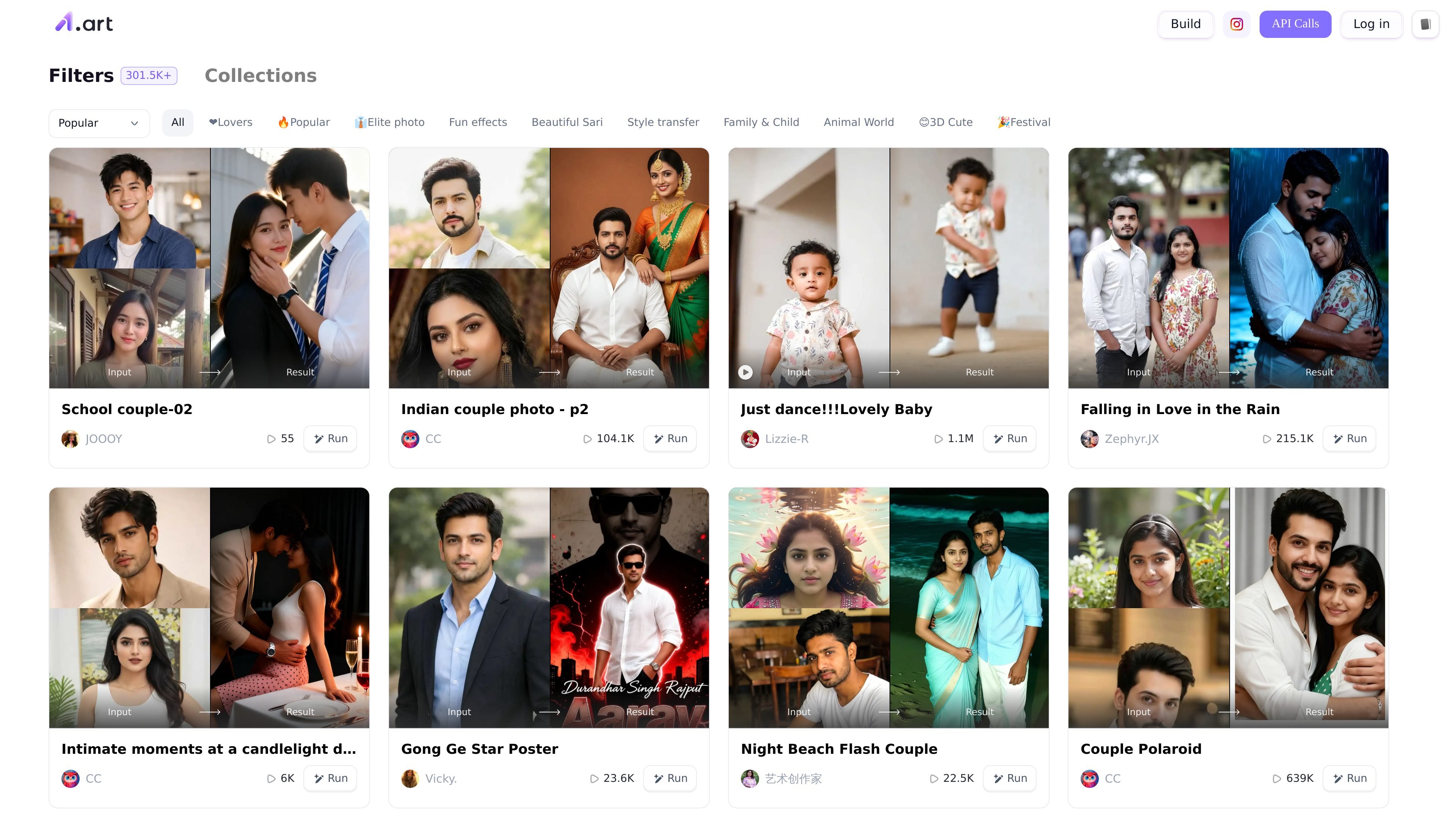
A1.art is an online AI art platform focused on generating images and video effects through reusable filters. The homepage describes it as a free online AI video and image generator, and the collection pages show a large library of ready-made filters that users can browse and run.
The product is positioned around discovery as well as creation. Visitors can explore categories such as ID photo, anime, cartoon, art photo, material, clothes, and group photo, then open a filter, supply input, and generate a result. The visible pages emphasize quick, click-based creation rather than manual editing tools or a complex design workspace.
The homepage describes A1.art as an online AI video and image generator, while the collection and app pages focus on image-filter generation.
The site presents a large filter library with the label “301.5K+” and category tabs for themes such as Lovers, Popular, Elite photo, Fun effects, Beautiful Sari, Style transfer, Family & Child, Animal World, 3D Cute, and Festival.
Collection pages organize filters into browsable groups like ID Photo, Anime, Cartoon, Art Photo, Material, Clothes, and Group Photo, making it easier to find a starting point for a specific output style.
Each filter card shows an input/result preview and a Run action, indicating a simple flow for testing a filter and generating a result from user-provided input.
Filter listings show community-style counts alongside creations, which helps readers gauge which filters are actively used or popular on the platform.
The privacy policy says A1.art supports use through its website and an API used by third-party websites and applications, but the source does not give public API documentation.
Use the ID photo and professional-photo collections when you need a fast stylized portrait or profile image starting point.
Use anime, cartoon, art photo, and material filters to turn a source image into a different visual style for personal projects or sharing.
Use couple, family, and group-photo filters when you want a themed composite or relationship-focused image output.
Use the filter library to browse by theme when you are exploring what the platform can produce before committing to a specific look.
Use the website flow when you want a quick, browser-based generator instead of a manual editing workflow.
A1.art is a browser-based AI image and video generator that lets users build and discover filters, then run them to create AI art outputs.
The site shows collections of image filters and the app pages present a run-based workflow with Input and Result states, so users can choose a filter and generate an output from an input image or prompt.
The source pages prominently show image-filter categories such as ID Photo, Anime, Cartoon, Art Photo, Material, Clothes, and Group Photo, while the home page also describes AI video and image generation.
The pricing page indicates there is a free way to start using the service, and the site also includes a pricing page for paid items.
The privacy policy states that A1.art can be used through the website and an API used by third-party websites and applications, but the collected sources do not provide public integration details beyond that.

Nim Video is a web-based AI video and image creation platform for turning prompts, images, and source footage into editable visuals. It offers a free tier and paid subscriptions with added credits, higher output options, and commercial-use features.

PixelPrompt is a browser-based AI image and video workspace for prompt optimization, text-to-image, and text-to-video generation. It supports ecommerce visuals, ad creatives, and short-form UGC-style content without requiring a local GPU.

Image to Cartoon is a free AI cartoonizer that turns photos into cartoon, anime, comic, or 3D-style images in the browser, no sign up required.

Recraft is an AI image generation and design platform for designers, creatives, sellers, and teams. It supports raster and vector generation, custom styles, mockups, editing, and API-based workflows.

Image Fx is a web-based AI image generator that turns text prompts into images, with free basic access, no sign-up, and paid credit-based premium models.

Upsampler is an AI platform for creating, editing and upscaling images and videos in one workspace. Pay per credit, full API access, commercial use included.