

Multiple image input paths
The generator lets users upload a left image and a right image separately, or upload a merged image directly if they already have one prepared.

AI Hug is a web-based AI hug generator that turns uploaded images and a prompt into short virtual hug videos. Paid plans include credits, downloads, no watermark, and private generations.
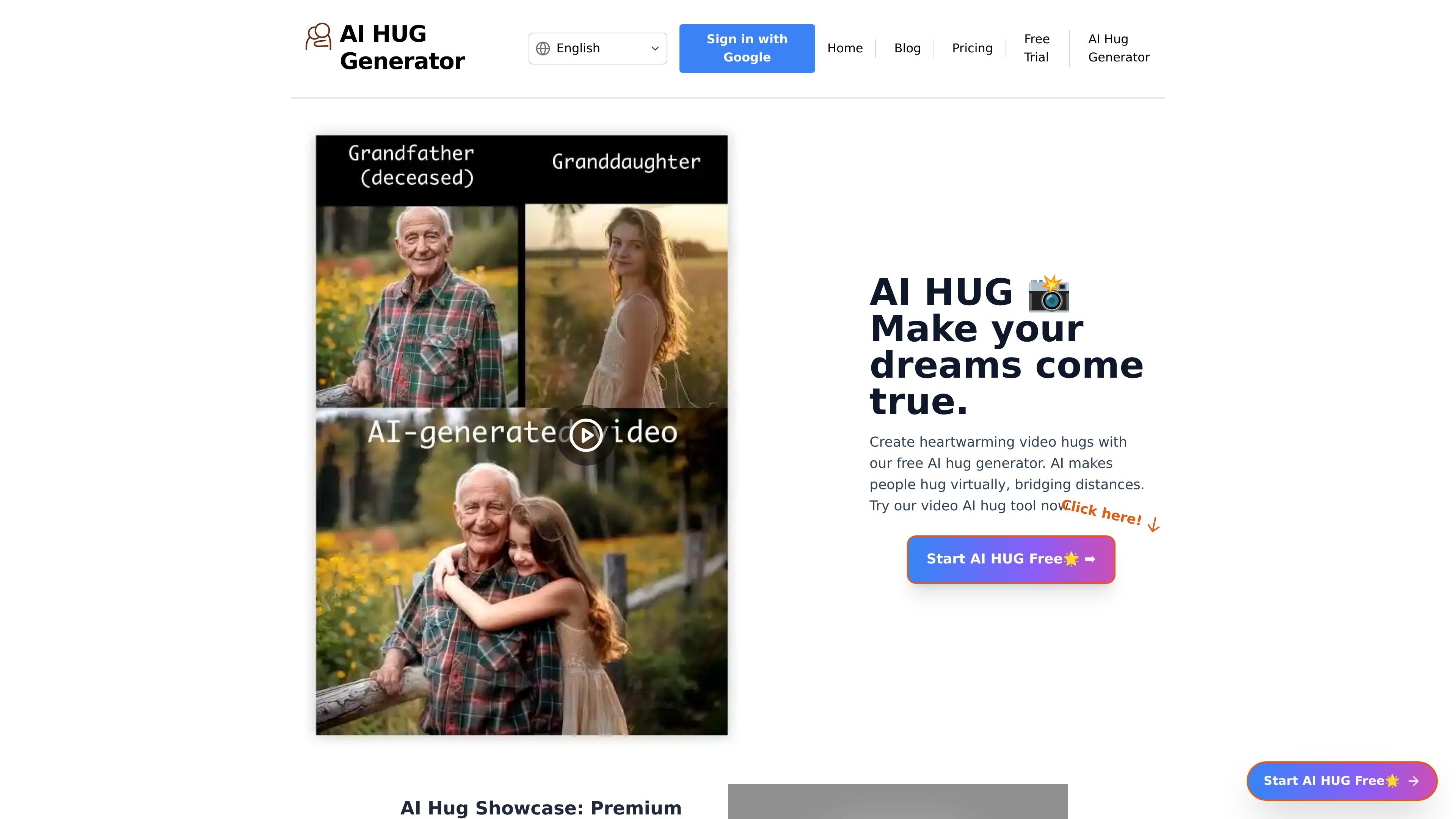
AI Hug is a web-based AI hug generator for creating short video hugs from uploaded images and a text prompt. The homepage describes it as a tool for making people hug virtually and bridging distances, while the generator page shows a workflow built around image uploads, prompt entry, and video generation.
The product appears to be focused on simple image-to-video creation rather than broad media editing. Its pricing page presents subscription plans that provide credits for video generation, along with no watermark, video download access, and private generations on paid tiers.
The generator lets users upload a left image and a right image separately, or upload a merged image directly if they already have one prepared.
A prompt field is included in the generation flow, allowing users to describe the hug scene they want rather than relying only on image selection.
The page shows a Generate Video action and credits-based usage, which indicates each video generation consumes credits.
Paid plans on the pricing page include no watermark, video download access, and private generations.
The site includes a blog list with guides and examples around AI hug video creation, suggesting documentation and educational content alongside the tool.
Create a short virtual hug video from two separate photos, using the left/right image upload flow and a descriptive prompt.
Upload an already combined image when you do not want to prepare separate source files, then generate the video directly from that file.
Make a personal message feel more expressive by pairing the hug generator with a prompt that describes the interaction you want.
Produce a downloadable hug video for private use or sharing, especially if you need the no-watermark output available on paid plans.
Use the product’s blog content as a starting point for learning different AI-hug workflows and related tools.
The source shows a web-based AI Hug Generator where users upload or select images, enter a prompt, and generate a video. It appears to support either separate left and right images or a merged image upload.
The pricing page shows subscription plans with monthly credits, and each plan includes no watermark, video downloads, and private generations. The source does not show a one-time purchase option in the rendered text provided.
The generator interface shows a prompt field with example text and a Generate Video action. The source does not provide detailed information about output formats beyond video generation and download support on paid plans.
The rendered generator page shows fields for left image, right image, merged image upload, and a custom prompt input. No integration list or API documentation is shown in the provided source.
The source does not provide limits, team features, or collaboration controls. It does show private generations on paid plans and a billing page link for managing subscriptions.

Pika is an AI video generation platform for creating and editing short videos from prompts, images, and existing footage. It also offers plan-based commercial use, watermark-free downloads on higher tiers, and select partner API access.

Old Photo AI animates old photos into short videos with realistic motion, effect templates, and paid fast-generation options.

HappyHorse is a web-based AI video generator for turning text prompts, images, and video references into short clips. It offers free starting credits plus paid plans and credit packs for creators who need more output.

Boolvideo is an AI video generator that turns prompts, scripts, product links, blog posts, images and clips into videos for creators, marketers, sellers and agencies.

CoCoClip.AI is a web-based AI video editor for short-form content, with text-to-video, image-to-video, and audio-to-video workflows for YouTube Shorts, TikTok, and Instagram Reels.

Podfy.ai is a browser-based AI video tool that turns text, scripts, audio, and music into edited videos with narration, subtitles, effects, and soundtrack for faster short-form social content.