

AI video generation
Create videos from text prompts and optional reference images, then choose between models such as Veo 3.1, Sora 2, and Kling AI to generate the scene.

AI Studios is a web-based AI video generator that turns prompts, documents, URLs, and product pages into videos with avatars, dubbing, and editing tools.
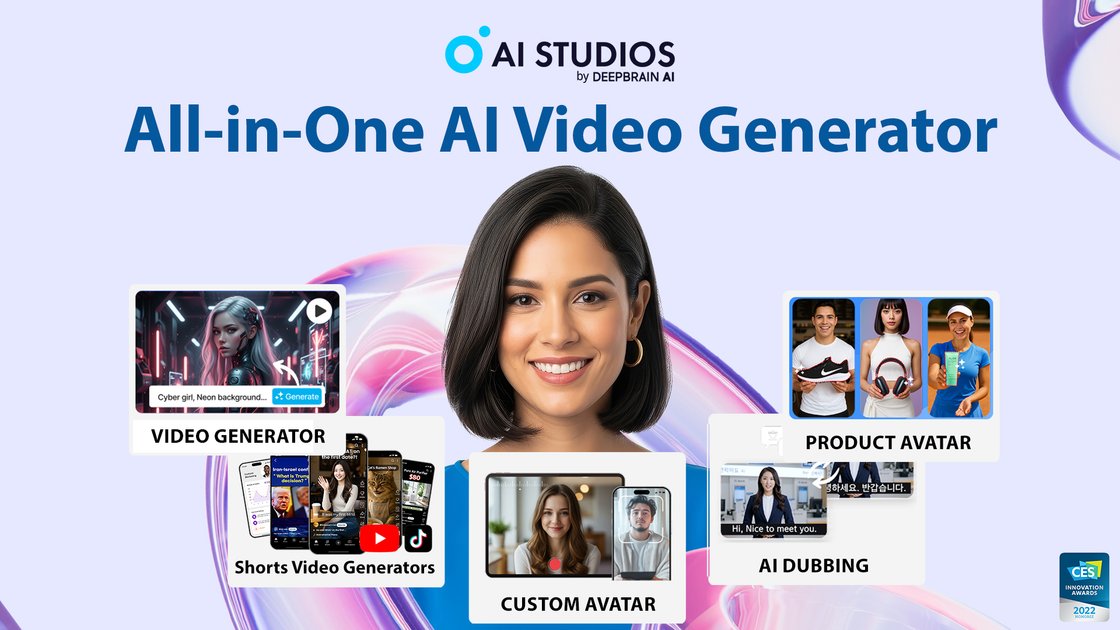
AI Studios is an AI video creation platform that combines text-to-video generation, avatar-based video building, dubbing, translation, and editing in one workspace. The site positions it for creators, training teams, marketers, and organizations that need to produce videos from scripts, links, documents, or short clips.
Its workflow covers both generation and post-production: users can start from a prompt, image, URL, PPT, PDF, or product page, generate a draft with one of the supported models, and then refine the result with avatars, voiceovers, captions, and editing tools before exporting. The pricing page shows plans for individual users, teams, and enterprise customers, along with a separate live-avatar offering.
Create videos from text prompts and optional reference images, then choose between models such as Veo 3.1, Sora 2, and Kling AI to generate the scene.
Edit generated scenes in the same workspace using a built-in AI video editor with audio controls, animations, object effects, voice recording, pronunciation tools, and brand assets.
Generate videos with 2,000+ AI avatars, 1,000+ AI voices, and support for custom avatars, photo avatars, product avatars, and interactive avatars.
Translate and dub videos into 150+ languages with lip-sync support on paid plans, plus proofreading for translated scripts and one-click translation of on-screen text.
Build structured training content with interactive quizzes, branching videos, custom templates, imported PPT/PDF files, and SCORM export for LMS use.
Use 7,000+ video templates, custom templates, stock media, custom font import, and brand kits to keep output consistent across projects and teams.
Turn a script, image, or short clip into a finished video with generated scenes, avatar narration, and editable visuals for social or brand content.
Create training content with branching interactions, quizzes, and SCORM export so learning materials can fit an LMS workflow.
Translate and dub existing videos for international audiences while preserving the original tone and adding lip-sync on paid plans.
Produce presenter-led explainers, product demos, or multilingual announcements using custom avatars, voice selection, and the editor in a single workspace.
Set up team workflows with shared workspaces, role-based controls, and bulk generation for larger content operations.
AI Studios lets you create videos from text prompts, uploaded images, or source documents, then refine them in the editor before exporting. The AI video generator page says you can choose from models such as Veo 3.1, Sora 2, or Kling AI, while the home page shows workflows like Topic to Video, Product to Video, Docs to Video, and URL to Video.
The pricing page shows exports at 720p on the Free plan, 1080p on the Personal plan, and 4K on the Team and Enterprise plans. The source does not mention additional output formats beyond video export, SRT upload/download, and SCORM export for the course and training workflows.
Yes. The pricing page includes a Team plan with shared workspaces and collaboration features, and the Enterprise plan adds SAML SSO, SCORM export, interactive quizzes, and bulk video generation. The home page also highlights team collaboration, role-based access control, version history, and enterprise support.
AI Studios offers a Free plan with limited creation capacity, a Personal plan from $24 per month, a Team plan from $55 per seat per month, and an Enterprise plan with custom pricing. The live-avatar area on the pricing page also shows separate Free, Standard, and Enterprise plans for live avatar experiences.
The source shows AI dubbing with lip-sync, one-click translation, 150+ languages, editable scripts for proofreading, and multilingual voice generation. The pricing page also distinguishes audio-only dubbing on the Free plan from dubbing with lip-sync on paid plans.

Rizzle turns articles into editorial-grade video and distributes it across major channels with AI-assisted, human-reviewed workflows for publishers.

Podfy.ai is a browser-based AI video tool that turns text, scripts, audio, and music into edited videos with narration, subtitles, effects, and soundtrack for faster short-form social content.

Nim Video is a web-based AI video and image creation platform for turning prompts, images, and source footage into editable visuals. It offers a free tier and paid subscriptions with added credits, higher output options, and commercial-use features.

Pika is an AI video generation platform for creating and editing short videos from prompts, images, and existing footage. It also offers plan-based commercial use, watermark-free downloads on higher tiers, and select partner API access.

Upsampler is an AI platform for creating, editing and upscaling images and videos in one workspace. Pay per credit, full API access, commercial use included.

PixelPrompt is a browser-based AI image and video workspace for prompt optimization, text-to-image, and text-to-video generation. It supports ecommerce visuals, ad creatives, and short-form UGC-style content without requiring a local GPU.