

Bulk pin scheduling
Create pins for many pages quickly and schedule them over time, including support for distributing pins across a website instead of posting manually one by one.

BlogToPin automates Pinterest pins from blog posts and web pages, with AI pin copy, board selection, previews, scheduling, and CSV export.
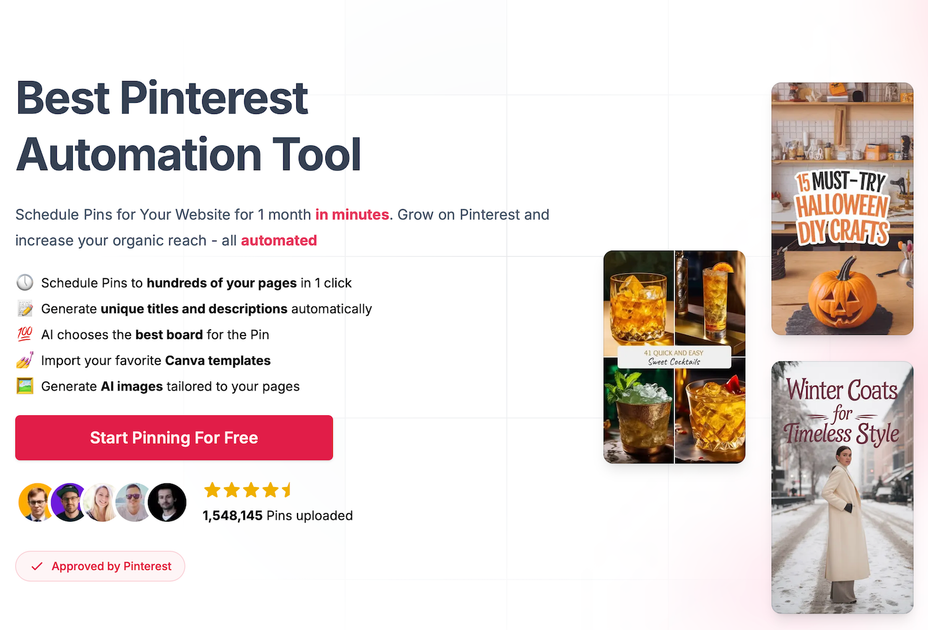
BlogToPin is a Pinterest automation tool for turning blog posts and other website pages into Pinterest pins. The homepage positions it as a way to schedule pins for a website in minutes, generate titles and descriptions automatically, choose boards with AI, and import Canva templates.
The product is aimed at people who want to publish Pinterest content from existing pages instead of building every pin manually. It also includes a free pin maker that lets users enter a URL, customize templates and design settings, and generate pins from page content before moving into the paid automation workflow.
Create pins for many pages quickly and schedule them over time, including support for distributing pins across a website instead of posting manually one by one.
Generate titles and descriptions automatically from page content, with AI text and board selection to reduce manual setup.
Preview how many pins would be generated for a given URL before publishing, which helps check fit before committing to a full run.
Use imported Canva templates alongside BlogToPin’s own pin creation flow, so existing brand templates can be reused.
Work with text-only templates, AI-generated images, uploaded custom images, or stock images when a page does not provide enough visuals.
Export generated pins to CSV for manual import into Pinterest when you want more control over distribution.
A blogger can paste post URLs, generate titles and descriptions automatically, preview the results, and schedule pins over time instead of creating each asset manually.
A site owner with many pages can spread pins across different URLs and let the scheduler distribute exposure while reducing duplicate content.
An ecommerce seller or marketplace merchant can point the tool at product pages or listing URLs and use the image-fetching options to generate relevant pins.
A designer or marketer can reuse Canva templates, adjust fonts and color palettes, and keep a consistent look across pin batches.
A user who wants more control can generate pins and then export them to CSV for manual import into Pinterest.
Yes. The pricing and homepage copy both say you can schedule pins in advance, and the homepage describes scheduling pins for a website for one month in minutes.
The homepage says the daily pin limit depends on the plan, ranging from 35 to 350 pins per day on the listed plans, and the pricing page shows higher daily limits for Agency and Enterprise.
Yes. The homepage says the tool operates in compliance with Pinterest API use policies and has been approved by Pinterest's review team.
Yes. The homepage says it can work with complex websites, and that it can omit UI parts such as suggested articles, recommended products, and ads to generate better pins.
Yes. The tool supports text-only templates, AI image generation tailored to pages, custom image uploads, and stock images, which helps when a site has few or no original images.

腾讯妙思 is an AIGC content creation platform for marketing, supporting one-stop business content generation from idea to creation.

Gainsty is an Instagram growth platform for real followers and engagement through targeted organic growth. Try it free for 7 days, with a 14-day money-back guarantee.

imagetocaption.ai is an AI caption generator that turns images and videos into social media copy for brands, shops, and creators with platform-specific prompts and multilingual output.

MailerLite is an email marketing platform for sending campaigns, building automations, and creating landing pages, forms, and websites. It also supports digital products, paid newsletters, and recurring subscriptions.

Postfity is a social media management tool for scheduling, planning, publishing, and tracking posts across connected accounts. Includes analytics, inbox management, AI tools, team workflows, and Free and paid plans.

CoCoClip.AI is a web-based AI video editor for short-form content, with text-to-video, image-to-video, and audio-to-video workflows for YouTube Shorts, TikTok, and Instagram Reels.