Canopy icon

Canopy

Rivendica

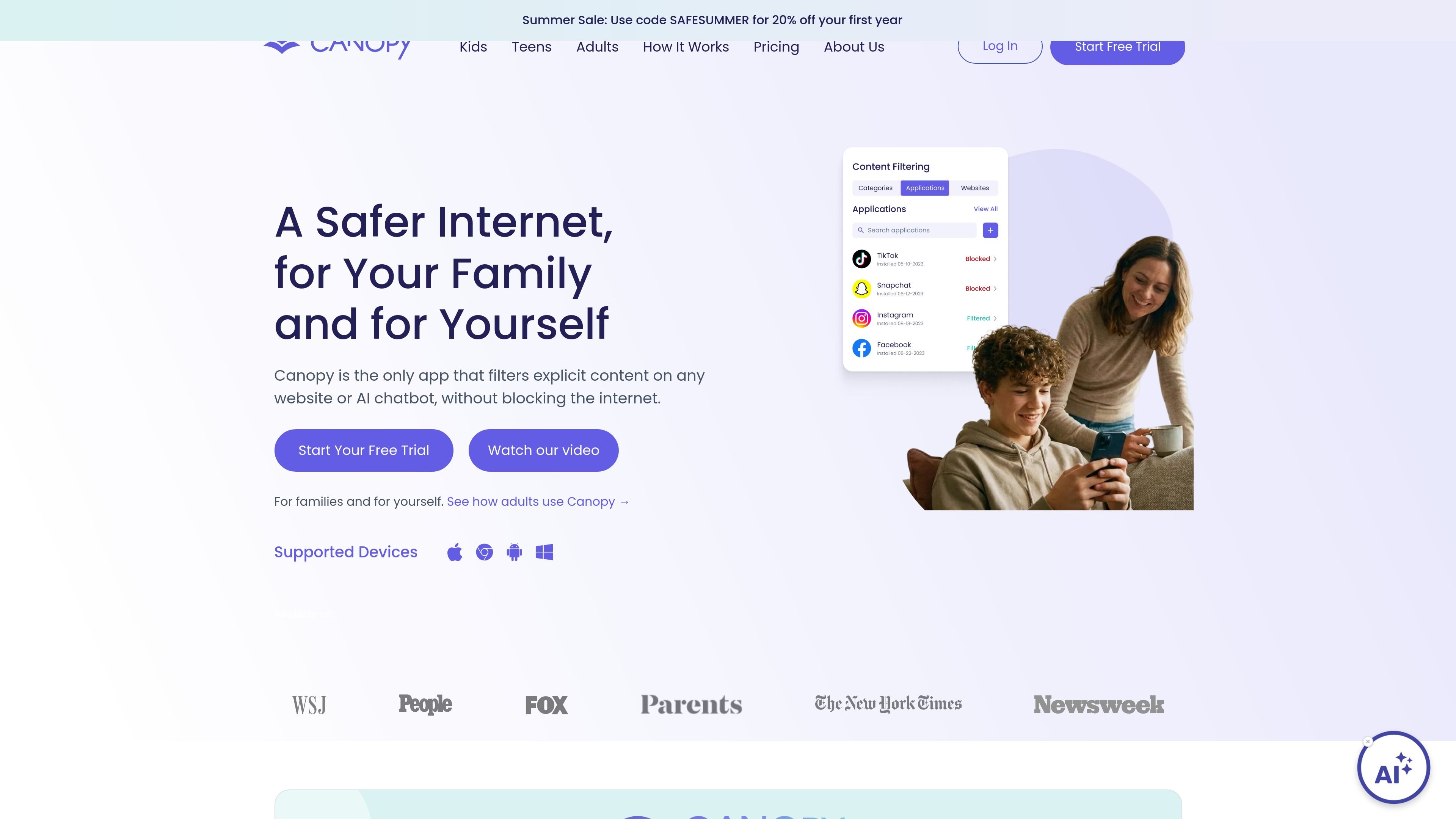
Canopy is a content filtering and parental control app that blocks explicit images, videos, and text on websites, social media, and AI chatbots without blocking the whole internet.

Canopy

Overview

Canopy is a content filtering and parental control app that removes explicit images, videos, and text from websites, social media, and AI chatbots without blocking the entire internet. It is positioned for families and for adults who want a cleaner online environment on their own devices.

The product runs on iOS, macOS, Android, Windows, and Chrome OS/Chromebooks according to the source pages. Setup uses a parent-managed Canopy app and a Shield app on the protected device, with plans that include a 7-day free trial and phone or email support depending on the page and plan context.

Beyond porn blocking, Canopy adds controls for app blocking, screen-time limits, removal prevention, sexting alerts, location alerts, and social media monitoring. The adults offering frames the same filtering engine as a personal accountability tool, with either a trusted human partner or an AI Ally for change approvals.

Core features

Real-time explicit content filtering

Canopy analyzes pages in real time to remove explicit images, videos, and text from websites, social platforms, and AI chatbots. The site positions this as device-level filtering rather than simple domain blocking.

Sexting alerts and prevention

The product can identify risky sexting images and send an alert before the image is shared. The site also describes sexting prevention as part of the family plans.

App blocking and screen-time limits

Canopy supports app blocking and website blocking, plus daily or weekly downtime rules to manage when devices can be used. This lets parents or individuals set boundaries around specific apps and routines like bedtime or dinner.

Location alerts

The product includes location alerts that can notify a parent when a child arrives at or leaves a specified place such as home or school. The source also mentions instant location check-ins.

Social media monitoring

Canopy provides social media monitoring with alerts for sensitive topics such as bullying, drugs, and alcohol. It is presented as insight into messages across different platforms, not full transcript export or team messaging.

Removal prevention and accountability

The source says Canopy includes removal prevention so the app cannot be easily disabled from the protected device. On the adults page, it also offers an accountability partner option or AI Ally for personal use.

Common use cases

  • Family online protection

    Parents can use Canopy to filter explicit content across a child’s everyday browsing, social feeds, and chatbot use without resorting to blanket website blocking.

  • Personal accountability

    Adults can use the same filtering engine to reduce exposure to pornographic content and pair it with either a human accountability partner or AI Ally.

  • Child safety monitoring

    Families can use location alerts and social media monitoring to stay informed about safety concerns such as where a child is and whether conversations involve bullying, drugs, or alcohol.

  • Screen-time and app boundaries

    Parents can set downtime rules, block specific apps, and prevent removal on protected devices to create clearer device boundaries around homework, meals, and bedtime.

  • Chatbot filtering

    Users who want protection on AI chatbots can apply Canopy at the device level so changes in accounts or tabs do not bypass filtering on tools like ChatGPT, Grok, Gemini, or Claude.

Pros and Cons

Pros

  • Filters explicit content in real time across websites, social media, and AI chatbots.
  • Supports both family protection and adult self-use in the same product line.
  • Includes practical controls beyond filtering, such as app blocking, screen-time rules, location alerts, and removal prevention.
  • Offers a simple setup flow with separate management and protected-device apps.
  • Provides a trial and a refund policy on the pricing page.

Cons

  • The source does not describe team, classroom, or business administration features.
  • Some advanced controls are framed differently across pages, so buyers may need to confirm which features are included in the plan they want.
  • The public pages do not spell out every supported browser, app, or integration in detail.

FAQ

How does setup work?

Canopy installs on a parent-managed app and a protected-device app. The source describes a simple setup: create an account, install the Canopy app where protection settings are managed, and install the Shield app on each device you want to protect.

Is Canopy meant for families or adults?

The source presents Canopy for both families and individual adults. The family plans are aimed at parents who want to protect children, while the adults page describes solo use or use with an accountability partner or AI Ally.

Does Canopy support team or organizational use?

Canopy is described as protecting individual devices rather than team environments. The available source material does not describe a business, classroom, or multi-user admin workflow.

What types of content and controls does Canopy provide?

The site says Canopy filters explicit images, videos, and text across websites, social media, and AI chatbots. It can also block apps, manage screen time, send location alerts, and provide sexting-related notifications on supported plans.

Is there a free trial or refund policy?

The pricing page says every subscription includes a 7-day free trial and that cancellation is available in the app, through the web dashboard, or via the original app store purchase flow. It also mentions a 30-day money-back guarantee.

Quick Facts

Category
Content filtering and parental control
Platforms
iOS, macOS, Android, Windows, Chrome OS / Chromebooks
Primary users
Parents, families, and adults seeking self-control tools
Setup model
Canopy manager app plus Shield app on protected devices
Pricing model
Paid subscription with a 7-day free trial
Source domain
canopy.us

Analisi di Canopy

I dati sul traffico sono solo a scopo di riferimento.

Traffico e classifiche

Visite mensili
1,5 Mln
Durata media visita
03:38
Pagine per visita
3.93

Trend del traffico

Principali regioni

  • Stati Uniti: 87.9%
  • Canada: 1.92%
  • Regno Unito: 1.46%
  • Germania: 1.13%
  • Cechia: 1.02%
  • Altro: 6.58%

Fonti di traffico

  • Diretto: 28.0%
  • Ricerca: 25.8%
  • Referral: 6.92%
  • Social: 32.2%
  • E-mail: 1.22%
  • Annunci display: 4.40%