

Welcome Assistant
Cavalry can welcome new members with dynamic intros that are tailored to the channel and audience, helping reduce the burden on community managers.

Cavalry is an AI community management platform for Slack and Discord that automates welcomes, replies, moderation, announcements, and insights.
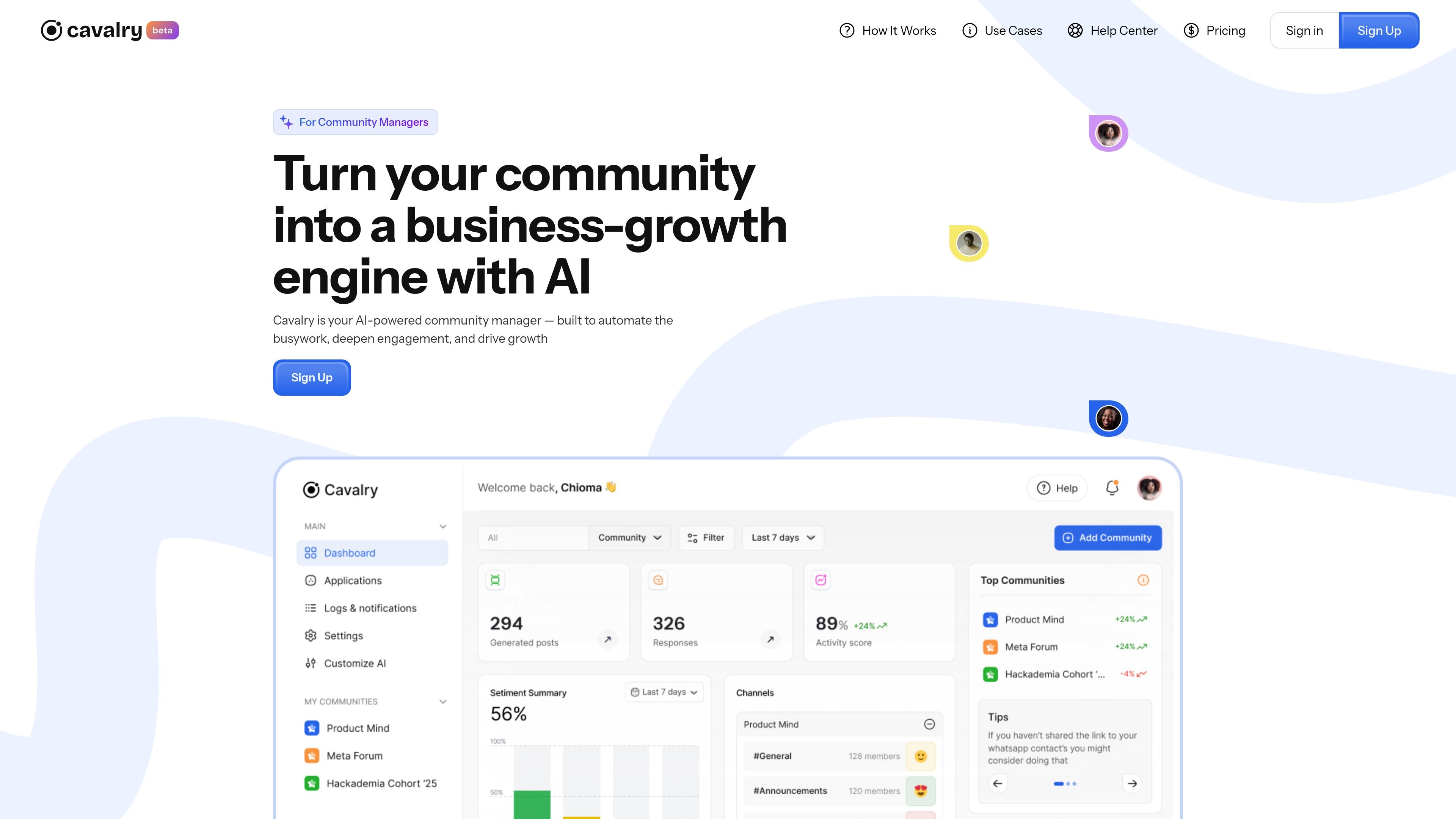
Cavalry is an AI community management platform for teams that want to automate routine moderation and engagement work while keeping community interactions organized and measurable. The product positions itself for community managers, marketing leaders, CX teams, and HR teams.
According to the site, Cavalry helps with welcomes, replies, new posts, moderation, announcements, and insights. It also emphasizes trust controls: the homepage says it never accesses private messages and that platform access is read-only, permission-based, and encrypted.
Cavalry can welcome new members with dynamic intros that are tailored to the channel and audience, helping reduce the burden on community managers.
The Respond app automates timely replies and can be configured around a community manager’s tone, response timing, and FAQ-style protocols.
Start New Post generates timely, sentiment-aware prompts to keep conversations moving and maintain activity in communities.
The dashboard and Watchtower views provide real-time activity, sentiment, and AI-activity visibility so teams can monitor what is happening across channels.
Cavalry includes a moderation app to keep communities safe and on-topic, plus an announcement app for high-impact broadcasts and follow-up answers.
Higher tiers add support for multiple communities, deep personalization, knowledge graph context, and a developer platform for custom apps and automations.
Use Cavalry to automatically greet new members, reduce first-time anxiety, and standardize onboarding across channels.
Use the Respond and Start New Post apps to keep conversations active, answer routine questions, and trigger timely discussion prompts.
Use the moderation and announcement tools to keep channels on topic, share important updates, and follow up with answers in one place.
Use dashboard and Watchtower views to track sentiment, activity, and AI actions so community health can be reviewed over time.
Use higher-tier configuration options such as deep personalization, knowledge graph context, or the developer platform when the community needs custom workflows or more tailored replies.
Cavalry is set up around community operations workflows such as welcoming new members, replying to questions, starting posts, moderating conversations, and surfacing insights. The homepage also says it plugs into platforms like Slack and Discord, so it is designed to work alongside existing community channels.
The pricing page shows four plans: Free, Basic, Standard, and Pro. The tiers scale by community size, token usage, number of communities, and included apps or support levels.
The homepage says Cavalry never accesses private messages. It also states that platform access is read-only, permission-based, and encrypted.
The source describes apps such as Welcome Assistant, Respond, Start New Post, Maximize Engagement, Announcement, Moderation, HR Intelligence, E-commerce, Deep Personalization, Knowledge Graph, and a Developer platform. This suggests the product can be configured for different team goals, but the public pages do not fully document each app's setup or output format.
The homepage explicitly mentions Slack and Discord as examples. Beyond that, the source does not provide a complete compatibility list or integration catalog.

Hugo is an AI-powered support agent for customer service teams. Resolve tickets, automate support work, and provide 24/7 replies with your business data.

Vetta X is an AI growth workspace for X that drafts replies and posts in your voice, tracks creators, and enables one-tap publishing after approval.

Postfity is a social media management tool for scheduling, planning, publishing, and tracking posts across connected accounts. Includes analytics, inbox management, AI tools, team workflows, and Free and paid plans.

Hypertype is an AI agent for industrial support teams, reducing repetitive work, integrating with existing tools, and using selected company data through consultative enterprise onboarding.

Botsplash is an all-in-one customer engagement platform for SMS, chat, voice and scheduling, with AI assistance, CRM integrations and compliance controls.

NovaTalks is an omnichannel customer support platform that unifies calls, chat, email, and messengers, with chatbots, AI tools, reporting, and messaging automation.