

Prompt input and token counting
Enter prompt text directly on the homepage to check token usage for the content you want to send to an OpenAI model.

Prompt Token Counter is a web-based tool to check OpenAI prompt token counts and confirm your prompt fits the model’s token limit before sending.
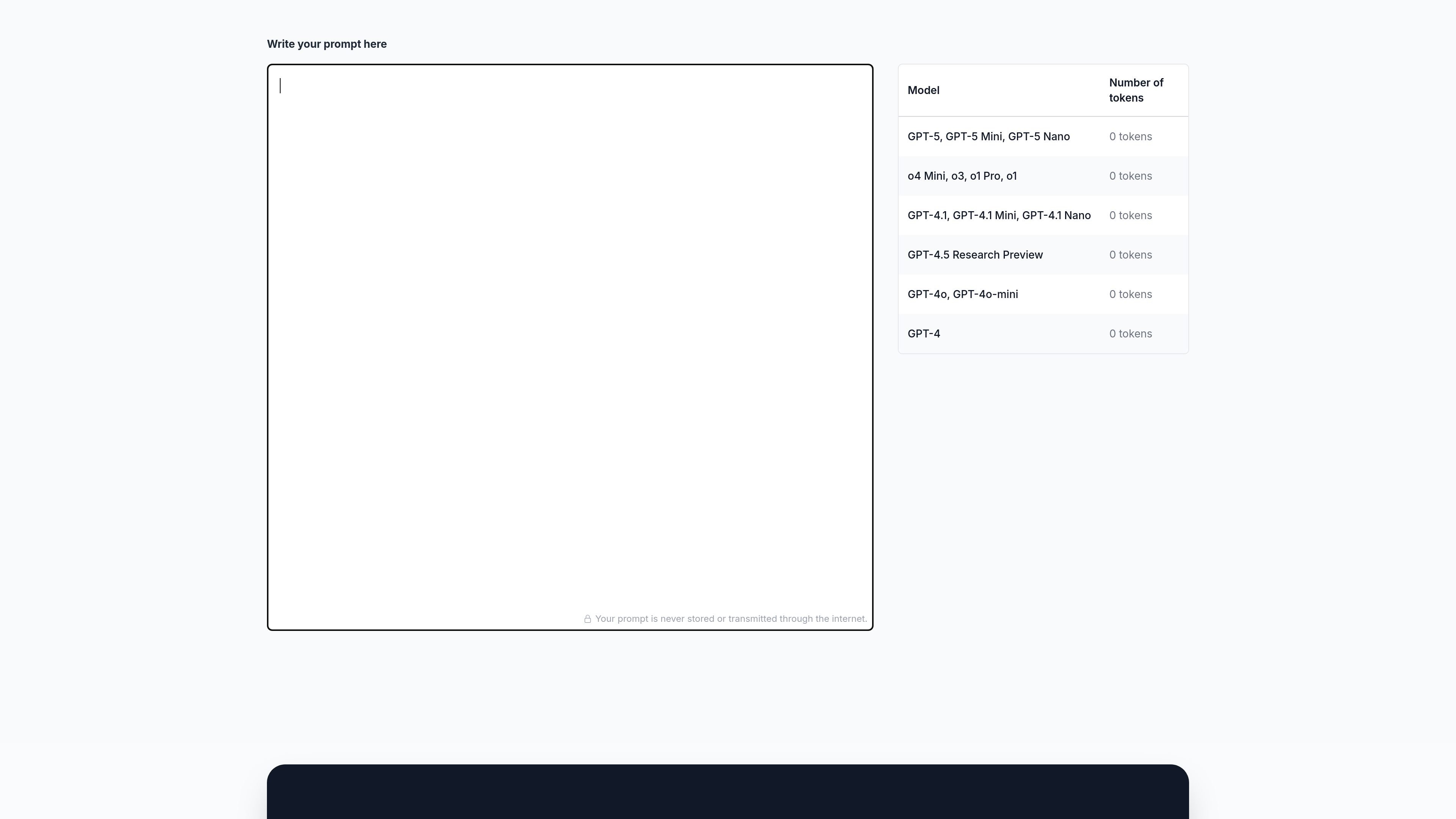
Prompt Token Counter is a browser-based tool for checking how many tokens a prompt uses across supported OpenAI models. Its stated purpose is to help users make sure a prompt fits within the token limits of the model they plan to use.
The homepage provides a text area for prompt input, displays token counts for several OpenAI model families, and includes an explicit note that prompts are never stored or transmitted through the internet. The site also includes explanatory copy about token limits, prompt length, and why token counting matters when drafting requests for language models.
Enter prompt text directly on the homepage to check token usage for the content you want to send to an OpenAI model.
The page shows token counts for multiple OpenAI model families and variants, including GPT-5, GPT-4.1, GPT-4.5 Research Preview, GPT-4o, and the o-series models listed on the page.
A note on the homepage states that your prompt is never stored or transmitted through the internet.
The page includes explanatory guidance about what tokens are, what prompts are, and why token counting matters when working within model limits.
The homepage promotes a professional prompt optimization service with consultation, prompt analysis, optimized prompts, documentation, a best-practices guide, three months of monitoring, and performance guarantees.
Check a draft prompt before sending it to an OpenAI model so you can trim or adjust text that would exceed the model’s token budget.
Estimate prompt size for different model families listed on the page, especially when comparing options with different token limits.
Review prompt length during prompt engineering work, where concise wording and token efficiency affect how a prompt performs.
Help new users understand how tokens relate to prompts and why token limits matter before they start using OpenAI models regularly.
It is a web-based token counter for prompts used with OpenAI models. You paste or type prompt text into the page, and it shows token counts for supported models so you can check whether the prompt fits within a model’s limit.
The homepage lists GPT-5, GPT-5 Mini, GPT-5 Nano, o4 Mini, o3, o1 Pro, GPT-4.1, GPT-4.1 Mini, GPT-4.1 Nano, GPT-4.5 Research Preview, GPT-4o, GPT-4o-mini, and GPT-4o as supported model families or variants, each with a displayed token count.
The page says your prompt is never stored or transmitted through the internet, which suggests the tool is designed for local, privacy-conscious prompt checking.
The site does not provide a documented pricing page; the `/pricing` URL returns a 404 page. Pricing details are therefore not available from the source pages reviewed.
I dati sul traffico sono solo a scopo di riferimento.

PixelPrompt is a browser-based AI image and video workspace for prompt optimization, text-to-image, and text-to-video generation. It supports ecommerce visuals, ad creatives, and short-form UGC-style content without requiring a local GPU.

Prompt Genie is a prompt management and optimization tool for AI workflows, plus Claude Code memory to reduce repeat reads and token spend.

thisorthis.ai is a web platform for comparing AI model outputs, organizing conversations, and reusing prompts in one place. Compare models side by side and manage follow-up work in workspaces.
Pretty Prompt is a Chrome extension from getdolphin.ai that turns rough text into clearer prompts for AI tools fast, right in your browser.

Portkey is a production AI platform for Gen AI teams with a unified gateway, observability, guardrails, and prompt management.

Impeccable is a design skill for AI coding tools that streamlines frontend workflows with structured setup, command-based editing, and live browser iteration.