

Room-based project context
Projects live in a Room, where conversations, files, boards, reviews, and history stay connected so teams can return to full context without reconstructing the thread.
runevr is a collaborative workspace for creative teams, uniting boards, live media review, chat, drive, calls, recordings, and AI agents in one connected project room.
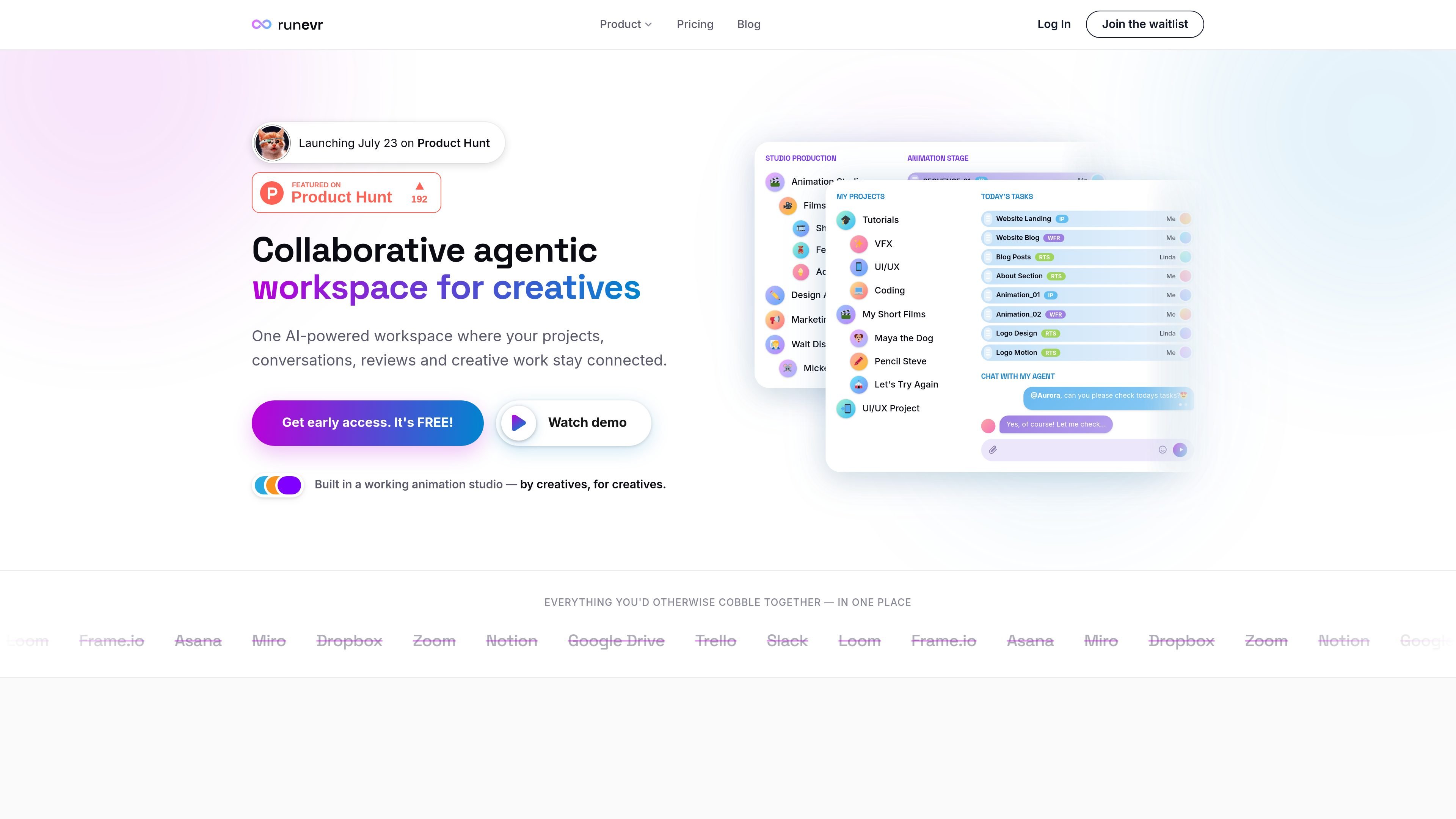
runevr is a collaborative workspace for creative teams that brings project conversations, file sharing, live media review, task flow, calls, recordings, and AI agents into one connected room. The product is positioned as a replacement for the patchwork of tools many creative teams use to move work from brief to approval.
The site emphasizes keeping projects in context: each room stores the people, materials, discussion, and review history around a piece of work. That makes it easier to review assets, coordinate feedback, and hand work between people without recreating the project story in separate apps.
Projects live in a Room, where conversations, files, boards, reviews, and history stay connected so teams can return to full context without reconstructing the thread.
Boards support side-by-side review of video, 3D models, PDFs, images, and audio on a shared canvas, with frame-accurate synced playback and shared cursors.
Review workflows can route work through sequential or parallel reviewers, add manager greenlight gates, and track each task from draft to approved with visible status.
The chat capability is described as smart multi-channel messaging, designed to keep conversations tied to the same project context as the work itself.
Recordings capture screen and camera, and the site says calls are recorded as living data so teams can replay and continue from the same board state.
AI agents such as Aurora, Artist, and Scriptwriter read room context and return work like planning priorities, sketching concepts, and drafting copy.
A design or animation team can keep reference material, discussion, and review comments inside one room instead of scattering them across chat, drives, and email threads.
A video or motion team can review timelines, frames, and versions together on the board, with synced playback and comments tied to specific moments.
A manager or producer can route work through staged approvals, assign reviewers in sequence or in parallel, and see what is waiting at each step.
A creative lead can use the AI agents to turn room context into status reports, task batches, sketches, or draft copy without starting from an empty prompt.
A studio team can use calls and recordings to preserve discussion as part of the project record, then return to the same board state later for follow-up work.
runevr is one workspace for creative teams. It combines boards, live media review, screen recordings, chat, a built-in file drive, calls, and AI agents in a single project context.
Yes. The pricing page shows a free plan for solo creators, with paid Pro and Team plans billed per seat and an Enterprise plan with custom pricing. Pricing is described as still in development and not final.
The site says teams use runevr instead of separate apps for chat, screen recording, media review, task management, whiteboarding, file storage, and calls.
The site says runevr works for creative and production teams, including design agencies, video and film, marketing teams, freelancers, and animation studios.
Agents are rolling out. The site says AI agents are available through the waitlist and are not yet fully available on all plans.

Speakflow online teleprompter for writing and organizing scripts, voice scrolling, team collaboration, and cross-device syncing. Free and paid plans available.

Hurree is an AI-powered reporting and analytics platform that centralizes company data, shared dashboards, and Riva summaries, recommendations, and forecasts.

Firebase Studio is a web-based workspace for full-stack app development with Gemini-assisted coding, app previews, cloud emulators, collaboration, and browser deployment.

Paper is a design tool that connects canvas, code, and AI agents so teams can create, share, and ship work in one workflow. Includes desktop app and MCP access.

Superside is an AI-powered creative service for enterprise and in-house teams, with global talent, AI-first workflows, and subscription-based support.

TakeCareOS is a web platform for home care, disability, and aged care agencies, with rostering, billing, compliance, and AI admin tools.