闪电说 icon

闪电说

Rivendica

闪电说 is an AI voice input app and communication Agent that lets you диктate on short press or draft replies with context on long press.

闪电说

What is Shandianshuo?

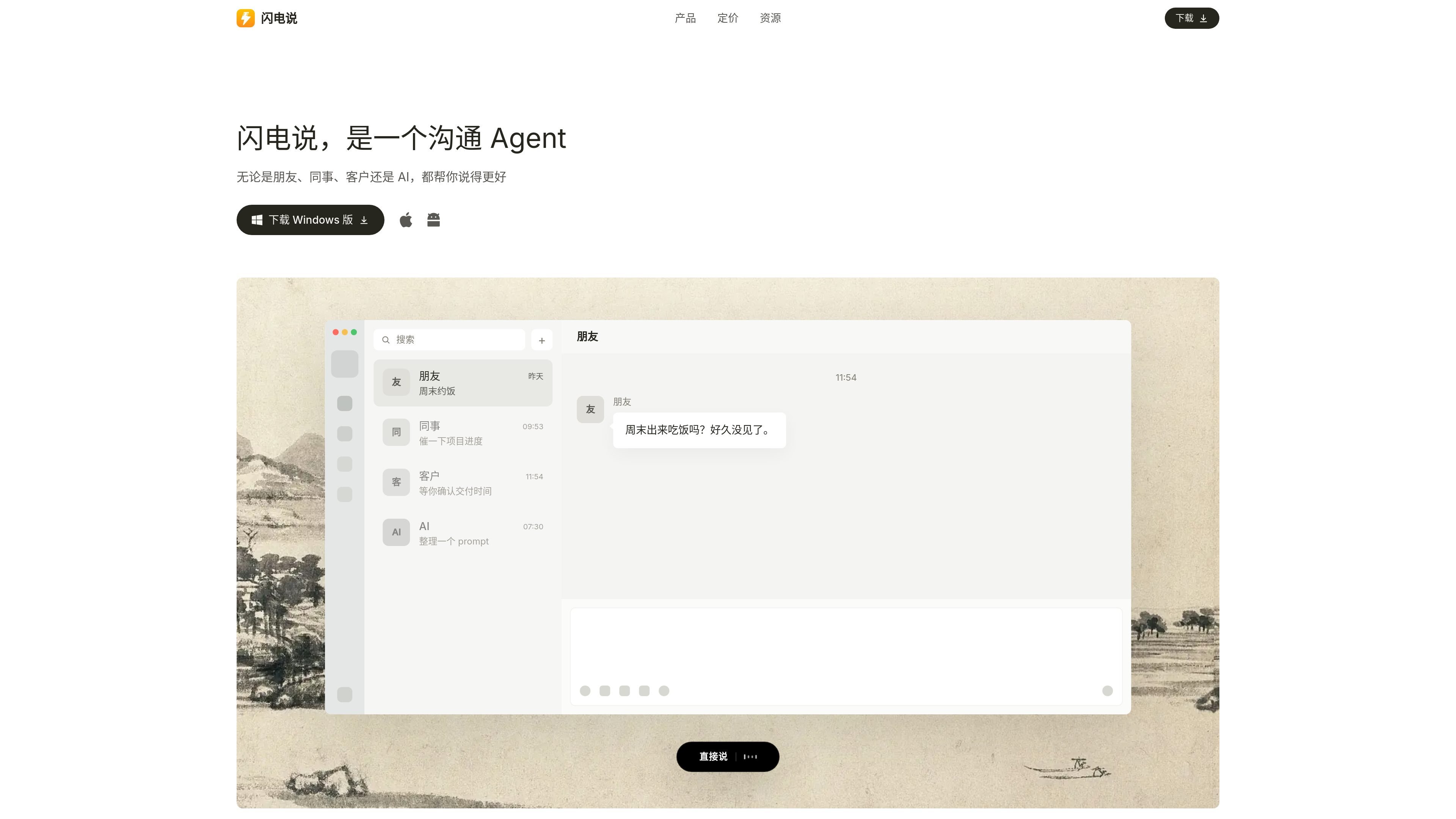
Shandianshuo is a communication Agent and also an AI voice input method. It puts "say it directly" and "help me say it" into the same workflow: a short press of the hotkey is used for voice input, while a long press is used to combine screen context, communication memory, and skills to organize a reply.

The product page emphasizes that it is not only about converting speech to text; it also organizes, corrects, and rewrites content based on the scenario so the result is clearer, more natural, and more appropriate. It is suitable for use in chat, email, documents, forms, customer service backends, and other input fields to help users complete everyday communication faster.

Key capabilities

Speak directly with a short press

After short-pressing the hotkey and speaking, Shandianshuo converts your voice into text and types it into the current input field; the documentation says it performs light error correction, adds punctuation, and organizes the text, making it suitable for input scenarios where you already know what you want to say.

Help me say it with a long press

After long-pressing the hotkey and stating your task goal, Shandianshuo combines screen context and memory to generate a reply or rewrite content that is suitable for sending. It is designed for "help me say it" rather than literal transcription.

Updating communication memory

Before replying, you can load the other person's communication memory, such as work preferences, expression habits, key points, and historical context; after communication, these memories continue to update.

Knowledge base and personal rules

The knowledge base supports content such as style, dictionaries, and common replies: style controls the level of refinement and tone, dictionaries are used for names and product names, and common replies and materials can be added to the knowledge base.

Complete the task first, then generate the reply

Skills do more than rewrite text: they can also execute tasks and then organize a reply after completion, such as requesting data, running code, calling tools, or adopting someone's expression style.

Input in common apps

It supports use in multiple input apps, and the page explicitly mentions scenarios such as WeChat, WeCom, DingTalk, Feishu, Qianniu, WhatsApp, browsers, email, DeepSeek, and terminals.

Use cases

  • Everyday chat replies

    When you receive a message in WeChat, Feishu, or WeCom, long-press the hotkey and let Shandianshuo combine the chat context and memory to help you organize a reply that can be sent directly.

  • Work communication and customer service replies

    In email, comment sections, or customer service backends, first explain the task goal and tone requirements, then let Shandianshuo organize the content into a more complete and appropriate written expression.

  • Fast voice input

    In documents, web forms, search boxes, or terminals, short-press the hotkey and dictate the content directly so the text goes into the current input field quickly.

  • Consistent spelling for proper nouns

    When names, product names, English abbreviations, or industry terms are easy to misrecognize, add the standard spelling to the dictionary to reduce repeated speaking and later corrections.

  • Smart replies with tasks

    When a reply needs data lookup, code execution, or tool use first, use a skill so Shandianshuo completes the task first and then organizes the result into a sendable reply.

Pros and Cons

Pros

  • It combines voice input and communication replies in one workflow, so you can both speak directly and have it help you say it.
  • It can combine screen context, memory, and the knowledge base, making it suitable for reply scenarios that require contextual judgment.
  • It supports two different operations, short press and long press, separating "transcribe input" and "generate reply" tasks.
  • It offers dictionaries, common replies, style rules, and skills, making it easy to standardize your personal expression habits.
  • The pricing page clearly shows a free Basic plan, a login-and-use Pro plan, and an in-app path to purchase add-on packs.

Cons

  • Advanced large models, skills, and a more complete experience depend on model-chain configuration or membership capabilities, and the getting-started page also puts "get the model working first" at the top.
  • Some platforms and capabilities are still being rolled out; for example, the Android version is in beta, the Linux version is under development, and the Max plan is also marked as coming soon.
  • The official website only gives scenario-level descriptions for some integration details and does not fully expand support coverage for each app or third-party service.

FAQ

What do short press and long press do in Shandianshuo?

Shandianshuo supports short-pressing a hotkey to speak directly, and long-pressing a hotkey to let "help me say it" generate a reply you can send directly by combining screen context, memory, and skills. The getting-started page recommends first getting the model working, then testing the two core flows for short press and long press.

Where can Shandianshuo be used?

The official website says Shandianshuo can be used in chat, Feishu, DingTalk, WeCom, documents, email, comment sections, search boxes, customer service backends, web forms, and other text-input scenarios. The getting-started page also says it can work in various apps.

Which platforms does Shandianshuo support?

The official website says it supports macOS and Windows, the Android version is in beta, and the Linux version is under development. The download page also says the Mac version is available for Apple Silicon and Intel Macs.

What plans does Shandianshuo offer, and where can I buy them?

The pricing page on the official website shows that Basic is free but requires manual setup; Pro works out of the box after logging in, with no key configuration needed; Max is marked as coming soon. Memberships, add-on packs, and redemption codes are all handled inside the product.

How do I get started with Shandianshuo for the first time?

The official website says you can get the model working in three ways: a 3-day free membership, a subscription membership, or by configuring your own model. The getting-started page also mentions integrating speech recognition models, fast large models, and advanced large models, and supporting some third-party model services.

Quick Facts

Category
AI Voice Input / Productivity
Website
shandianshuo.cn
Platforms
macOS, Windows, Android beta, Linux in development
Core workflow
Short press to dictate; long press to draft replies with context
Pricing model
Free Basic, paid Pro, Max coming soon; in-app subscription
Inputs
Works in common chat, document, mail, browser, and form inputs