

Song generation workflow
Create songs from a structured prompt flow that includes style of music, genre, mood, voices, instruments, tempo, title, and description fields. The home page also exposes Simple Mode, Custom Mode, and a v1 My Voice option.

Song.do is a web-based AI song generator and lyrics tool for creating tracks, generating lyrics, and managing songs in your browser. Free and paid plans available.
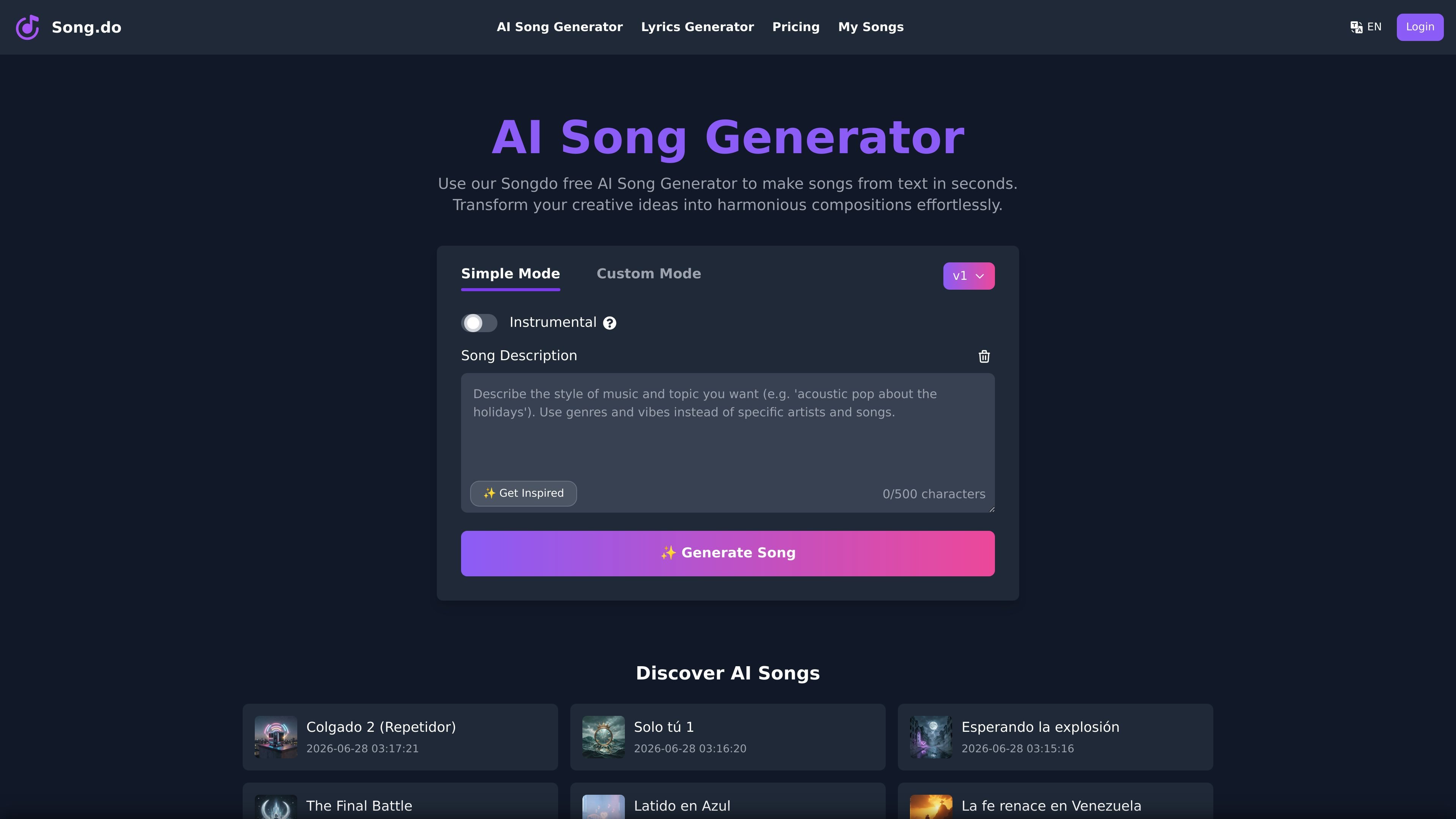
Song.do is a web-based AI song generator that helps users create songs and lyrics from a browser. The home page positions it as a free AI song generator, and the site includes separate tools for song creation and lyrics generation.
The creation interface supports both simple and custom workflows, with controls for style, genre, mood, voices, instruments, tempo, title, and description. Generated songs can be played back on the site, and the product pages show options for editing song details, downloading audio, and managing songs in an account area.
Create songs from a structured prompt flow that includes style of music, genre, mood, voices, instruments, tempo, title, and description fields. The home page also exposes Simple Mode, Custom Mode, and a v1 My Voice option.
Generate lyrics with a dedicated lyrics tool, then turn those lyrics into a song. The lyrics page accepts a song idea prompt and returns generated lyrics for the next step.
Pick from a broad set of music styles, moods, vocal types, instruments, and tempo/rhythm descriptors. The interface includes genres such as pop, rock, hip hop, EDM, jazz, and classical, along with many voice and instrument options.
Listen to generated tracks on the song page, where the player exposes song lyrics and track metadata. The page also states that the song was generated by Song.do v1.
Manage generated output with song title editing, cover upload, license information, and album assignment. The page also shows my music access for signed-in users.
Choose between free and paid plans with different credit allowances, generation limits, download access, and storage duration. The pricing page also mentions commercial licensing and faster generation on paid tiers.
Use the song builder when you want to create a track from a prompt and shape it with style, mood, voice, instrument, and tempo controls instead of starting from a blank page.
Use the lyrics generator when you already have a concept and want AI to produce lyrics before turning them into a song.
Use the playback page to review generated audio, read the lyrics alongside the track, and make follow-up edits to the song title, cover, or license information.
Use the account area when you need to organize saved songs, add a track to an album, or return to earlier generations after signing in.
Use the pricing tiers when you need more monthly generations, longer cloud storage, or faster processing than the free plan provides.
It provides a web-based workflow to generate songs from lyrics, music style, and song settings. The home page also shows an AI lyrics generator and a separate lyrics-only page with a text prompt field and a "Generate Lyrics" action.
The pricing page lists a Free plan and paid Starter and Plus plans. The Free plan includes 3 credits per day, up to 3 song generations per day, 30-day cloud storage, and MP3/WAV downloads; paid plans add higher credit limits, longer storage, and faster generation.
The site shows a song creation interface with Simple Mode and Custom Mode, plus fields for style, genre, moods, voices, instruments, tempo, title, and description. It also shows a lyrics generator page and a song playback page with editable song details.
A generated song page shows playback, lyrics, style information, and options to edit the song title, cover, license information, and add the song to an album. The pricing page also mentions private generations, dynamic lyrics videos, and cloud storage.
The available evidence does not show third-party integrations. The site appears to work as a browser-based product rather than a connected app with external integrations.

SongR turns a few keywords into a custom song with lyrics and vocals, built for easy sharing on social media without musical experience.

FreeMusic AI is a web-based AI music generator that creates royalty-free songs from prompts, lyrics, and text-to-music inputs. It also includes vocal removal, stem splitting, mastering, and music video tools for creators who need original audio for content, games, podcasts, and branded projects.

ChordChord is a browser-based chord progression generator for music makers, with editable progressions, arrangement tools, and exports to MIDI, WAV, MP3, or PDF.

MIDIGEN is a web-based MIDI melody generator and chord progression tool for musicians, producers, and beatmakers. Create original MIDI files with no sign-up, ready for DAW editing.

Musicfy AI is a web-based AI music generator for songs, covers, and voice tracks with AI voices or custom voice models. Free to try, with Starter, Professional, and Studio plans.

MakeBestMusic is a web-based AI music generator for royalty-free songs, instrumentals, and voice covers from text. Quick creation and custom workflows available.