

Text-to-video generation
Generate videos from written prompts or scripts using the platform’s text-to-video workflow, which is positioned for turning simple text into a finished video output.

Vadoo AI is a web-based AI video generation platform for short-form videos from prompts, scripts, images, or uploaded footage, with hosting, sharing, analytics, and team plans.
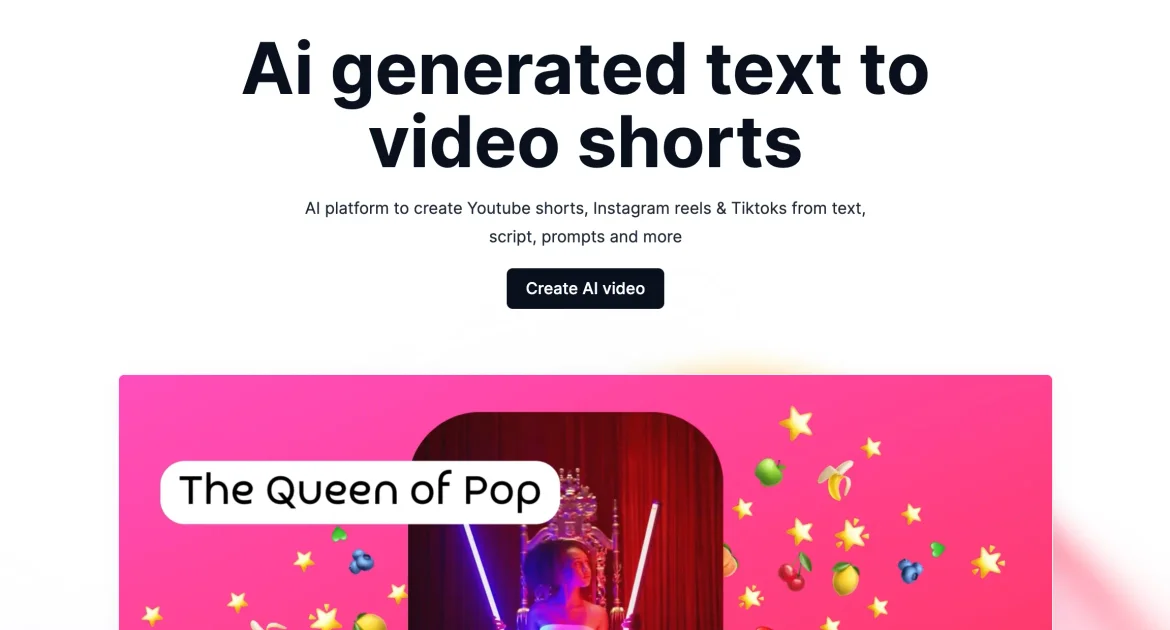
Vadoo AI is an AI video generation platform for creating short-form content and related visual assets from prompts, scripts, images, or uploaded video. The site positions it as an all-in-one workflow for making videos and images in one place.
The home page highlights multiple AI video and image models, along with tools for text-to-video, image-to-video, animation generation, video-to-video style changes, and visual effects. The pricing page also shows video hosting, a video player, video sharing, streaming in HD, analytics, reports, and plan-based collaboration features.
Generate videos from written prompts or scripts using the platform’s text-to-video workflow, which is positioned for turning simple text into a finished video output.
Turn static images into video content with motion, transitions, voiceovers, and music to create short visual sequences from still assets.
Create animated videos from text, images, or sketches using the platform’s AI animation generator.
Convert uploaded footage into more than 30 animation styles, including anime, oil brush, cartoon pop art, retro, ghibli, pixel art, and 3D.
Apply video and photo effects such as filters, stylized animations, and transformations; the home page also lists examples like hair swap, walk forward, and nap me.
Support short-form production and publishing workflows with scriptwriting, captions, voiceovers, B-roll, SEO tools, and auto-posting, as described in the site description.
Create short-form social videos such as TikToks, Reels, and Shorts from prompts or scripts when you need a fast production workflow.
Turn a still image, sketch, or source clip into a more animated or stylized video for visual storytelling or campaign assets.
Generate videos for explainers, product demos, or talking-head style content when you want AI-assisted production instead of manual editing.
Upload existing footage and add captions, voiceovers, translations, or B-roll to adapt the asset for different audiences or formats.
Use the hosting, player, sharing, streaming, analytics, and reporting features shown on the pricing page to manage video delivery and viewing workflows.
Vadoo AI is presented as an all-in-one platform for generating videos and images from text, scripts, prompts, or uploaded source material. The home page also says users can get started at ai.vadoo.tv by choosing a content type and entering a prompt or upload.
The source says you can sign up at ai.vadoo.tv, choose the content type you want to create, and then enter a prompt or upload your source material. The platform then generates the output in seconds.
The home page says Vadoo AI can create explainer videos, YouTube Shorts, TikToks, Instagram Reels, product demos, talking-head videos, podcasts, and long-form to short-form repurposing outputs.
Yes. The home page says users can upload videos and images and use Vadoo AI to generate captions, voiceovers, translations, stylized effects, B-rolls, and more.
The pricing page shows monthly and yearly plans, including Starter, Pro, and Advance, with the yearly rates shown alongside the monthly rates.

Pika is an AI video generation platform for creating and editing short videos from prompts, images, and existing footage. It also offers plan-based commercial use, watermark-free downloads on higher tiers, and select partner API access.

Nim Video is a web-based AI video and image creation platform for turning prompts, images, and source footage into editable visuals. It offers a free tier and paid subscriptions with added credits, higher output options, and commercial-use features.

CoCoClip.AI is a web-based AI video editor for short-form content, with text-to-video, image-to-video, and audio-to-video workflows for YouTube Shorts, TikTok, and Instagram Reels.

Podfy.ai is a browser-based AI video tool that turns text, scripts, audio, and music into edited videos with narration, subtitles, effects, and soundtrack for faster short-form social content.

SkyReels is an AI video generation platform and API for cinematic videos from text, images, and reference media, with avatar, lip-sync, extension, and restyling workflows.

HappyHorse is a web-based AI video generator for turning text prompts, images, and video references into short clips. It offers free starting credits plus paid plans and credit packs for creators who need more output.