

Browser-based upload and paste workflow
Upload an image, PDF, Word document, screenshot, or pasted text in the browser. The site also accepts files from a URL and supports multi-page PDFs and batches.

OCR.chat is a browser-based OCR and document chat tool for converting images, PDFs, Word files, and screenshots into editable text and structured outputs. It also lets users ask questions about finished documents, with answers cited to the source page.
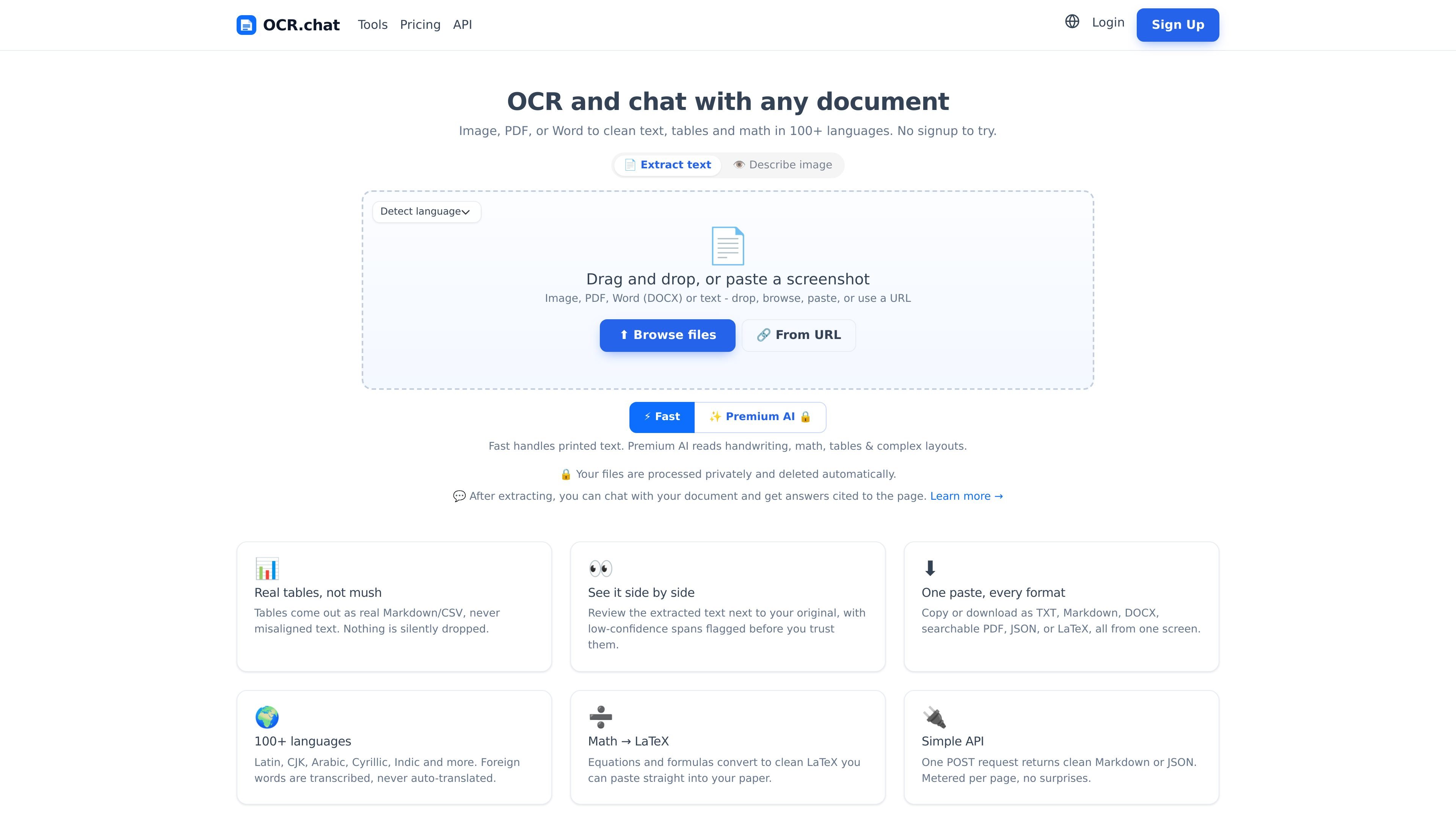
OCR.chat is a browser-based OCR and document chat tool for turning images, PDFs, Word files, and pasted screenshots into editable text. It is built for extracting clean text from printed documents and for handling more complex documents through a premium AI engine.
The product supports more than 100 languages and emphasizes outputs that stay useful after extraction: real tables in Markdown or CSV, equations converted to LaTeX, and side-by-side review with low-confidence spans flagged. After OCR, users can ask questions about the finished document and get answers cited back to the source page.
The site also offers a REST API for programmatic OCR and document chat. The API returns job objects, supports inline results for files of five pages or fewer, and allows downloading the finished output in several formats.
Pricing includes a no-signup free start, paid monthly plans, and one-time page packs that never expire. Paid tiers add access to the premium AI engine, higher page limits, batch processing, and API use depending on plan.
Upload an image, PDF, Word document, screenshot, or pasted text in the browser. The site also accepts files from a URL and supports multi-page PDFs and batches.
A fast engine handles printed text, while the premium AI engine is used for handwriting, tables, math, and complex layouts. The site also flags low-confidence spans for review.
Extract tables as structured Markdown or CSV rather than flattened text. OCR.chat says nothing is silently dropped during table extraction.
Convert equations and formulas into LaTeX, making the output easier to reuse in papers and notes. The product also describes foreign words as transcribed rather than auto-translated.
After extraction, you can chat with the document and get answers cited back to the page. The product positions this as grounded Q&A over the extracted content.
Export results as TXT, Markdown, DOCX, searchable PDF, CSV, or JSON, or copy them to the clipboard from one screen.
Upload printed documents or screenshots to turn them into editable text quickly in the browser, especially when you do not want to install software or create an account first.
Use the premium AI engine when a file contains handwriting, formulas, tables, or a complex layout that needs more than plain text extraction.
Extract structured table data into Markdown or CSV so it can be reviewed, copied, or moved into downstream tools without manual reformatting.
Ask follow-up questions about a finished scan or PDF and receive answers grounded in the extracted document with page citations.
Send files through the REST API when OCR needs to be automated, downloaded in a chosen format, or integrated into a broader workflow.
Yes. OCR.chat lets you extract text with no signup, and a free account adds more pages each month.
The site says it supports PNG, JPG, WEBP, GIF, BMP, TIFF, and multi-page PDF, with 100+ languages including CJK, Arabic, Cyrillic, and Indic scripts.
It supports plain text, Markdown, Word (DOCX), searchable PDF, CSV, JSON, and copy to clipboard.
Yes. The API documentation describes a REST endpoint that accepts a file upload and returns OCR results, with download and chat endpoints for finished jobs.
Files are processed for OCR and deleted automatically, and the site says it does not sell, share, or train on documents.

小艺は華为が自社開発したAI智慧アシスタント。知識Q&A、文章作成、文書閲覧、コード補助、画像認識に対応し、日常検索やコンテンツ処理、HarmonyOS開発まで幅広く活用できます。

書生は、言語・多模態・気象海洋・工業設計・三次元空間・金融・科学発見に対応する通用大規模モデル体系。価格や導入手順の公開情報は未掲載。

AI Magicxは、チャット、画像、動画、音声、音楽、メール、開発タスクを1か所で扱える統合AIワークスペース。複数モデルを使い分ける手間を減らします。

Rayyanは、システマティックレビューと文献レビュー向けのAI搭載プラットフォームです。スクリーニング、抽出、バイアスリスク評価、レポート作成までを共有ワークフローで管理できます。

Arcwiseは、重要な指標変化を検知し、データに基づいて理由を説明するAI製品です。データウェアハウスと業務文脈を活用し、アプリ・ドキュメント・スライド内で意思決定向けレポートを作成します。

Bible.ai is a Christian AI app for scripture-based conversations, faith questions, and biblical guidance through voice or text. It is positioned for believers and the Christian community rather than general-purpose AI use.