

Prompt-based formula generation
Generate Excel or Google Sheets formulas from short English prompts, which is the product’s main workflow on the homepage.

AI Excel Bot is an AI spreadsheet assistant that generates Excel and Google Sheets formulas from plain-English prompts, with formula explanations, VBA code, and Chrome extension access.
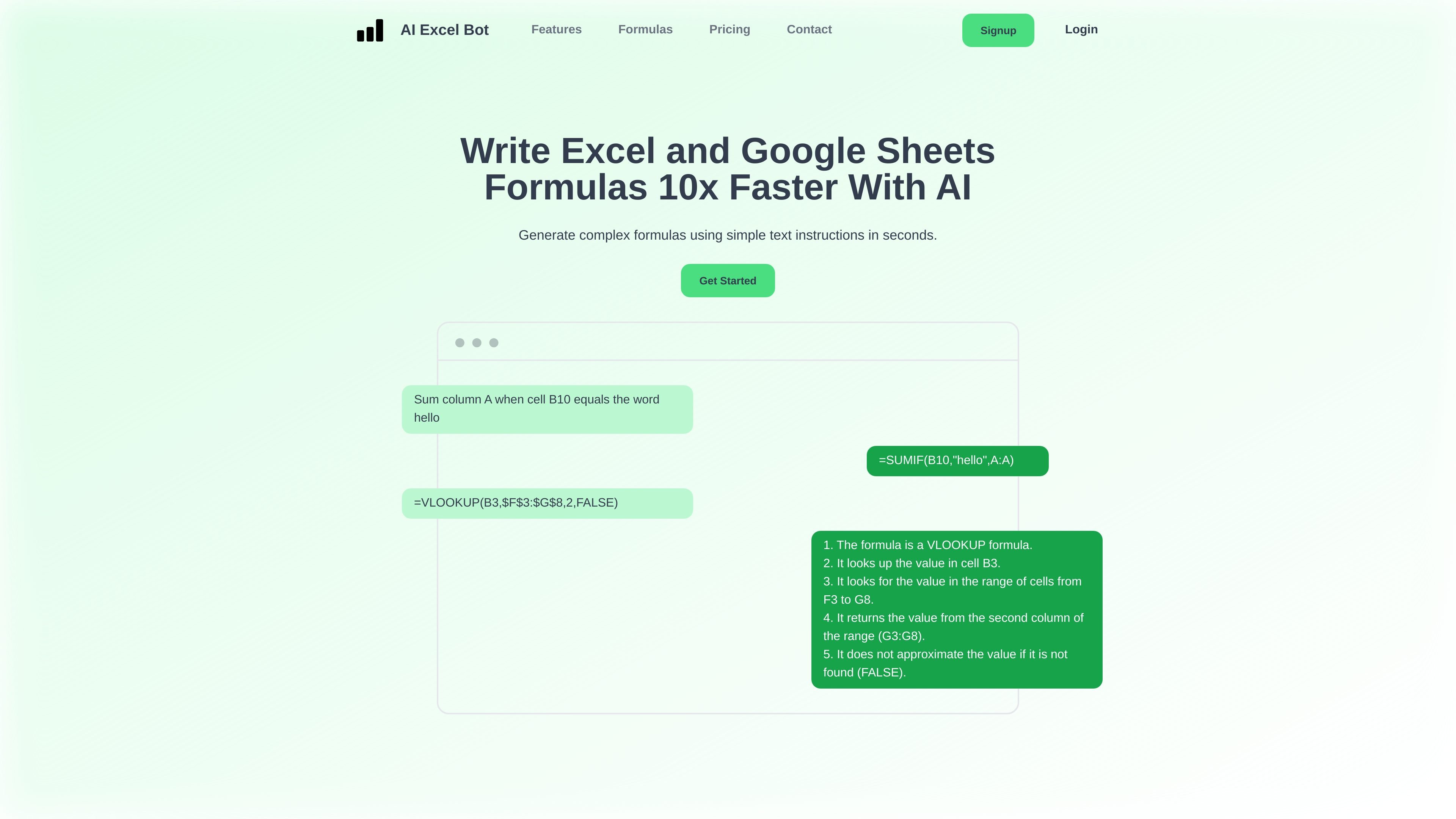
AI Excel Bot is an AI-powered spreadsheet helper for generating Excel and Google Sheets formulas from plain-English prompts. The homepage positions it as a way to write complex formulas faster and to understand formulas that are already difficult to read.
The product also extends into related spreadsheet tasks. The site says it can generate VBA code, explain formulas and code, and provide access through a Chrome extension; paid plans also mention an Excel add-in. A separate formulas page organizes supported work into formula families such as lookup, logical, text, financial, statistical, and web formulas.
Generate Excel or Google Sheets formulas from short English prompts, which is the product’s main workflow on the homepage.
The site shows example output with both a formula and a step-by-step explanation, so users can check how the result was derived.
Homepage copy says the tool can write VBA and explain it, extending beyond formulas into spreadsheet automation code.
The product offers a Chrome extension so users can access it while working in Google Sheets or Excel.
The formulas page lists broad formula categories including array, database, date, financial, lookup, math, statistical, text, and web formulas.
Paid plans also mention an Excel add-in, giving users another way to use the service inside spreadsheet workflows.
A spreadsheet user can describe a calculation in plain English and get a ready-to-use Excel or Google Sheets formula instead of building it manually.
When a formula is hard to interpret, the tool can break it down into an explanation that makes the logic easier to follow.
Users working on spreadsheet automation can generate VBA code and get an explanation of how it works.
People working inside Google Sheets or Excel can use the Chrome extension to keep the workflow in the spreadsheet context.
Users dealing with specific formula families such as financial, text, lookup, statistical, or web formulas can use the categorized support as a starting point for their task.
AI Excel Bot is designed to generate Excel or Google Sheets formulas from simple text prompts. The homepage also says it can explain complex formulas, write VBA code, and help with task explanations.
The homepage shows a Chrome extension, and the site also mentions an Excel add-in on paid plans. That suggests it can be used in spreadsheet workflows without leaving the spreadsheet environment.
The site does not provide a detailed setup guide, but the product is presented as a browser-based service with optional Chrome extension access and account signup/login links.
The site lists Free, Pro, and Pro Annual options on the homepage. The Free plan is limited, while Pro plans include full access and higher usage limits.
The formulas page groups supported formula topics into areas such as array, lookup, logical, text, financial, and web formulas, which suggests the product is aimed at a broad range of spreadsheet tasks rather than a single formula type.

Orca is an Agent Development Environment for shipping with coding agents, running multiple CLI agents in parallel across isolated worktrees, with desktop and mobile workflows.

Firebase Studio is a web-based workspace for full-stack app development with Gemini-assisted coding, app previews, cloud emulators, collaboration, and browser deployment.

JetBrains makes developer tools for individuals and teams, including IntelliJ IDEA, PyCharm, DataGrip, WebStorm, Rider, and CLion, with built-in run/debug/test workflows.

小艺 is Huawei’s AI smart assistant for Q&A, writing, document reading, code help, image recognition, and file drag-and-drop.

EZsite AI is an AI website builder that turns a URL into a fullstack React or Vue.js app with hosting, custom domains, code export, and backend features.

AI Magicx is a unified AI workspace for chat, image, video, voice, music, email and developer tasks, helping teams and creators manage multiple models in one place.