

Prompt-based email generation
Generate campaign-ready emails from a plain-English prompt, then let the system build the copy, layout, images, flows, segments, and scheduling from that starting point.

Migma is an AI email creation platform for generating, editing, sending and tracking marketing and transactional emails from prompts or imports.
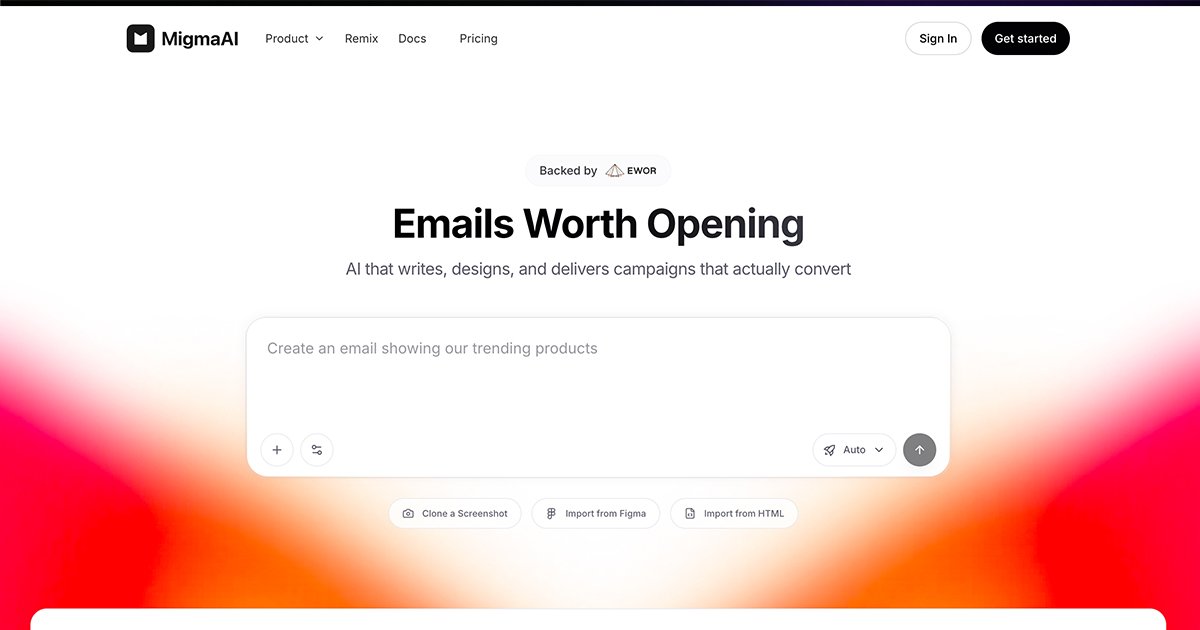
Migma is an AI email creation platform for building marketing and transactional emails from a single prompt or an imported design. The site describes it as a unified canvas for product, marketing, and transactional email, with the goal of taking a campaign from idea to inbox in one workflow.
The product combines generation, visual editing, sending, and tracking. Users can describe the campaign they want, import from Figma, a screenshot, HTML, or website assets, then refine the result visually and send or export the finished email. The pricing page positions Migma for everyone from solo marketers to enterprise teams, while the about page highlights workflows such as brand import, audience segments, localization, tests, and team collaboration.
Generate campaign-ready emails from a plain-English prompt, then let the system build the copy, layout, images, flows, segments, and scheduling from that starting point.
Import an existing design from Figma, a screenshot, HTML, or a website brand asset, then turn it into an editable email draft.
Edit text, images, colors, and styles directly on the canvas without code, which supports quick refinement after the initial generation.
Track opens, clicks, and conversions after send, and use the product’s automation to adapt future campaigns based on what performs well.
Preview and adapt emails for different inboxes and modes, with the pricing page calling out Outlook, Gmail, Apple Mail, Yahoo, and light and dark mode support.
Use output workflows that include direct sending, export to another platform, API/SDK usage, and multilingual, responsive campaign creation mentioned on the site.
Draft a campaign from a short prompt, then let Migma assemble the email copy, layout, and campaign structure before you refine the design visually.
Bring in a Figma file, screenshot, HTML file, or existing brand website so an established design can become a working email without rebuilding from scratch.
Use the canvas to adjust text, images, colors, and styles when you need to match a brand system or tighten the final layout before sending.
Create product, marketing, or transactional messages in one place when a team wants a single workflow instead of separate tools for different email types.
Browse real brand emails or trending templates, then remix a pattern into your own campaign when you want a faster starting point than a blank page.
Migma is an AI email creation platform. You describe the email or campaign you want, and it generates the email content and design, with options to export to another sending platform or send directly through Migma.
The source shows Migma can start from plain-English prompts, Figma designs, screenshots, HTML, and imported brand assets from a website. It also supports visual editing after generation.
Migma is positioned for modern marketing teams, solo marketers, agencies, and technical users who want to move from design to campaign faster. The pricing page also frames it as suitable for both solo marketers and enterprise teams.
The pricing page states that Premium can be canceled anytime, and that a free Hobby plan may remain available if it is offered. It also offers a 30-day money-back guarantee.
Migma says it creates the emails while platforms like Mailchimp or Klaviyo send them. You can export to any sending platform or send directly through Migma.

MailerLite is an email marketing platform for sending campaigns, building automations, and creating landing pages, forms, and websites. It also supports digital products, paid newsletters, and recurring subscriptions.

AI Magicx is a unified AI workspace for chat, image, video, voice, music, email and developer tasks, helping teams and creators manage multiple models in one place.

Paper is a design tool that connects canvas, code, and AI agents so teams can create, share, and ship work in one workflow. Includes desktop app and MCP access.

Superside is an AI-powered creative service for enterprise and in-house teams, with global talent, AI-first workflows, and subscription-based support.

Framer is an AI website builder for professional sites. It helps teams design, manage CMS content, optimize SEO, collaborate, and publish from a single no-code workflow.

Distribute is an AI sales follow-up tool that turns calls into shareable deal pages with recordings, pricing, next steps, and follow-up emails.