

Text-to-SQL generation
Convert plain English or other languages into SQL and NoSQL queries, including simple selects, joins, and aggregations.

SQLAI.ai is a web-based AI toolbox for generating, optimizing, validating, formatting, explaining, and converting SQL and NoSQL queries for schema-aware teams.
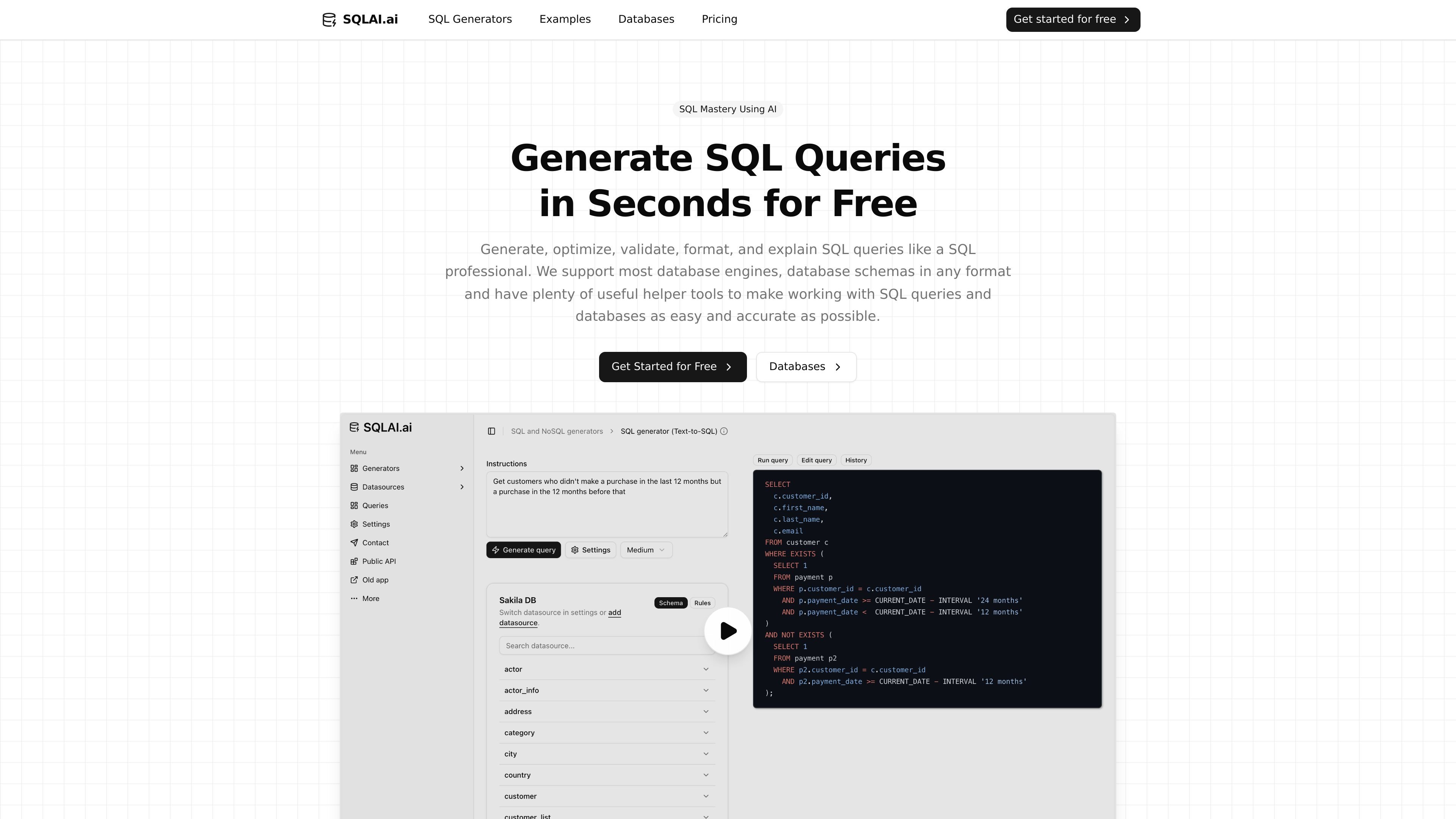
SQLAI.ai is an AI-powered SQL and NoSQL toolbox for generating, optimizing, validating, formatting, explaining, and converting queries. The product is built for people who work with data and want to move from natural-language requirements to production-ready SQL with fewer manual steps.
The site positions the product for beginners, analysts, developers, consultants, and database teams. It also supports connected data sources, schema-aware generation, large schemas, and a workflow that combines AI output with manual review tools such as a query editor and diff view.
Convert plain English or other languages into SQL and NoSQL queries, including simple selects, joins, and aggregations.
Improve slow queries with AI-assisted rewrites, index-aware suggestions, and explanations of each change.
Check query syntax, surface errors, and provide fixes with explanations so users can validate output before shipping.
Rewrite queries for readability with automatic formatting rules that help standardize SQL across teams and engines.
Explain query logic clause by clause with plain-language summaries and visual breakdowns for learning and debugging.
Convert SQL between database engines and work across a broad set of SQL, NoSQL, and analytics databases.
Turn natural-language requirements into SQL or NoSQL queries when you need a first draft quickly, then refine it before execution.
Check a query for syntax issues, inspect AI-suggested fixes, and validate it before deploying or sharing it with a team.
Rewrite slow or hard-to-read SQL with AI suggestions, then compare changes in the diff view to understand what changed.
Connect a schema, apply datasource rules, and use schema-aware generation when working against a specific database model.
Use the formatter, explainer, and query editor together when reviewing logic with teammates or documenting SQL for handoff.
SQLAI.ai is a SQL and NoSQL toolbox for generating, optimizing, validating, formatting, explaining, and converting queries with AI. The source also describes helper tools such as a query editor, diff view, and run-on-connected-data-source workflow.
Yes. The pricing page shows tiered plans with a 7-day free trial and monthly or yearly billing options. The site also says users can cancel anytime.
The site says SQLAI.ai supports 30+ database engines and includes examples such as MySQL, PostgreSQL, SQL Server, Oracle PL/SQL, BigQuery, Snowflake, SQLite, Redshift, Trino, MongoDB, DynamoDB, GraphQL, and more.
The source says the public API is available from the sidebar, with requests billed at 3 credits per query and 5 credits per query for very large schemas. It also points to XL subscriptions for teams and API users.
The homepage says helper tools appear above generated output on each generator page, and the product includes a VS Code-style query editor and diff view for review and manual edits.

Orca is an Agent Development Environment for shipping with coding agents, running multiple CLI agents in parallel across isolated worktrees, with desktop and mobile workflows.

Firebase Studio is a web-based workspace for full-stack app development with Gemini-assisted coding, app previews, cloud emulators, collaboration, and browser deployment.

EZsite AI is an AI website builder that turns a URL into a fullstack React or Vue.js app with hosting, custom domains, code export, and backend features.

AI Magicx is a unified AI workspace for chat, image, video, voice, music, email and developer tasks, helping teams and creators manage multiple models in one place.

Paper is a design tool that connects canvas, code, and AI agents so teams can create, share, and ship work in one workflow. Includes desktop app and MCP access.

blop is a QA agent that writes browser tests as code in your repo, runs them in CI, clusters repeated failures, and can open PRs to fix broken tests.