

AI product management
Alex turns customer feedback and research into specs, plans, and tickets that your team can execute, and he keeps track of why decisions were made.
Backdrop is an AI product team with an AI PM and AI engineer that turn feedback into specs, tickets and implementation, with approvals and task visibility.
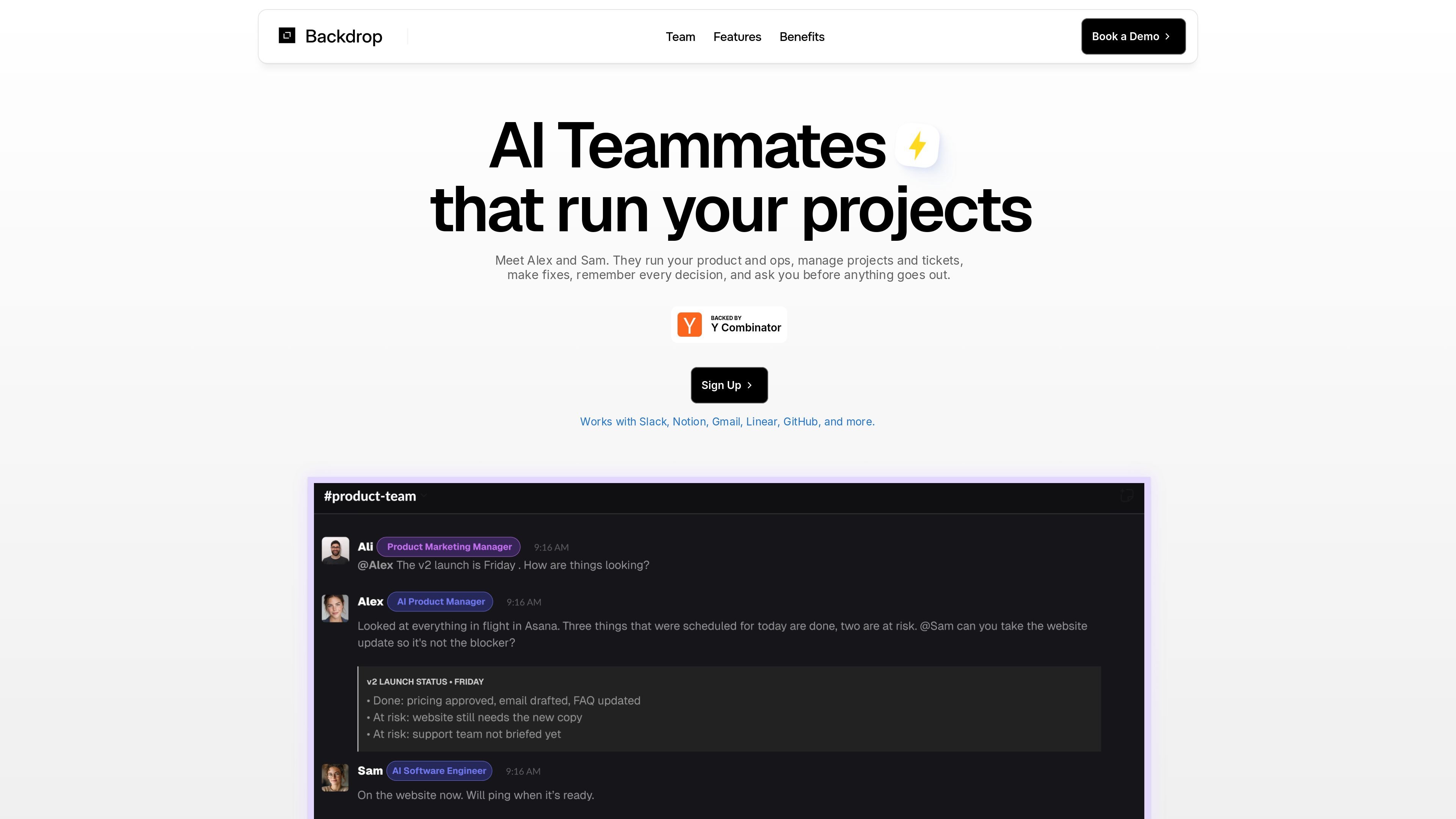
Backdrop is an AI product team built around two agents: Alex, an AI PM, and Sam, an AI engineer. The product is designed to take in feedback, turn it into specs and tasks, and carry out the resulting work while keeping a human approval step in the loop for actions that affect the outside world.
The homepage describes Alex and Sam as pre-built and configured for your product, with work visible in a shared dashboard and activity log. That makes Backdrop a fit for teams that want help moving requests from intake to execution without losing visibility into status, outputs, or decision history.
Alex turns customer feedback and research into specs, plans, and tickets that your team can execute, and he keeps track of why decisions were made.
Sam takes on technical work such as copy edits, website updates, broken automations, reports, bug fixes, features, and pull requests.
Alex and Sam work directly with each other so the plan and the implementation stay aligned instead of drifting apart.
Every task is shown in one place with status, last updated information, outputs, and linked tickets, so work can be tracked without chasing updates.
Merges, messages, and new tickets require approval first, and that approval can happen from Slack or the dashboard.
Backdrop says it connects to tools teams already use, including Slack, Linear, Asana, Notion, and Google, so work can happen across existing systems.
When customer feedback piles up and someone needs to turn it into concrete next steps, Alex can convert signals into specs, plans, and tickets for the team to execute.
When the team needs small technical work handled quickly, Sam can take on tasks like copy changes, website updates, broken automations, and recurring reports.
When a team wants implementation and planning to stay in sync, Alex and Sam can collaborate directly so the spec and the shipped work do not drift apart.
When leaders want to avoid chasing status updates, the shared view of task status, outputs, and linked tickets provides a single place to review progress and blockers.
When a request needs approval before it goes live, the team can review merges, messages, or new tickets in Slack or the dashboard before Backdrop proceeds.
The site says Backdrop is set up for your product team and that Alex and Sam come pre-built and configured. The homepage also says you can book a demo, but it does not describe a self-serve onboarding flow.
Backdrop positions Alex as an AI PM and Sam as an AI engineer. Alex handles feedback, research, specs, planning, and tickets, while Sam handles technical work such as copy changes, website updates, automations, bug fixes, features, and PRs.
Yes. The homepage says every task is visible in one place with status, last updated information, outputs, and linked tickets, and that you can approve actions from Slack or the dashboard.
The homepage names Slack, Linear, Asana, Notion, and Google as examples of tools Backdrop connects to, but it does not provide a full integration list or setup details.
The available pages do not show pricing details. The pricing URL returns a 404 page, while the site repeatedly points visitors to booking a demo.

Orca is an Agent Development Environment for shipping with coding agents, running multiple CLI agents in parallel across isolated worktrees, with desktop and mobile workflows.

AI Magicx is a unified AI workspace for chat, image, video, voice, music, email and developer tasks, helping teams and creators manage multiple models in one place.

Paper is a design tool that connects canvas, code, and AI agents so teams can create, share, and ship work in one workflow. Includes desktop app and MCP access.

blop is a QA agent that writes browser tests as code in your repo, runs them in CI, clusters repeated failures, and can open PRs to fix broken tests.

RLAMA is a local AI platform for building RAG systems and intelligent agents on macOS, Linux, and Windows, with HTTP API support.

Kastra authorization infrastructure for AI systems checks prompts, tool calls, shell commands, API requests, and browser actions before execution.