

Live suggestions during meetings
Caret surfaces context from docs and past meetings while a call is in progress, so users can answer questions without leaving the conversation.

Caret is an AI meeting assistant with real-time answers during calls, pre-call context from calendar, email and CRM, and post-meeting follow-up automation.
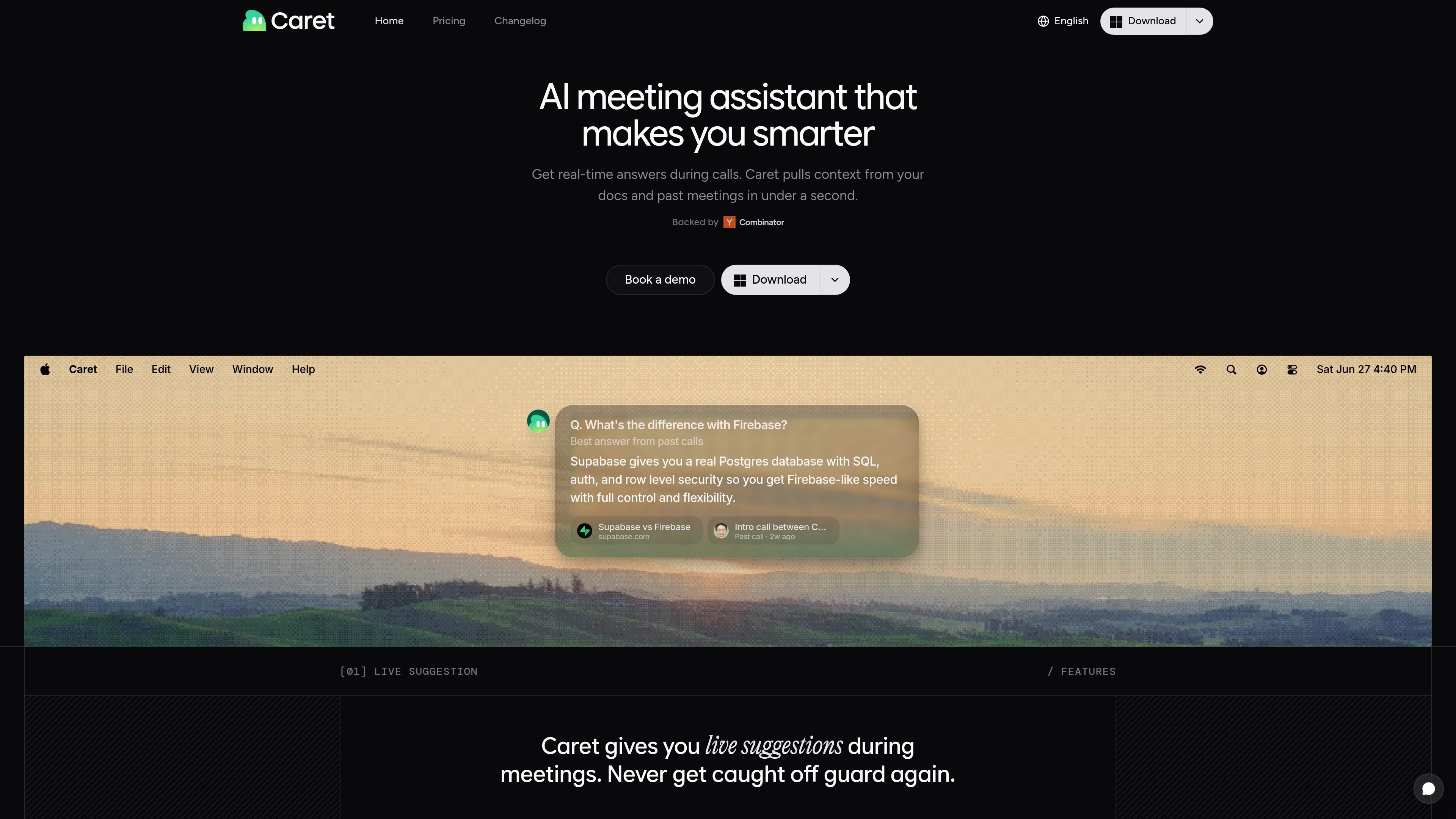
Caret is an AI meeting assistant built to help people respond faster and stay oriented during calls. The homepage describes it as a tool that gives real-time answers from your docs and past meetings, then turns meeting context into suggestions, briefs, and follow-up actions.
Its workflow spans before, during, and after meetings. Before calls, it gathers context from calendar, email, and CRM. During calls, it surfaces answers and prompts follow-up questions. After calls, it helps review what mattered and automate notes, tasks, and follow-up work.
Caret surfaces context from docs and past meetings while a call is in progress, so users can answer questions without leaving the conversation.
It looks up relevant information from connected docs and returns an answer in under a second according to the homepage copy.
Caret uses earlier meetings as a source of suggested responses and follow-up guidance for later calls.
Before a call, it pulls relevant information from calendar, email, and CRM into one view to help users prepare quickly.
The product works with Zoom, Google Meet, Teams, or any app and records locally without adding a bot participant.
After a meeting, it can draft follow-ups, create tasks, and update notes automatically.
Use Caret when you need quick answers from internal docs during a live discussion and do not want to pause to search for context.
Use it before a sales, customer, or internal meeting to gather relevant details from calendar, email, and CRM into one brief.
Use it to surface questions and reminders from earlier meetings so teams can reuse what already worked in similar conversations.
Use it after the call to draft follow-ups, create tasks, and update notes based on what was discussed.
Use it in teams that want meeting assistance without a visible bot joining the call.
Caret is an AI meeting assistant that provides live suggestions during calls, pulls context from docs and past meetings, and helps draft follow-ups and notes after the meeting.
The homepage says Caret works on Zoom, Google Meet, Teams, or any app. It records locally on your device and does not join as a bot participant.
Caret pulls relevant information from your calendar, email, and CRM into one view before a call, then uses meeting context and past answers to suggest responses and follow-up questions during the meeting.
The pricing page returned 404 in the collected sources, so pricing and plan structure are not confirmed from the available evidence.
Caret states that it keeps data encrypted, records locally, and does not train models on user conversations.

Botsplash is an all-in-one customer engagement platform for SMS, chat, voice and scheduling, with AI assistance, CRM integrations and compliance controls.

TakeCareOS is a web platform for home care, disability, and aged care agencies, with rostering, billing, compliance, and AI admin tools.
Gemma AI is a phone call reminder app that calls you with scheduled reminders instead of push notifications. It helps people who want a more direct way to stay on schedule, with Google Calendar sync and conversational call interactions.

NovaTalks is an omnichannel customer support platform that unifies calls, chat, email, and messengers, with chatbots, AI tools, reporting, and messaging automation.

讯飞会议 cloud video conferencing for enterprise collaboration, with video meetings, AI transcription and translation, and automatic meeting notes. Public and private cloud.

Distribute is an AI sales follow-up tool that turns calls into shareable deal pages with recordings, pricing, next steps, and follow-up emails.