

Task and workflow management
Manage work in list and board layouts, with support for subtasks, due dates, priorities, sizes, sprints, blockers, dependencies, and other task relationships.

Dart is an AI project management platform for teams that need task tracking, planning, documentation, and workflow automation in one workspace. It combines traditional project views with AI features such as task generation, duplicate detection, property filling, and reporting.
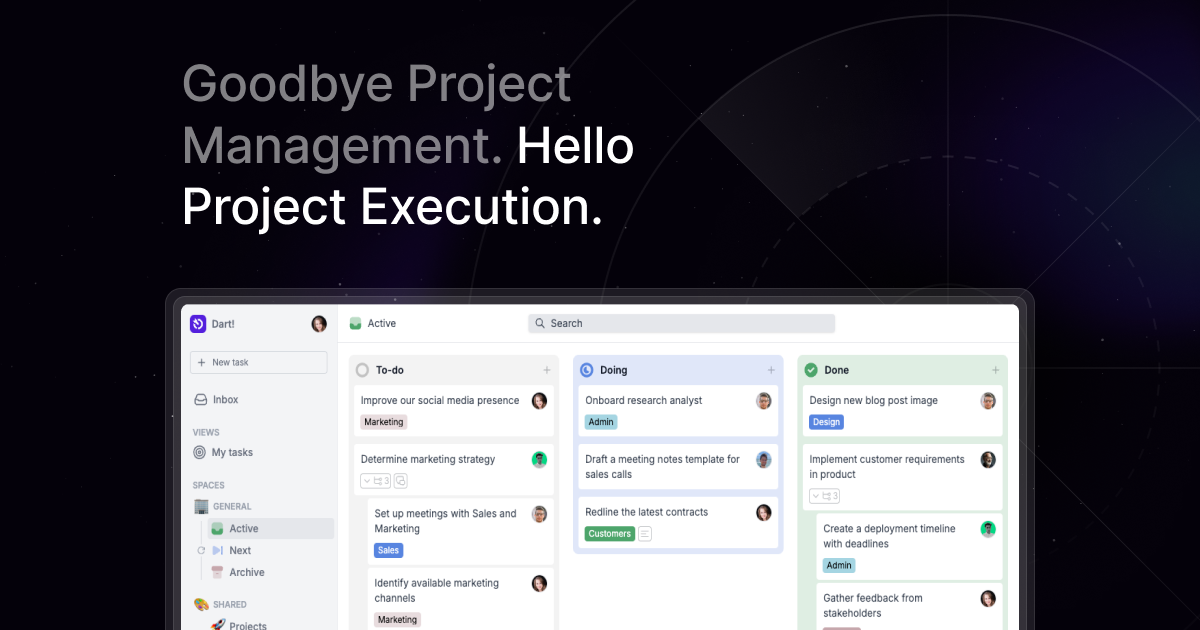
Dart is an AI project management platform that combines task tracking, planning, documentation, and automation in one workspace. The site presents it as an AI-native tool built from the ground up to help teams work faster and reduce manual project overhead.
Across the product and pricing pages, Dart emphasizes practical project management features such as list and board views, roadmaps, calendar views, subtasks, dependencies, reporting, and real-time collaboration. It also adds AI tools for task execution, duplicate detection, property filling, subtask generation, project planning, brainstorming, and report creation.
Manage work in list and board layouts, with support for subtasks, due dates, priorities, sizes, sprints, blockers, dependencies, and other task relationships.
Use Dart AI to generate subtasks, fill task properties, detect duplicate tasks, execute tasks, and plan roadmaps without leaving the workspace.
Create and maintain roadmaps, Gantt charts, and calendar views, with due dates and notifications to keep projects visible over time.
Write documents, meeting notes, changelog updates, and standup reports in Dart, then link those docs to related tasks.
Connect Dart with tools such as Slack, Discord, GitHub, ChatGPT, Claude, Notion, Jira, Microsoft Project, Zapier, n8n, and Pipedream.
Use custom properties, forms, filters, sorting, search, charts, analytics, and access controls to adapt the workspace to different teams.
Centralize task tracking for a team that prefers list or board views, while using subtasks, priorities, dependencies, and due dates to keep work organized.
Plan launches or ongoing programs with roadmaps, Gantt charts, calendar views, sprint cadence, and AI-generated roadmaps to keep milestones visible.
Draft standup notes, changelog updates, reports, and meeting notes inside Dart, then connect those documents to the tasks they summarize.
Use Dart's AI features to generate subtasks, fill task properties, detect duplicates, and create task plans from prompts with less manual entry.
Connect Dart to Slack, Discord, GitHub, Jira, Notion, Google, Zapier, or other supported tools to move work items and notifications between systems.
Dart is built for teams that want project management with built-in AI assistance. The source describes it as an AI-native project management tool with features for task execution, subtask generation, project planning, duplicate detection, reporting, and roadmap planning.
The pricing page says Dart offers a Personal plan with up to four teammates, plus Premium and Business plans for larger teams. The site also provides desktop apps for Mac, Windows, and Linux, mobile apps for iOS and Android, and web access.
Dart can generate subtasks, fill task properties, create reports, plan roadmaps, and help build tasks from prompts. The features page also mentions natural language filling, automations, custom properties, and document editing.
The integrations page lists connections with tools such as Slack, Discord, GitHub, ChatGPT, Claude, Microsoft Project, Jira, Notion, Google, Zapier, n8n, Pipedream, and Microsoft Project. The pricing page also mentions Slack, Discord, GitHub, Notion, email, calendar, and API-based integrations.
The source does not provide a full implementation guide, but it emphasizes quick setup, keyboard shortcuts, live syncing, and automated migration for some plans. It also notes support for role-based access, forms, dashboards, and real-time collaboration.

TakeCareOS is a web platform for home care, disability, and aged care agencies, with rostering, billing, compliance, and AI admin tools.

Speakflow online teleprompter for writing and organizing scripts, voice scrolling, team collaboration, and cross-device syncing. Free and paid plans available.
Twine AI Launcher is an Android launcher with AI assistant access, bringing ChatGPT-style help to your homescreen for quick answers, notes, tasks, reminders, and people memory.

Hurree is an AI-powered reporting and analytics platform that centralizes company data, shared dashboards, and Riva summaries, recommendations, and forecasts.

Firebase Studio is a web-based workspace for full-stack app development with Gemini-assisted coding, app previews, cloud emulators, collaboration, and browser deployment.

AI Magicx is a unified AI workspace for chat, image, video, voice, music, email and developer tasks, helping teams and creators manage multiple models in one place.