

Connect and map the stack
DrDroid connects to cloud, code, CI/CD, and observability tools, then crawls telemetry and related context to build a knowledge graph of the stack.
DrDroid is an AI SRE agent for incident response, root-cause analysis, and remediation across cloud, code, CI/CD, and telemetry tools.
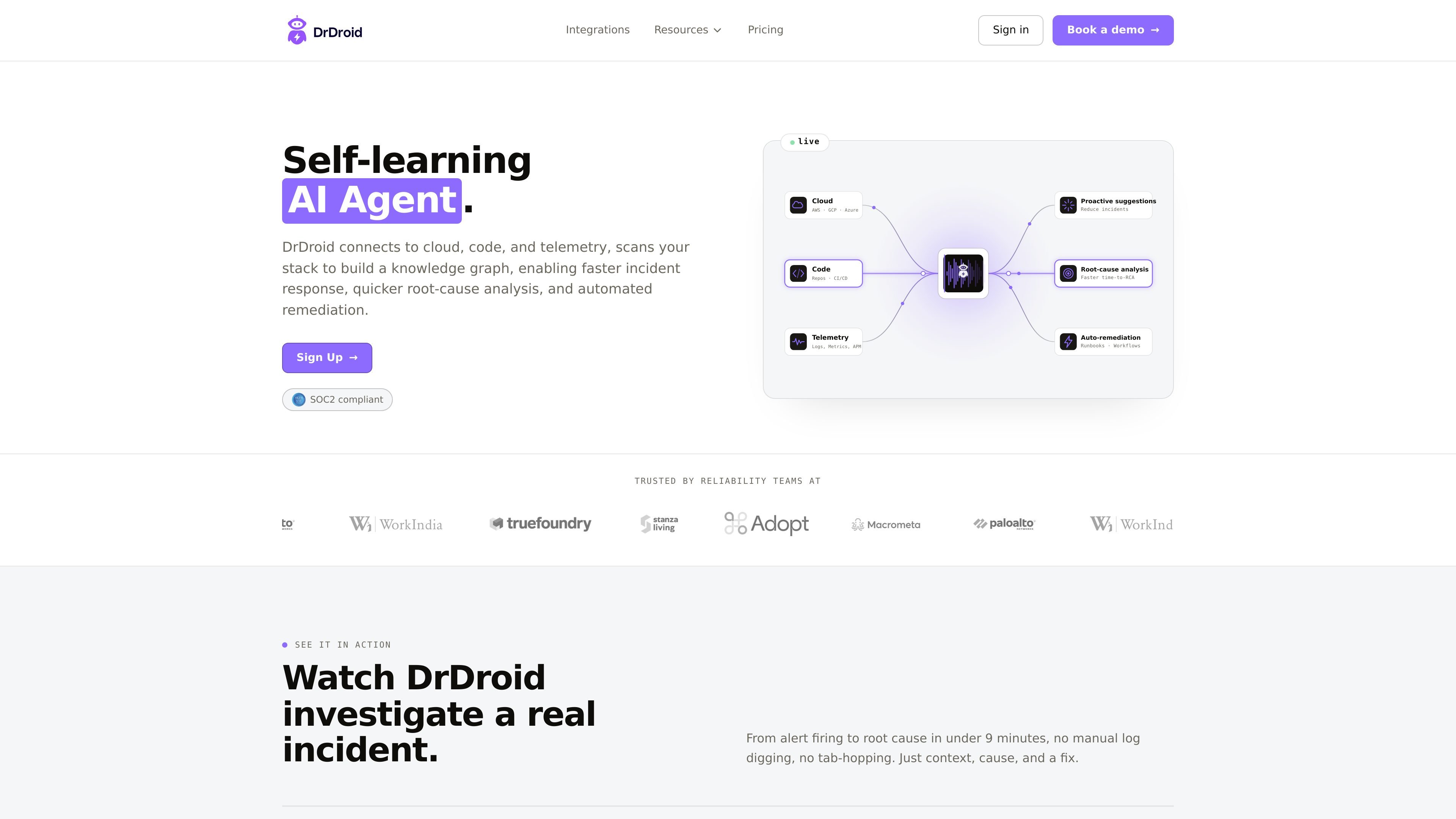
DrDroid is an AI SRE agent for incident response and reliability work. It connects to cloud, code, CI/CD, and telemetry systems, then scans the stack to build a knowledge graph that helps teams investigate alerts, identify root cause, and act on runbooks or remediation workflows with more context.
The product is positioned for both individual troubleshooting and team operations. The site emphasizes read-only connections, no code changes, and live setup through existing tools, while the pricing page highlights shared investigations, unlimited users, and enterprise options such as self-hosting, SSO/SCIM, and bring-your-own-LLM.
DrDroid connects to cloud, code, CI/CD, and observability tools, then crawls telemetry and related context to build a knowledge graph of the stack.
The graph links entities such as repositories, services, dashboards, pods, infrastructure, alerts, incidents, and runbooks so investigations can follow cross-tool relationships.
When an alert fires, the system uses the graph to trace blast radius, surface likely causes, and support faster root-cause analysis without manual tab-hopping.
The product can surface proactive suggestions and runbook-based actions, including guarded automation for remediation workflows.
A self-learning agent stores correct queries, correlations, tool sequences, and dead-end paths so later investigations can skip repeated mistakes and move faster.
Pricing and plan controls support shared investigations, audit trails, unlimited users, and enterprise deployment options such as self-hosting in a VPC and bring-your-own-LLM.
Use DrDroid when an alert fires and engineers need to move from signal to likely cause without manually checking multiple dashboards, repos, and chat threads.
Use the knowledge graph and pattern memory to narrow down recurring failures, blast radius, and the most relevant evidence for a root-cause analysis.
Use the self-learning behavior to capture corrected queries, tool sequences, and known correlations so repeated incidents are investigated faster over time.
Use shared investigations, audit trails, and unlimited users to standardize how on-call teammates collaborate during incidents and handoffs.
Use enterprise controls such as self-hosting, SSO/SCIM, and bring-your-own-LLM when security, residency, or infrastructure constraints require tighter deployment control.
DrDroid is designed to connect to cloud, code, and telemetry sources, crawl the stack, and build a knowledge graph that helps investigate incidents and trigger remediation or runbooks with more context.
The source describes read-only OAuth connections into cloud, code, CI/CD, and observability tools, with no agents and no code changes, and says teams can be live in about 30 minutes for the core connection workflow.
The Teams plan is aimed at shared on-call rotation and team collaboration, while the site also notes a Mac app for individual use and Teams for shared investigations and centralized integrations.
Pricing is based on investigation credits rather than seats. The Teams plan includes 99 credits per month, shared across unlimited users, with top-ups available at $1 per credit; Enterprise uses custom pricing.
The site positions DrDroid around incident response, root-cause analysis, proactive suggestions, and automated remediation. The exact depth of automation depends on the connected tools, signals, and runbooks in a given stack.

Codesphere is a virtual cloud platform for development, deployment and operations across on-prem, cloud and hybrid infrastructure, with portability and security.

Kastra authorization infrastructure for AI systems checks prompts, tool calls, shell commands, API requests, and browser actions before execution.

Trunk is a CI reliability platform for detecting flaky tests, quarantining failures, and managing merge queues in GitHub workflows. Free and paid plans available.

dstack is an open-source control plane for AI workloads across GPU clouds, Kubernetes, and on-prem clusters, from a single YAML and CLI workflow.

Quantifind Graphyte is a pure-SaaS financial crimes automation platform for AML-KYC screening, investigations, and reporting. It helps financial services teams use external data, AI-driven matching, and APIs to work from onboarding through SAR submission.

Bluejay is a QA platform for AI agents to test, monitor, and improve voice and chat systems before and after launch with simulations and replays.