

Text-to-Speech Dubbing
After entering text, the platform can generate speech directly. It is positioned as an online text-to-speech intelligent dubbing tool, suitable for quickly turning copy into usable voiceovers.

魔音工坊 is an online text-to-speech and AI voiceover platform for short videos, audiobooks, and content creators, with script extraction and auto timing tools.
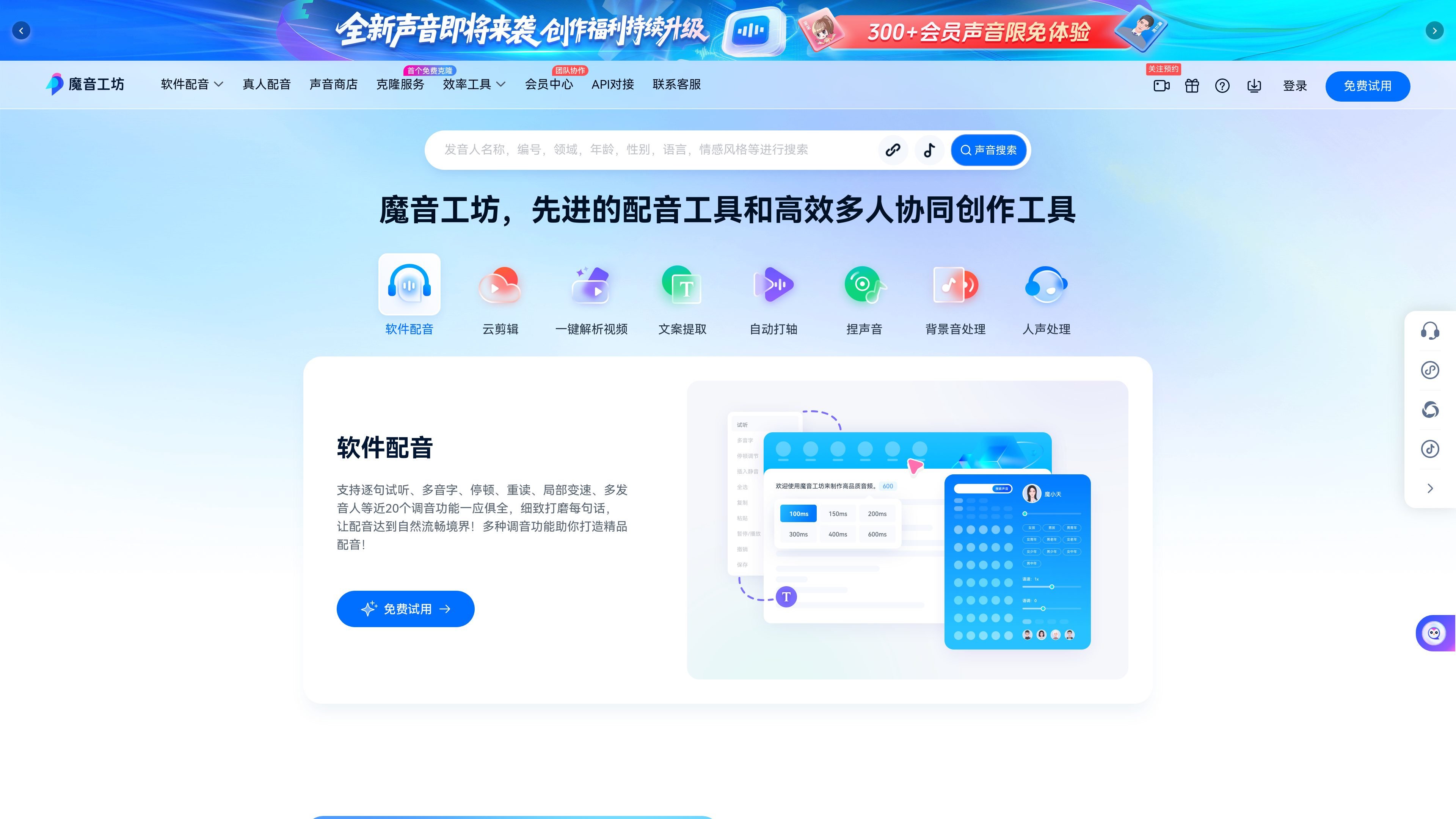
魔音工坊 is an online AI dubbing platform for short videos, audiobooks, and audio content creation. Its core function is to convert input text into speech and provide voice options with different genders, accents, and timbres, helping users finish voiceovers quickly.
From the tools shown on the site, 魔音工坊 does more than one-off dubbing. It also covers script extraction, automatic timing, one-click video analysis, one-click video creation, background audio processing, vocal processing, and cover creation. For creators who need to connect scripts, video, and audio into a single workflow, it is more like a combined toolkit centered on content production.
The platform page also offers a multi-user version with collaboration, permission management, data security, and commenting/annotation. At the same time, the site entry points cover the web version, Android, iOS, WeChat Mini Program, and Douyin Mini Program, making it convenient to use in different scenarios.
The public pages do not fully disclose all pricing, export formats, or API details, but it can be confirmed that a free trial entry is available and that after logging in, users can activate SVIP to use the platform-wide dubbing features.
After entering text, the platform can generate speech directly. It is positioned as an online text-to-speech intelligent dubbing tool, suitable for quickly turning copy into usable voiceovers.
Supports nearly 20 voice-tuning functions, including sentence-by-sentence preview, polyphonic characters, pauses, stress, local speed changes, and multiple speakers, making it easier to fine-tune tone and rhythm.
Provides script extraction, automatic timing, and one-click video analysis, allowing video content to be split into materials that can continue to be edited.
The page showcases one-click video creation, cloud video editing, copy generation, and cover creation workflows, suitable for connected creation from script to finished video.
Supports multi-user collaboration, permission management, data security, and commenting/annotation, making it suitable for teams sharing files and co-editing.
The platform also displays entry points for a voice store and voice cloning, indicating expansion capabilities around voice selection and personalized voice assets.
Convert scripts or copy directly into speech for short video narration, explanations, or voiceovers, reducing the time spent on manual recording.
Provide dubbing for long-form audio production, which is explicitly mentioned in both the site positioning and page copy as a scenario for audiobooks.
First extract the video script, then apply automatic timing, and then process background audio and vocals, making it suitable for repurposing existing videos.
Assign member permissions, share files, and annotate revisions in a team space, making it suitable for collaborative content production.
Connect tools such as script generation, one-click video creation, and cover creation, making it suitable for content teams that need to produce finished videos quickly.
The page shows entry points for the web version, Android, iOS, WeChat Mini Program, and Douyin Mini Program, indicating multi-platform use. Whether registration or login is required first depends on the feature you want to use; the page also shows “Log in / Sign up” and “Free Trial” entry points.
Both the homepage and tool pages show a “Free Trial” entry point, and the page states that after logging in you can become an SVIP and use the platform-wide dubbing features for free with fast creation. However, the public pages do not specify the free trial duration, quota, or detailed restrictions.
The site shows features such as text-to-speech, script extraction, one-click video creation, one-click video analysis, auto timing, voice shaping, background audio processing, vocal processing, and cover creation, making it suitable for content production workflows centered on short videos and audio content.
The page clearly shows multi-user capabilities such as collaboration, permission management, data security, and commenting/annotation, which indicates teams can collaborate and share files within the platform. However, the public content does not explain the exact seat counts, billing method, or full permission hierarchy.
The public pages confirm that it provides online dubbing tools, video-related creation tools, and multi-platform access, but they do not fully list export formats, resolution, or audio parameter details on these pages.
Traffic data is for reference only.

Rayyan is an AI-powered platform for systematic and literature reviews, helping teams manage screening, extraction, bias assessment and reporting in one shared workflow.

MMaudio is an AI voice generation tool for turning videos into audio. Upload a video or paste a URL, use prompt controls, and choose free or paid credit-based plans.

Podfy.ai is a browser-based AI video tool that turns text, scripts, audio, and music into edited videos with narration, subtitles, effects, and soundtrack for faster short-form social content.

Hurree is an AI-powered reporting and analytics platform that centralizes company data, shared dashboards, and Riva summaries, recommendations, and forecasts.

Rizzle turns articles into editorial-grade video and distributes it across major channels with AI-assisted, human-reviewed workflows for publishers.

Firebase Studio is a web-based workspace for full-stack app development with Gemini-assisted coding, app previews, cloud emulators, collaboration, and browser deployment.