

Natural-language tracker setup
Create trackers by describing the topic you want to follow instead of writing boolean queries or managing RSS lists.

nbot.ai is an AI content curation platform for custom trackers. Find, filter, and summarize web content to follow topics and trends without manual search.
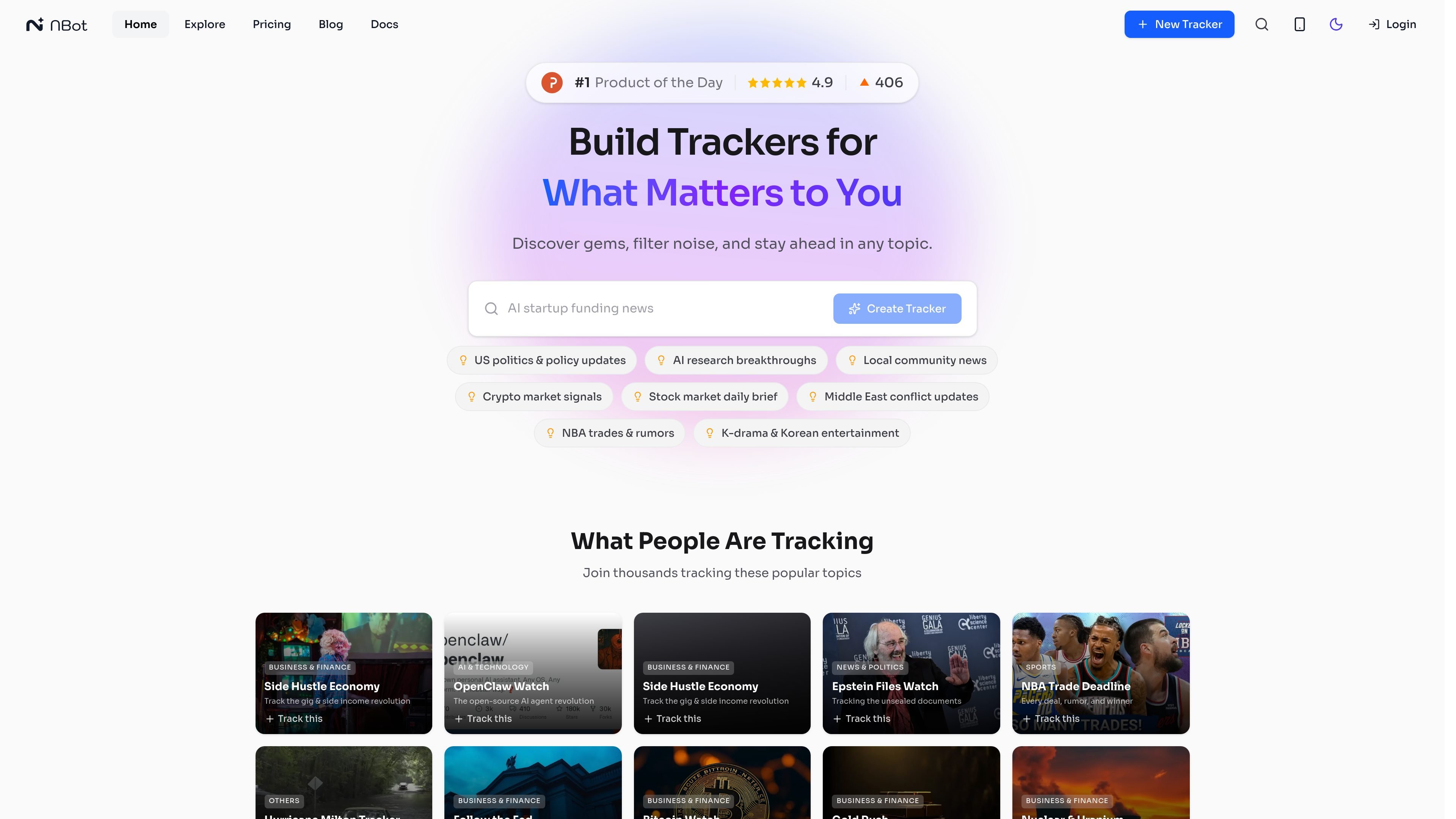
nbot.ai is an AI-powered content curation platform for building custom trackers around topics, industries, sources, or trends you care about. It automatically finds, filters, and summarizes web content so you can follow a niche without relying on manual searches or RSS maintenance.
The site positions nbot.ai around three core jobs: creating a tracker in plain language, discovering relevant updates from many web sources, and refining what you see through chat. The product also supports personalized feeds, trending trackers, AI-generated podcast summaries, Telegram notifications, and API access according to the docs and pricing pages.
Create trackers by describing the topic you want to follow instead of writing boolean queries or managing RSS lists.
Monitors content from news outlets, newsletters, RSS feeds, niche blogs, social media discussions, and other web sources mentioned in the site copy.
Extracts core arguments, highlights new data points, and adds citations so readers can verify the source material.
Lets you ask questions about your feed and re-prompt the tracker to change what it watches.
Provides a personalized feed combining content from all trackers, plus an Explore area for trending trackers and topics.
Offers Telegram notifications, AI-generated podcasts, and API access according to the docs and pricing page.
Track a fast-moving field like AI, finance, crypto, or policy without manually checking many sites. nbot.ai surfaces updates, summarizes them, and keeps a feed organized around your chosen tracker.
Build a tracker around a specific subject such as a company, product line, or niche technical topic. The site examples show trackers for NVIDIA, OpenAI, Bitcoin, gold, the Fed, and other focused topics.
Use the feed chat to narrow or redirect what the tracker shows, such as changing the emphasis from financial reports to engineering blogs. This supports ongoing curation instead of one-time setup.
Subscribe to or discover community trackers in the Explore area when you want curated coverage without starting from scratch. This is useful for readers who want a ready-made tracker around a topic already being followed.
Use Telegram notifications, podcast summaries, or API access when you want tracker output delivered into another workflow. The product materials indicate these options for staying updated outside the main web app.
nbot.ai is an AI-powered content curation platform. You create trackers for topics, industries, or sources you want to follow, and nbot.ai finds, filters, and summarizes relevant content from across the web.
The Free plan includes 20 daily credits, 2 AI trackers, and full feature access. Paid plans add more trackers, monthly bonus credits, and faster refresh rates.
According to the docs, nbot.ai can send Telegram notifications and provide access to curated content via API for integration into your own tools.
Yes. The docs say you can manage trackers through chat, including asking questions about your feed or changing the tracker’s focus in real time.

Nily AI is a browser-based AI assistant platform with 20+ models and tools for chat, writing, PDFs, email, images, and web page analysis. 7-day free trial.

Dokkio is a cloud content organization and search platform for teams and individuals working across services like Google Drive, Dropbox, Gmail, Box, Slack, and OneDrive. It helps users search, tag, organize, and understand files, attachments, pages, and screenshots from one place.

Glarity is a browser extension that summarizes and translates online content with ChatGPT-style AI. Work faster on YouTube, webpages, PDFs, search results, and email.

Postfity is a social media management tool for scheduling, planning, publishing, and tracking posts across connected accounts. Includes analytics, inbox management, AI tools, team workflows, and Free and paid plans.

AI Magicx is a unified AI workspace for chat, image, video, voice, music, email and developer tasks, helping teams and creators manage multiple models in one place.

RankSpot is an AI SEO platform that researches, writes, and publishes blog content automatically to boost organic visibility in Google and AI answers.