
Paradigm icon

Paradigm

Claim

Paradigm is an AI-powered tutoring and course-building platform that turns files, links, or text into adaptive learning paths with feedback, progress tracking, and reminders.

Paradigm

Overview

Paradigm is an AI-powered learning platform for building personal tutoring experiences and adaptive courses. The site describes it as a place where anyone can create courses that adjust to what a learner knows, what they are curious about, and how they learn.

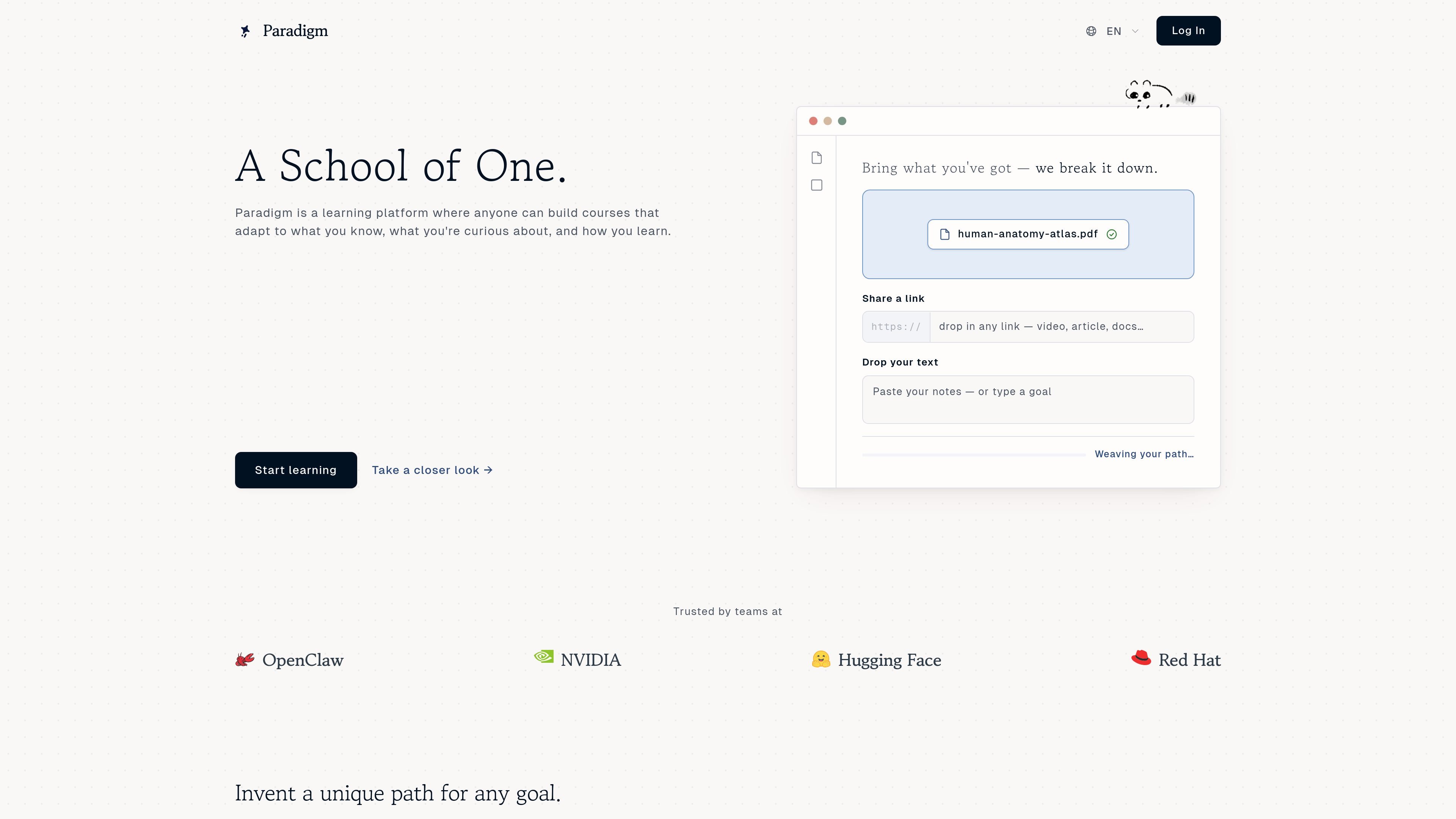
The homepage emphasizes turning existing material into a guided path. Users can upload files, share a link, or paste text, then move through lessons with feedback, progress tracking, reminders, and course paths that can change as they go.

Core features

Adaptive course creation

Paradigm adapts course paths to what a learner already knows, what they are curious about, and how they learn. The homepage says the course is “rewritten as you go,” which indicates the learning path changes over time instead of staying fixed.


Multiple input sources

Users can start from uploaded slides, PDFs, photos, links, or plain text. The site frames this as a way to bring existing material and have the system break it down into a guided learning path.

Progress tracking and feedback

The homepage describes real-time progress tracking and instant feedback in the product description. It also shows a tutor-like assistant that remembers deadlines, check-ins, and reports, which suggests ongoing support during study sessions.

Study reminders and check-ins

Example prompts on the site show reminders for deadlines, mentor check-ins, quizzes, and due dates. The assistant can nudge users about upcoming tasks and help keep learning-related logistics organized.

Course examples across subjects

The product page shows prebuilt example courses across software, music, programming, and early childhood learning. These examples demonstrate that the platform can support different subject areas and learning goals.

Ways people use Paradigm

  • Break down study materials

    A learner can upload slides, PDFs, or a photo of class material and turn it into a guided study path instead of reading through the source material manually.

  • Stay on top of assignments and exams

    Someone preparing for a deadline can use the platform to track progress, get instant feedback, and receive reminders for quizzes, check-ins, or due dates.

  • Build a personalized learning path

    A user can create a course around a new skill such as app development or music production and follow a structured path that adapts as they move through it.

  • Create subject-specific learning experiences

    Teams or educators can use the product as a course-building and tutoring layer for different subjects, based on the site examples from companies and instructors.

  • Organize notes and follow-up tasks

    A student who needs help organizing notes from an event or class can use the assistant to summarize, build follow-up study material, and keep small tasks from slipping through.

Pros and Cons

Pros

  • Supports multiple starting points, including files, links, and plain text.
  • Positions the product for a wide range of subjects and learning goals, from coding to music to early learning.
  • Includes progress tracking, instant feedback, and reminder-style study support.
  • Shows concrete example learning paths that make the product’s workflow easier to understand.

Cons

  • The public pages do not explain the pricing model in detail; the pricing page returns a 404 and the signup page only says users can try Paradigm free, cancel anytime.
  • The site does not list supported exports, integrations, or file format specifics beyond broad references to files, links, and text.
  • The public materials do not provide a technical explanation of how adaptive learning or progress tracking works behind the scenes.

FAQ

What is Paradigm?

Paradigm is presented as an AI-powered personal tutoring platform for learning any subject. The site also says people can build courses that adapt to what they already know, what they are curious about, and how they learn.

Is there a free trial or pricing page?

The signup page says users can try Paradigm free and cancel anytime. The site also shows a “Name your price” flow on the home page, but the pricing model is not fully explained on the publicly available pages.

What content can I start from?

The homepage shows support for uploading files such as slides, PDFs, and photos, and for sharing a link or text. The product text does not list additional file formats or third-party integrations.

How does the learning flow work?

The homepage highlights real-time progress tracking, instant feedback, reminders, check-ins, and course paths that are rewritten as you go. It also shows example learning paths such as coding, music production, exam prep, and early learning.

What limitations are visible from the public site?

The public pages do not list export formats, calendar integrations, LMS connections, or team-tool integrations. They also do not provide a detailed technical specification for how adaptation works.

Quick Facts

Category
AI tutoring / learning platform
Platform
Web
Primary users
Learners, self-directed students, and course creators
Input types
Files, links, and text
Pricing shape
Free trial mentioned; pricing details not publicly listed on the available pages
Source domain
paradigm.study