

AI dubbing in 99+ languages
Perso Dubbing is presented as AI dubbing software for multilingual video localization. It supports 99+ target languages and aims to preserve the original speaker’s voice in translated output.

Perso AI is a web-based AI dubbing and video localization platform for 99+ languages, with voice cloning and lip sync.
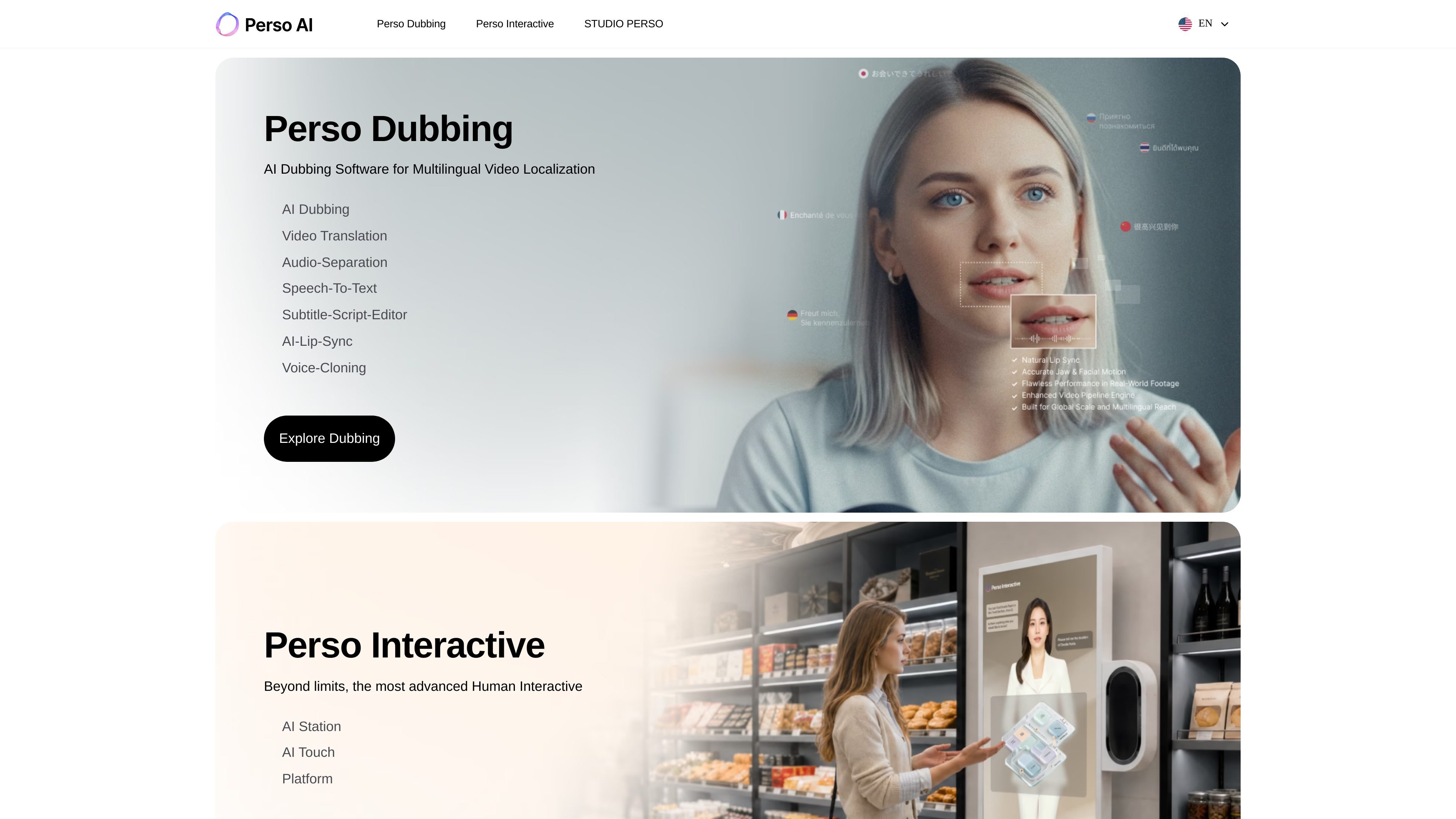
Perso AI is an AI video localization platform focused on dubbing, voice cloning, lip sync, and related workflow tools for translating video into multiple languages. The product site positions it as a way to turn a single source video into a localized version without using a traditional dubbing studio.
The core Dubbing product supports 99+ target languages, and the site says it can preserve the original speaker’s voice while adjusting pronunciation, timing, and facial movement to fit the translated speech. The pricing page adds a free plan, paid tiers for individuals and teams, and an enterprise option with custom pricing and shared workspace features.
Perso AI’s homepage also points to adjacent products and services, including Perso Interactive for real-time human interaction and Studio Perso for Korean AI avatar production, so the brand covers both dubbing and avatar-focused AI video use cases.
Perso Dubbing is presented as AI dubbing software for multilingual video localization. It supports 99+ target languages and aims to preserve the original speaker’s voice in translated output.
The product page says the platform uses AI voice cloning so the dubbed version keeps the speaker’s voice characteristics, accent, and tone rather than replacing them with a generic narrator.
The dubbing page highlights lip sync as a core capability, describing pixel-perfect synchronization between translated speech and mouth movements.
The page text references video translation, speech-to-text, audio separation, subtitle/script editing, and real-time script editing, which suggests a workflow for preparing and refining dubbing output.
The pricing page lists export options such as watermark-free downloads, up to 1080p HD on Starter, up to 4K on Pro, and SRT upload on Pro.
The home page and pricing page both indicate broader product access through Perso Interactive and enterprise AI human solutions, including shared workspace support for teams.
Teams can localize product demos, explainers, and training videos into multiple languages while keeping the original speaker’s identity and timing aligned with the translated audio.
Creators and marketers can adapt a single video for different regions without re-recording, using dubbing, subtitle editing, and export options to prepare versions for distribution.
Organizations with higher-volume needs can use the Pro or Enterprise options for longer videos, queued work, shared workspaces, and custom credits.
Users who need language-aware refinement can edit scripts and add custom glossary terms before exporting, which helps with product names, technical terms, and brand wording.
The brand’s Perso Interactive and Studio Perso references suggest use cases for interactive AI avatar experiences and AI avatar production, alongside standard dubbing work.
Perso AI offers an AI dubbing workflow where you upload a video, choose from 99+ target languages, and generate a localized version with voice cloning and lip sync. The pricing page also shows a free plan and paid plans for higher usage.
The dubbing page describes a simple flow: upload a video, select a target language, and let the platform generate a dubbed version. The workspace sign-in page also shows account access via Google or Microsoft.
The source explicitly lists export options on the pricing page, including watermark-free download on lower plans and exports up to 1080p HD or 4K on higher plans. The dubbing page also mentions MP4, MOV, WebM, embedded subtitles, and separate SRT files as export formats.
The enterprise page is positioned for enterprise-level AI human and dubbing solutions, with custom pricing, dedicated resources, team collaboration, and a shared workspace mentioned on the pricing page.
The source does not provide integration details beyond sign-in options and export formats, so compatibility should be confirmed directly if you need a specific editing, CMS, or distribution workflow.

Checksub is an AI subtitle generation and dubbing platform for videos. Localize content with subtitles, translation, voice cloning and lip-sync workflows.

Altered is an AI voice changer and voice content creation platform for media production and live voice use. It combines voice morphing, text-to-speech, transcription, translation, cloning, and editing in one application.

Subtitle Translate AI is a browser-based subtitle translation tool for SRT and related files. Translate subtitles into 100+ languages while preserving timing, formatting, and context.

讯飞会议 cloud video conferencing for enterprise collaboration, with video meetings, AI transcription and translation, and automatic meeting notes. Public and private cloud.

CoCoClip.AI is a web-based AI video editor for short-form content, with text-to-video, image-to-video, and audio-to-video workflows for YouTube Shorts, TikTok, and Instagram Reels.
Immersive Translate is a bilingual AI translation tool and browser extension for websites, PDFs, subtitles, meetings, images, and comics with privacy-focused translation.