

Intent-driven test execution
Describe a mobile flow in plain language and Quash converts the intent into executable actions without selector maintenance or script writing.

Quash is a mobile app testing and QA automation platform for plain-language test flows on real Android and iOS devices, with execution, management, backend validation, and reporting.
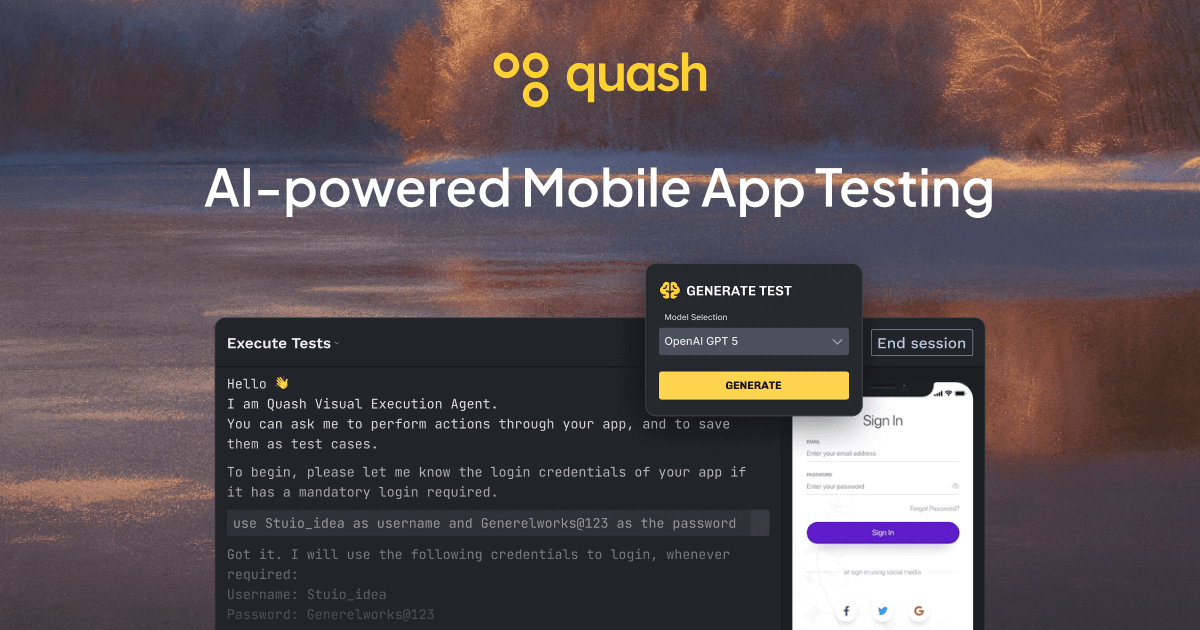
Quash is a mobile app testing and QA automation platform for teams that want to describe test flows in plain language and execute them on real devices. The site positions it as a tool for mobile QA teams, with support for Android and iOS testing, test management, and backend validation in the same workflow.
Instead of translating every test into brittle scripts, Quash focuses on intent-driven execution: users define a flow, the platform runs it across device targets, and the resulting report includes screenshots, steps, and context for debugging. The pricing page shows a free trial plus paid tiers that add capacity, integrations, and advanced workflow features.
Describe a mobile flow in plain language and Quash converts the intent into executable actions without selector maintenance or script writing.
Run automated tests on local devices, emulators, cloud devices, or a dedicated real device fleet, depending on your plan and setup.
Capture pass/fail details, screenshots, and debugging context so teams can understand failures without extra handoffs.
Manage full test suites, test paths, and scheduled regression runs from one platform instead of switching between tools.
Validate backend responses, API behavior, and database checks during mobile test execution rather than treating them as separate workflows.
Connect testing with team workflows through CI/CD, issue trackers, webhooks, and triggers on supported plans.
QA teams can write a mobile flow in plain language, run it on real devices, and review the resulting steps and screenshots to confirm whether a release is stable.
Developers can reproduce a reported issue with the same flow-based execution model and use the failure context to trace where the app behavior diverged.
Teams that need broader coverage can manage test paths and reruns from one place instead of maintaining separate scripts for each edge case.
Mobile products with backend-dependent flows can validate API or database behavior during the same run as the UI flow, reducing the need for a separate verification step.
Organizations with different infrastructure preferences can run tests on local devices, emulators, cloud devices, or a real device fleet, depending on their plan and setup.
Quash is built for teams that want to describe mobile test intent in plain language and run it on real Android or iOS devices without maintaining script-heavy test frameworks. The source also shows support for local devices, emulators, and cloud devices.
The source describes prompt-to-execution testing, full test suite management, test paths for reruns, backend and API validation, and execution reports with screenshots and context. The pricing page also lists integrations, CI/CD connections, and issue tracker support in paid tiers.
Yes. The pricing page lists a 14-day free trial with 100 agent minutes and no card required. Paid plans start at Starter and scale up to Growth, Pro, and Enterprise.
The source says Quash can run on local devices and emulators, cloud devices, and a dedicated real device fleet on higher plans. It also mentions support for macOS and Windows on the pricing page.
The product text highlights intent-driven execution, test management, backend validation, and reporting, but the source does not provide a complete public list of every supported integration or workflow connection. Some integrations are listed on the pricing page for paid tiers.

BotLab is a tool for testing video-game bots by running them in simulated game clients, reviewing session logs, and comparing results in the Reactor. It offers a free tier for short sessions and a paid Pro plan for longer online runs.

blop is a QA agent that writes browser tests as code in your repo, runs them in CI, clusters repeated failures, and can open PRs to fix broken tests.

clickworker provides human-generated and human-validated data services for surveys, store checks, tagging, list building, crowdtesting, and AI training data.

Gatling is a load testing platform to create, run, analyze, and automate performance tests, with code-first, low-code, no-code, and Enterprise plans.

Trunk is a CI reliability platform for detecting flaky tests, quarantining failures, and managing merge queues in GitHub workflows. Free and paid plans available.

Testim is an automated testing platform for web, mobile, and Salesforce teams, with low-code authoring, AI-assisted locators, and test management.