

Component and preset library
Build with an extensive library of GPU-powered components instead of starting from shader code. The homepage says there are 160+ base components, and the presets page shows 800+ presets across collection types.

Shaders is a design platform for interactive WebGPU effects for websites and frontend apps, with a visual editor, preset library, framework exports, and agent support.
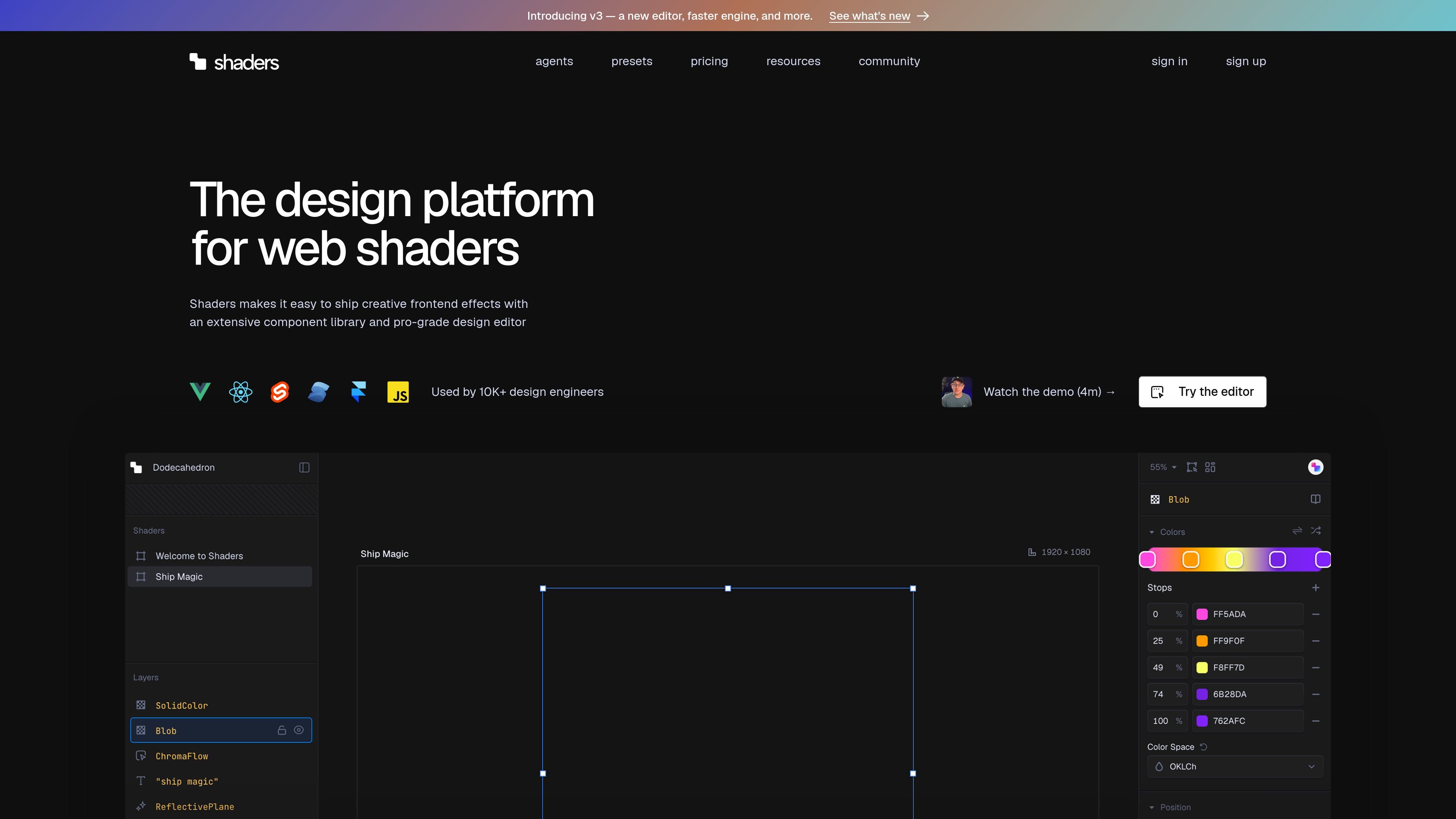
Shaders is a design platform for creating WebGPU-based visual effects for modern frontend applications. It combines a shader component library, a visual editor, preset browsing, and export workflows so teams can assemble interactive graphics without writing shader code from scratch.
The product is built for designers and frontend engineers who need production-ready effects for landing pages, product showcases, logos, backgrounds, and design systems. The site positions Shaders as a tool for visually composing shaders, adapting them to brand assets, and exporting code that fits into Vue, React, Svelte, Solid, JavaScript, and Framer workflows.
Build with an extensive library of GPU-powered components instead of starting from shader code. The homepage says there are 160+ base components, and the presets page shows 800+ presets across collection types.
Design shaders visually on a redesigned canvas with layers, transform controls, properties, and instant updates. v3 adds an infinite canvas for arranging multiple shaders in one workspace.
Import images, videos, and SVG assets and use them as inputs for shader effects. The product pages also mention generating shape effects from SVGs.
Make effects respond to mouse movement, automatic animations, scroll, motion timelines, or reactive state from code.
Export clean component code for Vue, React, Svelte, Solid, JavaScript, and Framer, with code export available in Pro and one-click install inside Framer.
Use Shaders MCP to let compatible agents search presets, install shaders, customize props, and connect them to application state. The agents page lists support for Claude Code, Cursor, Codex, Antigravity, and Windsurf.
Build animated hero sections, product showcases, and landing page backgrounds that need motion or visual depth without hand-writing shader code.
Turn logos and other brand assets into reactive visuals using imported SVGs, custom materials, and shape effects that match an existing design system.
Compose multiple shader layers on one infinite canvas, compare alternatives side by side, and iterate on visual directions before shipping.
Use the MCP workflow to let an AI coding agent find a preset, customize parameters, and install it into a project with less manual setup.
Create production-ready component exports for Vue, React, Svelte, Solid, JavaScript, or Framer so shader effects can live inside an existing frontend stack.
Shaders is a design platform for creating WebGPU-based visual effects in modern frontend frameworks. It combines a component library, a visual editor, and export workflows for production use.
The source explicitly lists Vue, React, Svelte, Solid, JavaScript, and Framer as supported export surfaces or quickstart/plugin targets.
According to the pricing page, Pro includes unlimited code export, and the homepage says you can export clean component code that fits naturally into your application.
The product pages describe WebGPU effects that can be interactive and reactive, driven by mouse movement, automatic animations, layer mapping, scroll, motion timelines, or application state.
Yes. The pricing page shows a free plan for learning and experimentation, and Pro and Team plans for production-oriented features and collaboration.

EZsite AI is an AI website builder that turns a URL into a fullstack React or Vue.js app with hosting, custom domains, code export, and backend features.

Paper is a design tool that connects canvas, code, and AI agents so teams can create, share, and ship work in one workflow. Includes desktop app and MCP access.

Orca is an Agent Development Environment for shipping with coding agents, running multiple CLI agents in parallel across isolated worktrees, with desktop and mobile workflows.

Firebase Studio is a web-based workspace for full-stack app development with Gemini-assisted coding, app previews, cloud emulators, collaboration, and browser deployment.

AI Magicx is a unified AI workspace for chat, image, video, voice, music, email and developer tasks, helping teams and creators manage multiple models in one place.

Superside is an AI-powered creative service for enterprise and in-house teams, with global talent, AI-first workflows, and subscription-based support.