

Track-to-video inputs
Paste a Suno, Udio, Spotify, YouTube, or audio file input and VidMuse analyzes it to build a video plan from the track itself.

VidMuse is an AI music video generator that turns Suno, Udio, Spotify, YouTube, or audio-file inputs into storyboarded 1080p videos. It is aimed at artists, creators, and agents that need a guided workflow from track analysis to export.
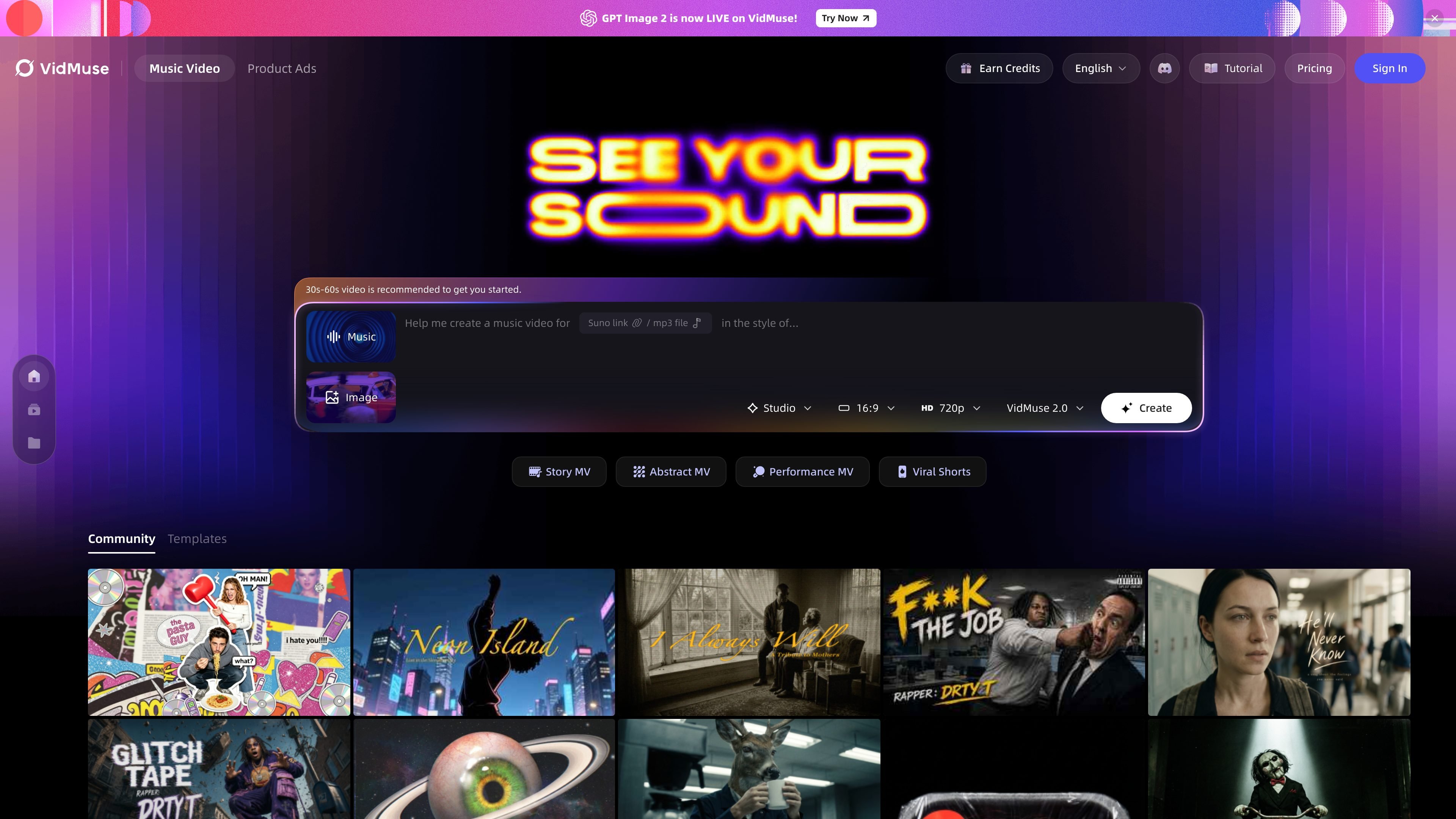
VidMuse is an AI music video generator for artists and creators who want to turn a track into a finished video without building the edit manually. The product takes a Suno, Udio, Spotify, YouTube, or audio-file input, analyzes the music, and generates a storyboarded video workflow around it.
The site positions VidMuse as a directed process rather than a simple slideshow tool. It says the system builds a creative brief, lets users review and refine the plan, and then renders a polished video in 1080p. The same product family also includes a CLI and an agent Skill for terminal-based and agent-assisted workflows.
Paste a Suno, Udio, Spotify, YouTube, or audio file input and VidMuse analyzes it to build a video plan from the track itself.
The generator listens for beats, lyrics, tempo shifts, and emotional arc, then turns that analysis into a director’s script and storyboard.
Users can review and refine the AI-generated brief before rendering, including camera movement, character design, shot type, and scene timing.
The output is a polished 1080p music video designed for export to social platforms and campaign use.
Template modes include Story MV, Abstract MV, Performance MV, and Viral Shorts, giving creators different visual styles for the same track.
The product includes a CLI and a Skill for agent workflows, with commands for login, model checks, and thread creation.
An independent musician can paste a track link or upload audio, review the storyboard, and produce a finished video for release on YouTube or social channels.
A creator using Suno or Udio can turn an AI-generated track into a matching visual piece without moving between a separate editing stack and prompt tools.
A marketer can use the directed workflow to create a brand video or product ad, then export a polished 1080p asset for campaign use.
An agentic workflow can use the VidMuse Skill plus CLI to create threads, check models, and run video tasks from terminal-based tooling.
A creator can choose Story MV, Abstract MV, Performance MV, or Viral Shorts to fit different release formats and short-form distribution needs.
Yes. The source says VidMuse supports uploads from audio files and links from Suno, Udio, Spotify, and YouTube. The FAQ on the product page also states that you can generate from audio only by uploading an MP3 or WAV file or pasting a streaming link.
The product page says VidMuse analyzes rhythm, lyrics, emotion, beats, tempo shifts, and character references to build a storyboard and then exports a polished music video. The published workflow is upload and describe, review and refine, then generate and export.
The feature page says VidMuse exports polished 1080p music videos ready for YouTube, TikTok, Instagram, or paid campaigns. The pricing page also states that paid plans include 1080p higher resolution.
According to the FAQ, outputs from paid plans include a worldwide commercial use license. The free plan is for personal, non-commercial use only.
The CLI page says VidMuse offers a public `vidmuse` command for terminal workflows, including login, model checks, and thread creation. The Skill page says the VidMuse Skill gives AI agents a reusable playbook and uses the CLI as the command runtime.

Rizzle turns articles into editorial-grade video and distributes it across major channels with AI-assisted, human-reviewed workflows for publishers.

PixelPrompt is a browser-based AI image and video workspace for prompt optimization, text-to-image, and text-to-video generation. It supports ecommerce visuals, ad creatives, and short-form UGC-style content without requiring a local GPU.

Podfy.ai is a browser-based AI video tool that turns text, scripts, audio, and music into edited videos with narration, subtitles, effects, and soundtrack for faster short-form social content.

Nim Video is a web-based AI video and image creation platform for turning prompts, images, and source footage into editable visuals. It offers a free tier and paid subscriptions with added credits, higher output options, and commercial-use features.

Pika is an AI video generation platform for creating and editing short videos from prompts, images, and existing footage. It also offers plan-based commercial use, watermark-free downloads on higher tiers, and select partner API access.

HiDream.ai is a free, browser-based AI image and video creation platform for prompts, images, audio, lip-sync, and 4K editing.