

Photo-to-anime workflow
Upload a JPG or PNG photo up to 5MB, then generate anime-style images without writing a text prompt.

AnimeAI.app is a free web tool that turns photos into anime-style images without sign-up. Upload JPG or PNG files and choose from multiple styles.
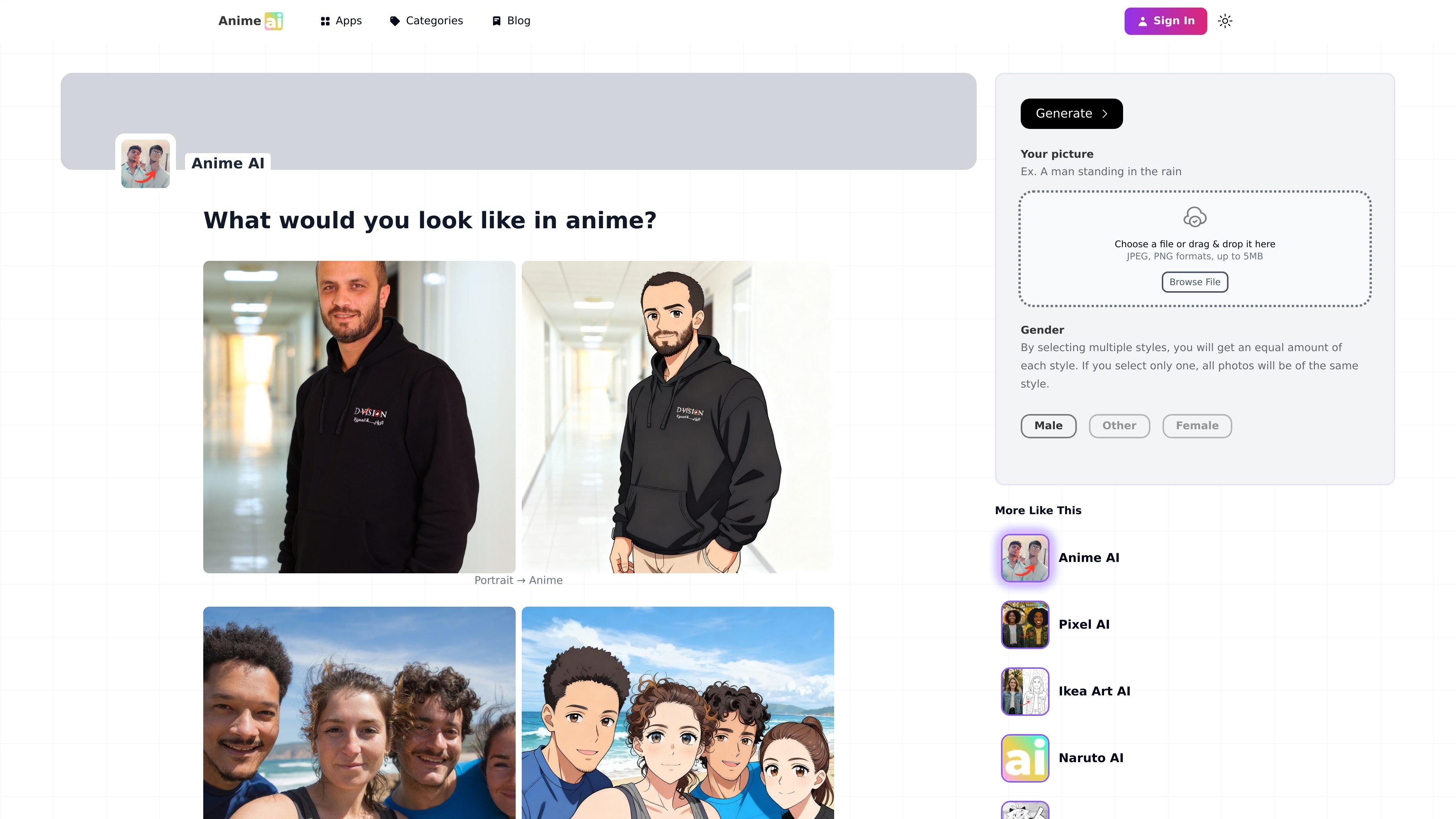
AnimeAI.app is a photo-to-anime generator that turns an uploaded portrait into AI-generated anime artwork. The main flow is simple: upload a JPG or PNG image, choose a gender and style, and generate results in a few minutes.
The site says the app is free to use and does not require sign-up. It also explains that the system is built on Stable Diffusion with custom models layered on top, and that it recreates the subject from scratch rather than tracing the original photo.
Upload a JPG or PNG photo up to 5MB, then generate anime-style images without writing a text prompt.
Choose from anime-related styles such as Naruto, Dragon Ball, One Piece, Pixel AI, Ikea Art AI, and FPE OC Maker.
Select gender and relevant attributes to help the model interpret facial structure and features more accurately.
The site says each run can return 100 AI-generated images, giving users multiple variations to compare.
The page explains that the app uses Stable Diffusion with custom models and tuned parameters on top of the base image model.
The site includes practical guidance for better results, such as using a well-lit portrait and cropping the face tightly.
Turn a selfie or portrait into anime-style artwork without writing prompts or learning an image editor.
Use the style selector to create versions inspired by specific anime or adjacent visual styles.
Generate many variants from one photo and compare results to choose the closest or strongest image.
Upload a face photo, pick attributes when relevant, and use the guidance to improve likeness and visual clarity.
Use the tool for gift ideas or profile images when you want a quick personalized artwork from an existing photo.
Yes. The site says the app is free to use and does not require an account.
The home page says generated results arrive within a few minutes, depending on queue time.
The main upload flow accepts JPG or PNG files up to 5MB, and the site notes that one person per photo works best.
The tool asks for a gender selection to help interpret facial structure, and it also recommends using attribute checkboxes when they apply to you.
The site says it cannot offer refunds, but users can contact the team for help with a personalized generation if the first result is not suitable.

Nim Video is a web-based AI video and image creation platform for turning prompts, images, and source footage into editable visuals. It offers a free tier and paid subscriptions with added credits, higher output options, and commercial-use features.

Creativio AI turns basic images into polished product visuals for ecommerce, marketing, and social campaigns—fast, with less manual editing.

Image to Cartoon is a free AI cartoonizer that turns photos into cartoon, anime, comic, or 3D-style images in the browser, no sign up required.

Recraft is an AI image generation and design platform for designers, creatives, sellers, and teams. It supports raster and vector generation, custom styles, mockups, editing, and API-based workflows.

BabyFaceGenerator uses AI to create a future-baby image from two partners’ photos. An entertainment tool for couples, newlyweds, and parents.

AnimateAI is a web-based AI video generation tool for animated storytelling, with character creation, storyboarding, video creation, and prompt enhancement.