

AI generation with editable layers
Generate visuals from simple prompts, URLs, or uploaded images, then refine the result instead of treating it as a flat image output.

DesignLumo is an AI design generator and editor for editable posters, ads, and social posts from prompts, URLs, brand kits, or images.
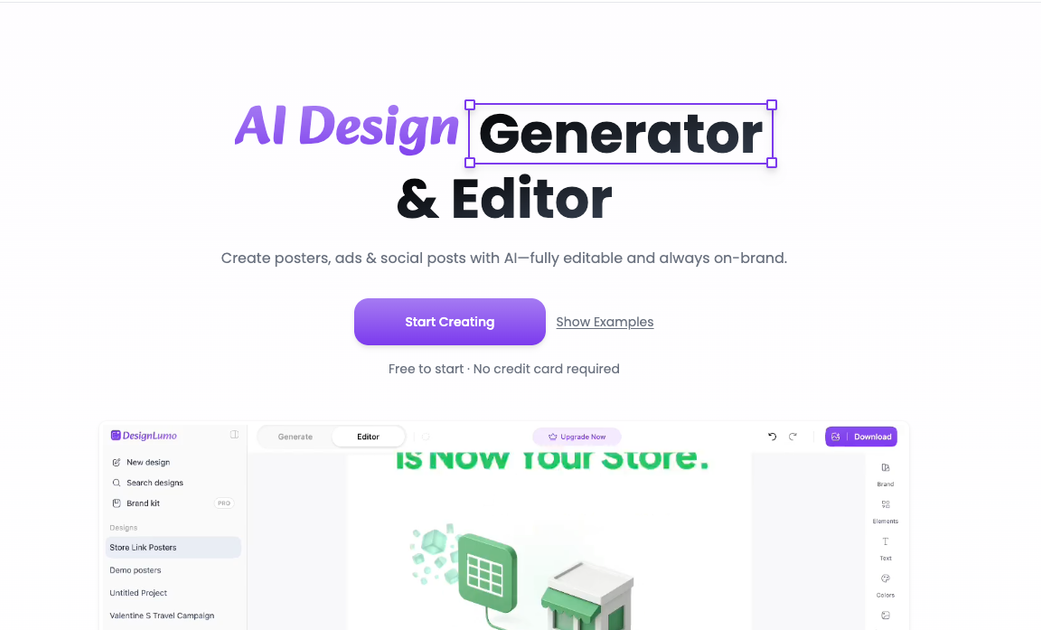
DesignLumo is an AI design generator and editor for creating posters, ads, social posts, and other branded marketing visuals. The product is built around turning prompts, URLs, and uploaded assets into layered designs that remain editable on a full canvas.
Its main purpose is to combine generation and control: instead of producing a flat image, DesignLumo lets users adjust text, swap elements, refine details, and keep work aligned with a brand kit. The site positions it as a fit for marketers, designers, and teams that need production-ready visuals without starting from scratch.
Generate visuals from simple prompts, URLs, or uploaded images, then refine the result instead of treating it as a flat image output.
Paste a website URL and extract brand cues for use in new creative work, or bring your own brand kit for consistent output.
Work on a full canvas and edit individual elements, which the site positions as a key difference from static AI images.
Create ads, posters, social posts, banners, flyers, logos, business cards, infographics, email headers, and other marketing assets from the use-case library.
Export designs in SVG, and on paid plans the pricing page also mentions PDF export and high-quality exports.
Use plan-based limits for design volume, credits, brand kits, storage, generation speed, and support level.
Create campaign graphics for social channels when you need editable posts, banners, or ad creatives that match a brand voice.
Build agency-ready visuals for multiple clients, with the Business plan calling out multiple brands, higher volume, and priority support.
Turn a website reference into a new creative direction by pasting a URL and extracting brand cues before editing on canvas.
Produce one-off assets such as flyers, event posters, invitations, or email headers when speed matters more than hand-building layouts.
Refine generated work layer by layer so text, elements, and styling can be adjusted before export in SVG or PDF.
DesignLumo turns prompts, URLs, and uploaded images into editable design layouts. The source pages show it being used for posters, ads, social posts, banners, flyers, and other marketing assets.
The product is positioned for marketers, designers, and teams that need fresh visuals without starting from scratch. The about page also says it is built for creators who want AI generation with control over editable layers.
The source pages indicate that you can start from a prompt, paste a URL, extract a brand kit, or upload images, then refine the result on a full canvas. The product emphasizes editable layers and “ask changes” style iteration.
The pricing page says Pro includes SVG and PDF export, while the home page highlights SVG exports and fully editable output. The product pages do not list a broader export matrix beyond those formats.
The pricing page shows monthly and yearly plans with Lite, Pro, and Business tiers. It also states that you can get started free, with no credit card required, and cancel anytime.

Paper is a design tool that connects canvas, code, and AI agents so teams can create, share, and ship work in one workflow. Includes desktop app and MCP access.

Superside is an AI-powered creative service for enterprise and in-house teams, with global talent, AI-first workflows, and subscription-based support.

简单AI is Sohu’s online AI tool for AI image generation, AI writing, and online image editing—ideal for quickly creating images, copy, or basic retouching.

Recraft is an AI image generation and design platform for designers, creatives, sellers, and teams. It supports raster and vector generation, custom styles, mockups, editing, and API-based workflows.

GraphicInfo is a web-based AI infographic maker that turns text or ideas into visuals in one click for faster, shareable infographics.

CubeOne is an AI slide editor that turns prompts or PowerPoint files into designed, fully editable slides for easier PowerPoint and Canva workflows.