

Fast clip analysis
Upload a clip and receive a readout in about 30 seconds, according to the site’s description. The workflow is built around turning a short video into a quick analysis rather than a long review process.

NeuroVidz analyzes uploaded video clips and returns an engagement score, second-by-second emotional timeline, and edit suggestion for short-form video review.
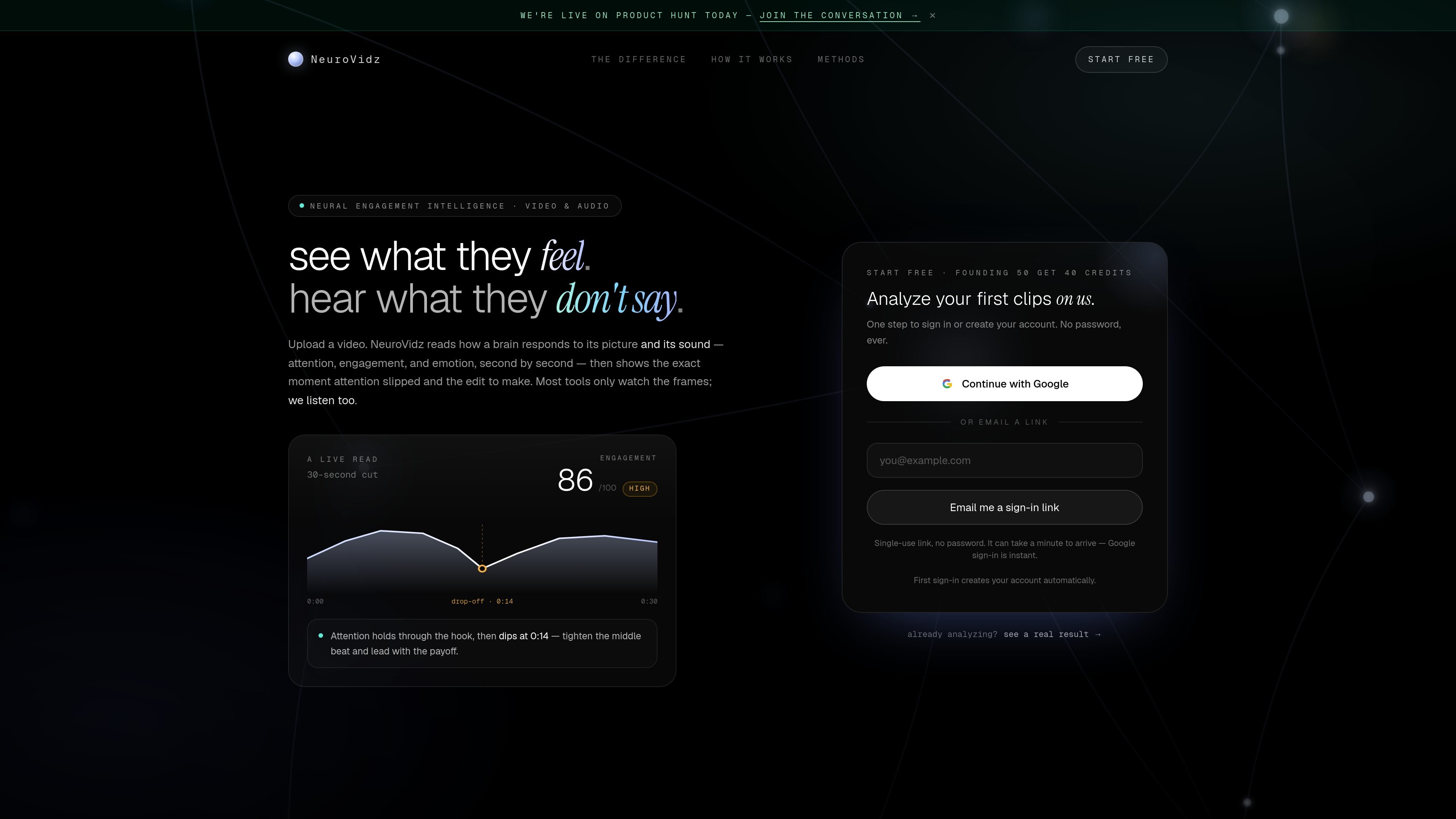
NeuroVidz is a video analysis product that reads how viewers may respond to a clip by combining visual and audio signals. Its homepage describes the tool as “see what they feel” and says it shows attention, engagement, and emotion second by second after you upload a video.
The core workflow is simple: upload a clip, wait about 30 seconds, and review an engagement score, an emotional timeline, and a specific editing suggestion. The site says it can identify where attention holds, where it drops, and what change to make next, with support for clips up to three minutes long.
Upload a clip and receive a readout in about 30 seconds, according to the site’s description. The workflow is built around turning a short video into a quick analysis rather than a long review process.
NeuroVidz scores engagement on a 0–100 scale and says the score is magnitude-aware, meaning it changes with what is actually happening on screen and in sound.
The product shows how attention and emotion evolve second by second, including an emotional shape over time and explicit moments where focus drops.
The site says it reads both picture and sound, including motion, faces, voice, music, and silence. It positions audio as part of the analysis rather than treating video frames alone as the full signal.
The result includes a specific recommendation for what to edit next, based on where attention slips or where the hook holds.
A sample result suggests the product can surface network-level summaries, activation patterns, and key insights for a clip, though the public pages do not document the full methodology.
Review short promotional cuts before publishing to see where attention is holding or falling away, then adjust the middle or ending based on the moment called out in the analysis.
Check whether a talking-head or voice-led clip is carrying enough signal in both picture and sound, especially when music, pacing, or silence are part of the edit.
Compare different cut versions of the same clip to see which one produces a stronger engagement score or a cleaner attention curve.
Use the sample-style readout to inspect a clip’s time-based response, then translate the results into a concrete change for the next version of the edit.
Analyze short content with a clear hook and payoff, such as teasers, intros, or highlights, where a fast read on drop-off points is especially useful.
NeuroVidz analyzes uploaded video clips and estimates how attention, engagement, and emotion change over time. It also shows the moment attention appears to slip and suggests the edit to make next.
The source shows a simple sign-in flow with Google or an email sign-in link. It says the first sign-in creates the account automatically, and that no password is required.
The homepage says uploads can be up to three minutes long and can be mp4, mov, or webm files.
The product presents an engagement score, an emotional timeline, and a readout of attention or drop-off points. A sample result also shows a verdict, network activity, and key insights.
The pricing page headline and homepage both point to a free start offer, including a founding offer of 40 credits. The source does not show full plan pricing or detailed limits.

Hurree is an AI-powered reporting and analytics platform that centralizes company data, shared dashboards, and Riva summaries, recommendations, and forecasts.

北极九章 is an enterprise AI data insight engine for natural-language data analysis. Ask by typing or voice and get charted results in workflows.

Postfity is a social media management tool for scheduling, planning, publishing, and tracking posts across connected accounts. Includes analytics, inbox management, AI tools, team workflows, and Free and paid plans.

AnyClip is a visual intelligence platform for video that automates enrichment, improves discovery, and supports engagement and monetization.

Arcwise is an AI product for detecting meaningful metric changes and explaining them with data-grounded analysis. It turns warehouse and business-context data into decision-ready reports in app, docs, or slides.

15Five is an AI-powered performance management platform for HR teams and managers, combining reviews, engagement surveys, goals, compensation, and analytics in one system.