

AI tweet drafting in your voice
Give Soaster a topic and tone prompt, and it drafts a week of tweets by analyzing your past tweets. You can approve the whole batch or review each post separately.

Soaster is an AI-assisted X scheduling tool that drafts tweets in your voice, then lets you approve and publish them on a schedule. Includes RSS auto-posting, bulk cleanup, multi-account management, and iPhone and Android apps.
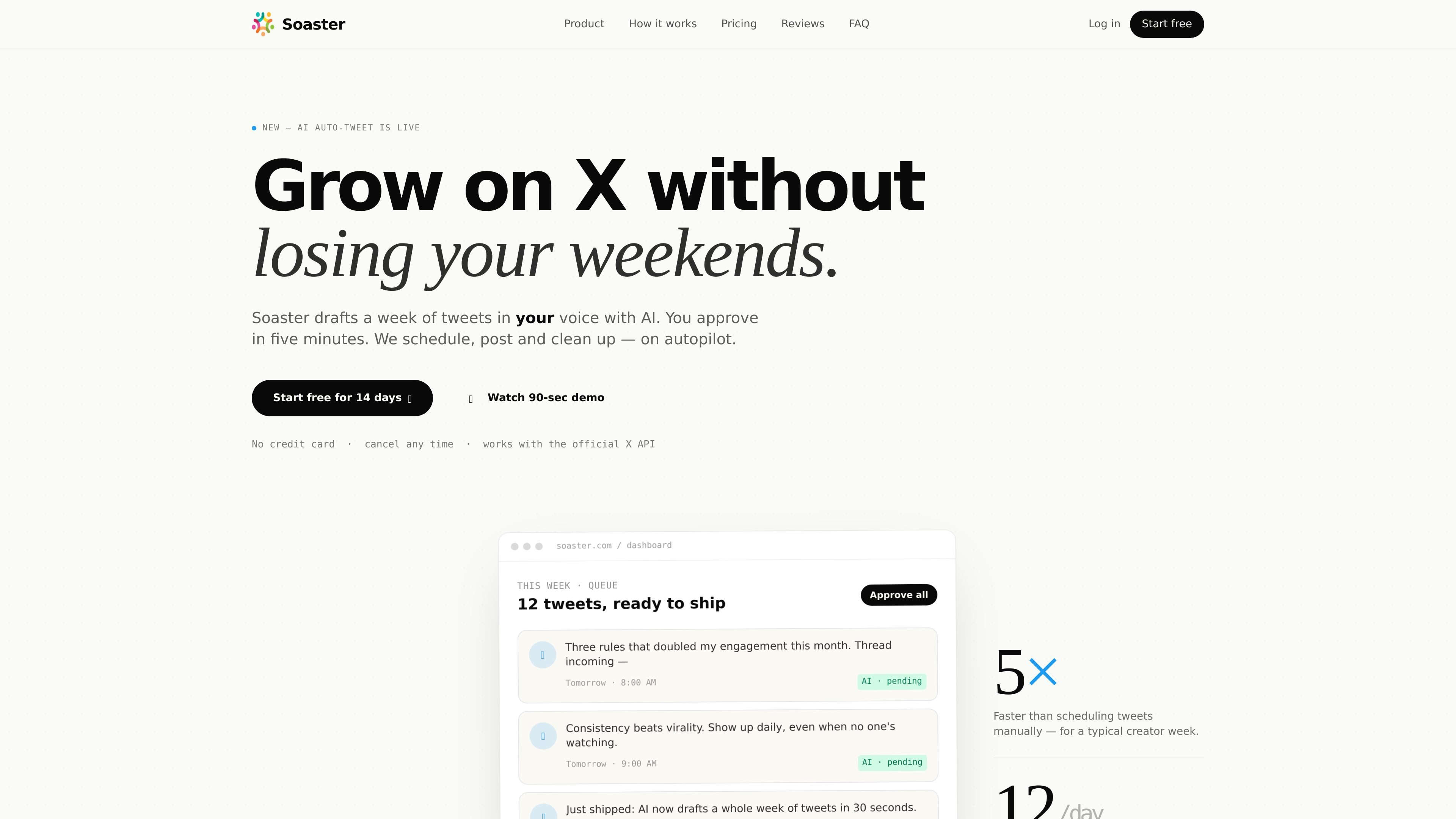
Soaster is an AI-assisted X posting tool built to help users draft, schedule, publish, and clean up tweets from one workspace. The homepage positions it as a way to grow an X account “on autopilot” by generating a week of tweets in the user’s voice, then letting the user approve what gets posted.
The product centers on a simple workflow: connect X, give a topic and tone prompt, review AI-generated posts, and let Soaster publish them on a schedule. The site also shows calendar planning, RSS auto-posting, bulk scheduling, bulk cleanup, and multi-account management, with mobile apps available on iPhone and Android.
Give Soaster a topic and tone prompt, and it drafts a week of tweets by analyzing your past tweets. You can approve the whole batch or review each post separately.
View the week as a calendar, move posts around, and spot gaps by status. The calendar supports week and month views and color-codes AI, RSS, manual, and posted items.
Queue posts for exact dates and times or spread them across active hours. The site says you can schedule up to 15 tweets at a time and add image or media uploads.
Turn blog posts or YouTube videos into posts with RSS auto-posting. The homepage also mentions custom templates for hands-off sharing.
Remove old tweets, likes, and retweets in bulk using keyword or date filters. This is presented as part of the same workflow as AI drafting and scheduling.
Manage personal, brand, and agency-client accounts from one dashboard. The site says you can switch accounts instantly.
Creators can draft a week of posts from a single prompt, then approve the queue in one sitting instead of writing every tweet manually.
People who want a steady posting cadence can schedule content ahead of time, set exact publish times, and let the queue keep running through weekends or holidays.
Users who publish blog posts or YouTube videos can turn new content into tweets automatically through RSS auto-posting.
Accounts with older content can remove tweets, likes, and retweets in bulk using keyword or date filters.
Creators or agencies managing several profiles can switch between personal, brand, and client accounts from the same dashboard.
Soaster connects with X through OAuth 2.0 and uses the official X API. The site says it can read your past tweets to draft new posts in your voice, but it does not say the product stores your password.
The homepage says Soaster drafts a week of tweets from a topic prompt and a tone hint, then lets you approve, edit, swap, or skip individual tweets or bulk-approve the queue.
The site offers a 14-day free trial on every plan and says no credit card is required to start. The pricing page itself is unavailable, so plan prices are not listed in the source.
Soaster’s homepage shows support for scheduled posts, RSS auto-posting, bulk cleanup, and a mobile app available on the App Store and Google Play. It also mentions multiple accounts from one dashboard.
The source does not describe team-specific features or collaboration permissions. Based on the available pages, it is safest to treat Soaster as a creator-focused tool rather than a team workflow product.

Postfity is a social media management tool for scheduling, planning, publishing, and tracking posts across connected accounts. Includes analytics, inbox management, AI tools, team workflows, and Free and paid plans.

迅捷AI写作 is an online AI writing tool for papers, novels, office docs and content creation, with scenario templates, online document writing and multi-format export.

Nily AI is a browser-based AI assistant platform with 20+ models and tools for chat, writing, PDFs, email, images, and web page analysis. 7-day free trial.

Spira AI is an AI influencer platform for creators and teams to automate social content creation, publishing, and performance-led iteration with free trial and Business plans.

AI Magicx is a unified AI workspace for chat, image, video, voice, music, email and developer tasks, helping teams and creators manage multiple models in one place.

TakeCareOS is a web platform for home care, disability, and aged care agencies, with rostering, billing, compliance, and AI admin tools.