

AI prompt generation with creative controls
Build structured prompts from a rough idea using 12 creative controls, including theme, melody, harmony, rhythm, instrumentation, mood, dynamics, production, creativity, and vocal style.

SunoPrompt is a web-based AI music toolkit for generating prompts, songs, and multimodal music from text, lyrics, images, video, or audio. It also includes vocal removal, stem splitting, MIDI export, and a free-to-start workflow.
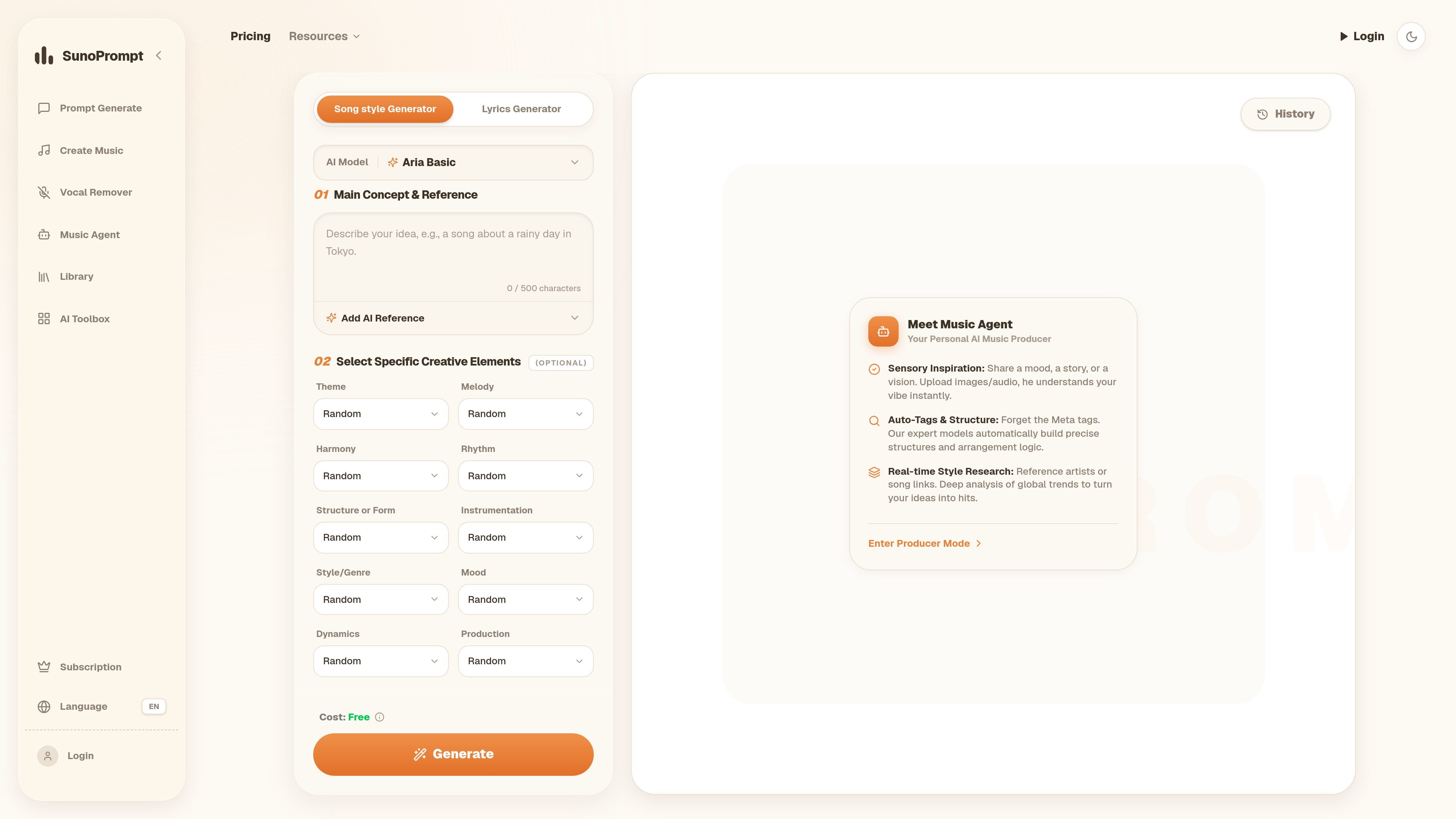
SunoPrompt is a web-based AI music toolkit centered on prompt generation, song creation, vocal removal, and multimodal music composition. The site presents it as a connected workflow where users can start with a text prompt, lyrics, an image, a video, or an audio reference and move toward a finished track without switching between separate tools.
The product combines a free prompt builder, an AI Music Generator, an AI Music Agent, and a Vocal Remover/stem splitter. The source text also shows output and refinement options such as downloading tracks, splitting stems, exporting MIDI, and saving generation history for later iteration.
Build structured prompts from a rough idea using 12 creative controls, including theme, melody, harmony, rhythm, instrumentation, mood, dynamics, production, creativity, and vocal style.
Create songs from text descriptions or lyrics and choose from four AI music quality tiers, with options for voice gender, instrumental mode, and genre tagging.
Upload image, video, or audio references to generate music from multimodal inputs, including audio clips that the Music Agent can interpret as creative references.
Split tracks into stems and remove vocals, with the source text showing 2-stem free mode, 5-stem normal mode, and 8-stem advanced mode plus MIDI export.
Export finished work by downloading tracks, splitting stems, and exporting MIDI for DAW use, with history saved so generations can be revisited later.
Turn a rough idea, mood, or lyric fragment into a structured prompt for tools like Suno or Udio. The prompt builder is designed for users who want clearer tags and arrangement guidance before generating music elsewhere.
Create a song directly from text or lyrics, then choose voice, genre, and quality tier to shape the result. This fits users who want to move from idea to track inside one platform.
Upload a photo, video clip, or audio reference and let the Music Agent interpret the material as musical input. This workflow suits creators who are working from visual mood, a scene, or an existing reference track.
Remove vocals or split a finished track into stems, then export MIDI for DAW-based editing. This is useful for producers who need more control over arrangement or remix prep.
Yes. The Prompt Generator is described as completely free, and the Music Generator and Music Agent include free credits for new users. The pricing page does not show mandatory subscription pricing in the provided content.
The site presents four connected tools: a Prompt Generator, a Music Generator, a Vocal Remover, and a Music Agent. The exact feature set shown in the page text includes prompt creation, song generation, stem splitting, vocal removal, and multimodal music creation.
The source shows text, lyrics, images, videos, and audio clips as supported inputs across the platform. The Music Agent specifically accepts text, images, videos, and audio, while the Music Generator supports text descriptions and lyrics.
The rendered text says generated tracks can be downloaded, split into stems, and exported as MIDI. The Vocal Remover page copy also mentions MP3, WAV, and FLAC upload support for stem splitting.
The source does not provide a full account or team plan description. It does mention saved history for generations and a free-to-start credit system, but not multi-user collaboration details.

Music Demixer is a web app that separates songs into stems and converts audio into MIDI or sheet-music drafts, with specialized workflows for piano and drums. It helps musicians and producers preview, rebalance, and export files for practice, editing, or DAW use.

SongR turns a few keywords into a custom song with lyrics and vocals, built for easy sharing on social media without musical experience.

FreeMusic AI is a web-based AI music generator that creates royalty-free songs from prompts, lyrics, and text-to-music inputs. It also includes vocal removal, stem splitting, mastering, and music video tools for creators who need original audio for content, games, podcasts, and branded projects.

SongCleaner is a web-based AI audio editor that removes unwanted words from songs for cleaner playback at home, in class, or at events.

Altered is an AI voice changer and voice content creation platform for media production and live voice use. It combines voice morphing, text-to-speech, transcription, translation, cloning, and editing in one application.

ChordChord is a browser-based chord progression generator for music makers, with editable progressions, arrangement tools, and exports to MIDI, WAV, MP3, or PDF.